r/streaming
💬│chat 🎨│art 🔥│memes 🔧│tech-support-archive 🎮│free-games charity-announcements 👋│introductions 🎵│tunes 🥪│food 📸│photos ⭐│commissions ❗│rules 💯│raid-targets 💖│health 🔧│tech-support-archive

Beamzy 9/17/2020 4:20 PM
I would prefer my audio input to be my headset mic. Anyone know how to do this? I set up everything yesterday

TenderSausage 9/17/2020 6:47 PM
@Beamzy In your scene setup in SLOBS, mute your camera and add your microphone as an input device.
6:47 PM
@goddessofwar54 What's your price range? Also, what features are important to you? (edited)
6:49 PM
@Rusticky Is it skipping frames, or losing frames? Can you log in to https://inspector.twitch.tv and post a pic of one of your stream graphs?
6:49 PM
@Mr.Danger I've used a few iPhone plugins. I may or may not be able to help.
6:50 PM
@chidarengan I'm not sure I understand your question. Do you see the bots running while you're streaming? Or are you asking if the bots you set up on your laptop are going to be working when streaming directly from the PS4? (edited)
6:53 PM
@OnionJoePlays It sounds like latency to me. Do you have a lot of USB devices plugged in?

OnionJoePlays 9/17/2020 7:12 PM
@TenderSausage Ooo maybe thats it. I have a hub plugged in to one that splits off to my mouse and keyboard, headset, webcam and xbox controller. I'm guessing that's quite a lot!
TenderSausage 9/17/2020 8:35 PM
@OnionJoePlays Is it a powered hub?

goddessofwar54 9/18/2020 12:08 PM
@TenderSausage I think the most I’d spend is 45-60?
12:09 PM
As long as it had a mic? I’m not really sure what features I need
OnionJoePlays 9/18/2020 12:37 PM
@TenderSausage it just uses one of the USB ports but allows 4 devices to be plugged into it. I switch between using 1 or 2 devices in it.
TenderSausage 9/18/2020 4:13 PM
@OnionJoePlays Try to remove or replace the hub and see what happens.

Friendly 9/19/2020 4:41 PM
Does anyone happen to use Snaz Countdown Timer who could help me with a little something
Friendly 9/20/2020 6:31 AM
Anyone using Streamlabs been experiencing crashes? I have had 3 already this session
6:31 AM
And it's super annoying

torn 9/20/2020 5:21 PM
hey. used to stream games like cs and r6 a couple years back. still using the same pc, i go to stream these kinds of games now, lowest settings, 1500 bitrate, 30 fps, and i cant. specifically trying to stream overwatch, and now 99% skipped frames. https://support.hp.com/gb-en/document/c05366118 this is my pc, recently upgraded to 16 GB of RAM, been using since 2017. any help or explanation to why this is happening would be greatly appreciated.  (edited)
(edited)
Looking for upgrade information? Trying to find the names of hardware components or software programs? This document contains the technical details for this product.
TenderSausage 9/21/2020 3:29 AM
@torn It says skipped frames, or dropped frames?
3:30 AM
@Friendly Unfortunately I don't have much experience with Snaz. I don't have any crashing issues with SLOBS. What version are you running?
torn 9/21/2020 6:12 AM
I think it's skipped frames
TenderSausage 9/21/2020 5:44 PM
@torn Your machine specs don't seem bad. Can you get the most recent graph from https://inspector.twitch.tv and post a screenshot of the graph?

samfarmerrr 9/22/2020 12:07 AM
Hi there, so I have decided to change from streaming on twitch to facebook, but my streams on facebook are always experiencing issues where as my twitch stream didnt have a problem what so ever,is there anyone who knows why this might be? any advice or help would be much appreciated
TenderSausage 9/22/2020 5:21 PM
@samfarmerrr Which app are you using to stream to Facebook?

Dnl. 9/22/2020 10:15 PM
anybody using nvidia broadcast?
TenderSausage 9/23/2020 1:09 AM
@Dnl. I haven't. Didn't it come out like a week ago?
1:12 AM
It's certainly more incentive for me to try and get a 30-series video card
samfarmerrr 9/23/2020 12:24 PM
using Streamlabs @TenderSausage

SomeTexanGuy 9/23/2020 11:40 PM
I can't seem to get anything that's decent compared to RTX voice
11:41 PM
All I want is 1/2 decent removal of my fan noise
TenderSausage 9/24/2020 2:32 PM
@SomeTexanGuy from within which application?
2:33 PM
@samfarmerrr What settings do you have put in to SLOBS for FB?

BlazeOrLukeAss 9/25/2020 1:36 AM
What would be better for me to download games on away from desktop? External hard drive or flash drive? Does it matter besides the storage available?
1:36 AM
^ if any1 knows
TenderSausage 9/25/2020 4:26 AM
@BlazeOrLukeAss Do you not have the ability to add additional internal storage?

BradMunkey👑 9/25/2020 4:52 PM
I recently built a new PC, i7 10700k, 2080 super, 32gb ram. My "old" pc has a 7th gen i7, 1070 and 32gb ram as well. I want to use my older PC as a streaming system so I don't have to use any unnecessary resources on the new one. I previously only streamed my PS4 game play with the use of an elgato capture card on the old system. I want to stream my PC game play now on occasion. How do I set this up using a second PC as the system to handle the stream? Is this an easy set up?
TenderSausage 9/25/2020 6:34 PM
@BradMunkey👑 Yeah, pretty simple.
6:35 PM
@BradMunkey👑 I'd assume you're going to dedicate that second PC to be the streaming PC for both the PS4 and the Gaming PC, but won't be streaming them both at the same time. My recommendation would be to hook the Elgato to your streaming rig, and switch between PS4 and Gaming PC by changing what you plug into the Elgato on the input side.
BradMunkey👑 9/25/2020 6:38 PM
So I guess if using the Elgato, my main concern is I still want my Gsync going over Displayport for my monitor, one thing I'm concerned about is I don't think the hd60s can handle over 4k. And with an HDMI connection essentially going into the stream rig as its "second monitor", does that affect my audio output
6:38 PM
Handle over 1080p*
TenderSausage 9/25/2020 6:39 PM
@BradMunkey👑 You're right, but what you're going to do is mirror the output on a second HDMI output and run that to the Elgato from your Gaming PC.
6:39 PM
In the G-Sync settings, you can configure it so you have mismatched refresh rates and such.
6:40 PM
But the audio part is a good point.
6:41 PM
The way I run things is to run an NDI out of my gaming PC to my Streaming PC
6:41 PM
And I use VoiceMeeter Banana to do the audio controls

Masa 9/25/2020 10:42 PM
can i get some help w I th my stream thats going on right now?
10:48 PM
I'm a vtuber and my stream keeps crashing
10:52 PM
I could use @everyone help

eyezak 9/25/2020 11:00 PM
I truly wish I could help you but I’ll I can do is ask you to play not @ everyone
Masa 9/25/2020 11:00 PM
twitch error 2000

 You don't have permission to run this command.
Masa 9/25/2020 11:00 PM
sorry
eyezak 9/25/2020 11:01 PM
It’s completely fine 
Masa 9/25/2020 11:22 PM
if anyone can help me please shoot me a dm

does anyone have experience streaming with two PCs? I'm having an issue with my capture card
6:03 PM
I have my main gaming screen mirrored with the capture card. I open a video source in OBS on my streaming PC and set it to elgato capture card and it works as intended. I tried opening a couple games like among us and look over, OBS is still capturing on the stream PC but as soon as I open destiny 2 the screen in OBS goes black and shows nothing
6:03 PM
when I exit Destiny 2 it remains black and I have to reopen video source, select something else then reselect elgato HD60 to get it to show my gaming screen again.
TenderSausage 9/26/2020 9:24 PM
@Rox That's an issue with Bungie. Try running D2 in fullscreen windowed.

maskedroyalwindadept 9/27/2020 7:04 AM
Hey quick question I have an SSD 128gb of storage space for my laptop and I want to know what is the best way to archive the information physically. What would you recommend flash drives, external ssd, or external hdd I. want to be able to archive my information even the OS as well.
TenderSausage 9/27/2020 5:52 PM
@maskedroyalwindadept What kind of laptop is it? (edited)
maskedroyalwindadept 9/28/2020 5:37 AM
Elite book laptop
TenderSausage 9/28/2020 5:30 PM
@maskedroyalwindadept Do you happen to have the model number? 830, 840, 735, 745? (edited)
maskedroyalwindadept 9/28/2020 6:28 PM
Lmc
maskedroyalwindadept 9/29/2020 3:16 AM
@TenderSausage 840 refurbished
TenderSausage 9/29/2020 3:41 AM
@maskedroyalwindadept I'd recommend you get a USB3.0 External HDD or SSD, really any make or model, at least 120GB capacity. Something like this: https://www.amazon.com/ADATA-SD600Q-Ultra-Speed-External-ASD600Q-240GU31-CBL/dp/B07PLM9K7W
3:41 AM
Then just use Windows File History feature. (edited)
3:41 AM

3:42 AM
Add the external SSD as your backup.
3:42 AM
Set up your backup frequency, you're good to go.
maskedroyalwindadept 9/29/2020 4:42 AM
Oh I want to archive this @TenderSausage
4:42 AM
But thanks for showing me this
4:43 AM
Can I get something with 1 or 2tb capacity @TenderSausage
TenderSausage 9/29/2020 4:43 AM
Of course
4:43 AM
If you use a larger drive, you can use a portion of it for non-archive storage
4:44 AM
like if you want to store past streams or whatnot
maskedroyalwindadept 9/29/2020 5:06 PM
Oh thanks I guess I will buy one now

Having an issue with Streamlabs OBS/Elgato Audi when I live stream, if anyone can help at all please?
5:27 PM
Audio*
Basically, I use an Elgato Capture Card for streaming. On Streamlabs OBS it recognises there is noise from the Elgato which appears to be fairly loud as it's in the redzone of the volume. However, on the stream on twitch, there is absolutely no game audio. Just audio for my stream mic which is completely seperate
TenderSausage 9/29/2020 5:54 PM
@HJM Can you send a screenshot of your scene setup?
5:55 PM


TenderSausage 9/29/2020 6:07 PM
@HJM Click on the gear next to Elgato and go to Properties. Then, make sure the device in there is actually the Elgato, not "Default"
Yeahh it says HD60S+ @TenderSausage
TenderSausage 9/29/2020 6:08 PM
@HJM What does your Advanced Audio Settings look like?
6:09 PM


TenderSausage 9/29/2020 6:09 PM
Try changing it to Monitor Off
6:11 PM
Can I ask what the other video capture device is?
6:11 PM
The top one in your scene
My webcam
TenderSausage 9/29/2020 6:12 PM
Do you have two webcams?
No, just the one
TenderSausage 9/29/2020 6:13 PM
Oh, I see
6:13 PM
It's a frame/image (edited)
Ahh yeah, frame surrounding the webcam i use
6:14 PM
Will try and see if this works and come back to you
TenderSausage 9/29/2020 6:14 PM
Cool 
6:14 PM
I'll be around (edited)
(edited)
It's worked!! All I had to do was put it to monitor off, damn haha! You're a legend, thanks so much
TenderSausage 9/29/2020 6:20 PM
No problem

lordtubington9 9/29/2020 7:56 PM
Is there a new program people are now preferring to use for multistreaming since SLOBS is now charging to stream to more then one service? Don't get me wrong if i was an avid streamer i'd pay the $150 USD for their service, but for the amount i do i'm not interested. essentially i'm just looking for a service to run my Restream.io account to since i cant enter that service into SLOBS anymore
TenderSausage 9/29/2020 8:47 PM
@lordtubington9 You can use Restream Sudio
8:52 PM
@lordtubington9 Are you talking about SLOBS Prime?
8:56 PM
You can always stream to Restream.io through a custom ingest. Here's a support article on it: https://support.streamlabs.com/hc/en-us/articles/360001007553-Setting-up-StreamLabs-OBS-with-Restream-
Restream is a service to stream to 30+ platforms, including Twitch, Youtube, Mixer and more. Here are the steps on how to set up Restream and Streamlabs OBS: Download StreamLabs OBS from StreamLab...

lordtubington9 9/29/2020 9:01 PM
yes @TenderSausage i'm talking about prime, after digging around in the setting i found out how to run restream in SLOBS though thankfully
TenderSausage 9/29/2020 9:01 PM
maskedroyalwindadept 9/30/2020 6:25 AM
@TenderSausage you been the carry for everyone I am going to come to you for SlOBS help

TheWobblyjon 10/2/2020 8:28 PM
I've been watching over some of my past streams and have noticed that there is a consistent white noise/fuzz that is going on. Is there any way to get rid of that, or will I simply need a standalone microphone to work with?

Marmaduck 10/3/2020 1:35 AM
What would be some good editing software? I’ve been thinking of uploading some clips of my streams to YouTube
TenderSausage 10/3/2020 2:27 AM
@TheWobblyjon Can you send me a link and I can take a look?
2:29 AM
@Marmaduck I really like Adobe Premier, but I've also used Vegas Pro, Final Cut, iMovie, and Resolve.
2:29 AM
Resolve is nice because it's free
Marmaduck 10/3/2020 2:29 AM
How would you scale it, since it’s free?
2:30 AM
Just making sure, because a lot of stuff can be free and be terrible
TenderSausage 10/3/2020 2:30 AM
Blackmagic bought Davinci, so...
2:30 AM
Professional video editing, color correction, visual effects and audio post production all in a single application. Free and paid versions for Mac, Windows and Linux.
Marmaduck 10/3/2020 2:31 AM
Ok thank you very much
TenderSausage 10/3/2020 2:31 AM
They scale by offering a studio version that's paid
2:32 AM
Along with all of Blackmagic's hardware
Marmaduck 10/3/2020 3:57 AM
apparently i have to register, is it free to register?
3:57 AM
it say i have to register before i download resolve
maskedroyalwindadept 10/3/2020 7:43 AM
How would I turn my camera off for a stream
7:43 AM
My camera being my laptops web cam
7:44 AM
In Slobs ofc
TenderSausage 10/3/2020 7:59 AM
@maskedroyalwindadept Toggle the input off in the scene
TheWobblyjon 10/3/2020 8:36 AM
@TenderSausage I've DM'd you that link for whenever you get the chance to have a look into my issue ^^ Appreciate it more than you know
TenderSausage 10/3/2020 8:38 AM
@TheWobblyjon Sorry, I've been in a D&D session for the last 6 hours or so. I'll have a look in the morning.
TheWobblyjon 10/3/2020 8:39 AM
It's all good, certainly no rush at all
maskedroyalwindadept 10/3/2020 9:03 AM
@TenderSausage wow your a god thanks first time user of slobs will do it in the morning

Yuki Shinka 10/5/2020 1:33 PM
looking for a camera to buy. budget is 150$. Looking to connect through USB. any ideas? not looking for 4k. not knowledgeable about cameras otherwise (edited)
TenderSausage 10/5/2020 2:05 PM
@Yuki Shinka I have a Logitech C922 Pro Stream and it's really nice, especially since I already have other Logitech products and I can make profile changes in G HUB like my keyboard, mouse, and microphone.
2:06 PM
@Yuki Shinka Do you already have a camera of any kind?
Yuki Shinka 10/5/2020 2:06 PM
just a webcam thats embedded in laptop @TenderSausage
2:07 PM
not sure what you mean by G HUB
TenderSausage 10/5/2020 2:11 PM
@Yuki Shinka I was just explaining that there are sometimes benefits of choosing a product that's in the same ecosystem as other products you own.
2:11 PM
@Yuki Shinka Do you want 60fps, or is 30fps okay?
Yuki Shinka 10/5/2020 2:12 PM
rather 60. oh i think i heard about this camera from a youtube vid
2:13 PM
i have a ASUStek i7 laptop and a Red Dragon 3200 mouse if that helps (edited)
TenderSausage 10/5/2020 3:31 PM
@Yuki Shinka How often will you be using your webcam fullscreen?
Yuki Shinka 10/5/2020 3:35 PM
wdym @TenderSausage ? i have 3 monitors, when i stream i use streamlabs and record myself and my pc screen normally
TenderSausage 10/5/2020 3:35 PM
I mean on stream
3:35 PM
@Yuki Shinka How often is a scene in OBS/SLOBS a full-screen shot of your webcam?
Yuki Shinka 10/5/2020 3:37 PM
all the time? but the cam is smaller since im recording gameplay
TenderSausage 10/5/2020 4:49 PM
That's the question...
4:49 PM
@Yuki Shinka Let me ask the questions more directly. Do you TRULY need more than 720p60 for your webcam?
4:49 PM
It's more a question about your stream than anything.
4:50 PM
If you don't go fullscreen with your cam EVER, then IMO you don't need more than 720p60
4:50 PM
Because you're going to be shrinking it down and it won't make a difference
4:50 PM
BUT, if you stream at 30fps anyway, then NONE of what we discussed matters because you won't be utilizing the 60fps. (edited)
4:51 PM
There are plenty of cheap 1080p30 cams that I can recommend, even 4Kp30. (edited)
Yuki Shinka 10/5/2020 5:48 PM
@TenderSausage yeah someonetimes ill go full screen for certain reaction things haha (edited)
TenderSausage 10/5/2020 5:51 PM
@Yuki Shinka I took a look at your channel and it appears you're streaming at 720p30.

5:52 PM
Based on this, there are a ton of options I can recommend, since we're not really looking at a 1080p30 or even 720p60.
5:54 PM
@Yuki Shinka For your setup, after looking at your stream, you might want to consider the Razer Kiyo
5:54 PM
It's on sale on Amazon for $87: https://www.amazon.com/Razer-Kiyo-Streaming-Webcam-Built/dp/B075N1BYWB (edited)
5:56 PM
I recommend that because it has an integrated light, which you could benefit from.
Yuki Shinka 10/5/2020 6:10 PM
6:11 PM
and will the lighting be fine with my glasses @TenderSausage  ? ty so much btw
? ty so much btw
Yuki Shinka 10/5/2020 6:32 PM
i dont suppose you have a way to quiet down my laptop fan;;?
TenderSausage 10/5/2020 6:37 PM
@Yuki Shinka I also have glasses, so I fight with that a lot
6:38 PM
It comes down to angles, making sure your lights don't hit your glasses at a 90.
1
6:38 PM
BUT, that's a good point with the Kiyo, since it's relatively straight on
6:38 PM
Might be better to have separate lights (edited)
Yuki Shinka 10/5/2020 6:39 PM
i dont suppose you have a way to quiet down my laptop fan;;?
6:39 PM
ill find out once it comes
TenderSausage 10/5/2020 6:40 PM
A microphone with a front pickup pattern will help eliminate noises like fans
6:40 PM
Proximity is important
6:40 PM
If you can move the microphone away from the fans and closer to your face
6:40 PM
I use a boom stand for that, so I don't pick up my mechanical keyboard
6:41 PM
But I also use gates and compression inside OBS to clean up the audio even further
1
6:41 PM
If the audio is low level, we might be able to filter it out
6:41 PM
I have this issue on my Razer Blade 15
6:42 PM
The fans are insanely loud
Yuki Shinka 10/5/2020 6:42 PM
kind of hard to move my mic away since i want my laptop and mic on the same desk (edited)
TenderSausage 10/5/2020 6:48 PM
What mic are you using?
Yuki Shinka 10/5/2020 7:08 PM
https://www.amazon.com/gp/product/B01MXL3EOU/ref=ppx_yo_dt_b_asin_title_o00_s00?ie=UTF8&psc=1 it works but picks up everything in my room
TenderSausage 10/5/2020 7:27 PM
The K669 is decent, probably the only mic I'd look at under $100.
TenderSausage 10/5/2020 7:56 PM
@Yuki Shinka Let me think about how we can maximize $150 to get you all fixed up. I might have to get a little creative
Yuki Shinka 10/5/2020 8:18 PM
i kinda already ordered that camera, was impatient . idk about the mic yet, ive seen some small one direction mics or was thinking of getting some foam to cover the fan or some cardboard to surround mic with
. idk about the mic yet, ive seen some small one direction mics or was thinking of getting some foam to cover the fan or some cardboard to surround mic with
TenderSausage 10/5/2020 8:36 PM
@Yuki Shinka You shouldn't need to do that, but a boom stand might be a good idea (edited)
8:37 PM
It's not a great one, but it will work
8:37 PM
I had this one before I bought my Heil boom.
8:39 PM
It will get the microphone closer to your mouth, which should help with the noise issues you're having because we can turn the gain WAY down.
Yuki Shinka 10/5/2020 9:07 PM
is a boom stand just to hold a mic? i dont think my fifine K669 can hang on this?
9:08 PM
hmm will have to look up more stuff on this, never had a boom stand before
TenderSausage 10/5/2020 9:09 PM
I love it. It's a game changer. I think the one I linked works with the K669, but I can double-check
Yuki Shinka 10/5/2020 9:11 PM
im just having a hard time imagining how it works. even if it has the foam over it, wont it still pick up the sound my laptop makes? nvm i think im seeing it more (edited)
maskedroyalwindadept 10/6/2020 6:49 AM
How to have songs transition into one another in stream labs without having them all play at the same time and to have the last song loop only. 2. How to have my png on my overlay displayed gameplay and how to have a background for my png introduction right before I get into game play and also how can I switch out pngs for onstream bits
6:49 AM
Really I need one answered how can I stopped all my songs playing at once and have my final song loop by itself to fill space until i am ready.
maskedroyalwindadept 10/6/2020 8:34 AM
@TenderSausage
TenderSausage 10/6/2020 3:41 PM
Hey @maskedroyalwindadept , sorry, I was asleep
3:44 PM
@maskedroyalwindadept I'm not sure I understand #1. Are you saying that all of the songs you have play simultaneously (at the same time)? If I understand what you're asking, you want to set up a playlist of X songs, have it start at one and end at X, but then start over at 1? On #2, This is going to be a scene building activity. In OBS/SLOBS, I use "Studio Mode" so I can see the scene I'm on, as well as select the scene I'm transitioning to. Each scene will consist of a number of inputs (images, game, mic, etc). The order is important. As well, any PNG that sits on top of other layers will need to have transparency.
maskedroyalwindadept 10/6/2020 5:02 PM
@TenderSausage yep I need a playlist have it start at one and then end at X but then loop back to the begining to fill space
5:03 PM
Also do I need to add mic inputs for my microphone for streaming along with my headphones
5:09 PM
And what order should I put them in
5:15 PM
Do u know how to do all this @TenderSausage
TenderSausage 10/6/2020 5:31 PM
@maskedroyalwindadept Yeah, nearly all of that.
5:31 PM
The music stuff I'm not 100% on, but I feel confident we could figure it out
TenderSausage 10/6/2020 7:31 PM
Hey @everyone, TenderSausage here. I asked mods if it would be okay to make a quick post about #🔧│tech-support-archive. I've been helping out the last couple of months, and it has been a ton of fun to meet so many of you and help get your streams dialed in. Helping out this community has become a regular part of my day, and I enjoy helping out. We've had more questions/issues recently (sorry if I missed anyone), and I'm finding that I need to set a daily time limit on it so I can make sure to take care of my family, job, etc. Please be patient with me if I don't respond immediately. Also, I'm okay with DMs for issues so we don't clog up the channel, but the same time boundaries apply. I've had a couple people get a little impatient, so I'm just asking for a bit of patience and understanding. (edited)
1

DEAN. 10/10/2020 4:56 PM
Hi @everyone i was just wondering if anyone is able to help me through some of the settings to make my stream up and going ?
TenderSausage 10/10/2020 6:06 PM
@DEAN. Yeah, what's up? (edited)

ShadowGiant 10/10/2020 9:56 PM
Hey All, I have been banging my head against my desk trying every method i can think of to get my stream going with audio. I want to stream Warzone from ps4 to Twitch using OBS (for video and overlays). Equipment: PS4 Pro, Astro A50El Gato HD60S+, Streaming PC (with OBS installed), Blue Yeti Mic,
9:57 PM
sorry sent early haha, but thats my basic setup
9:57 PM
And a Logitech C922 Pro webcam
9:58 PM
Right now i can get game audio and my webcam going no problem, but OBS doesnt pick up my mic in game chat (cross play so no party chat).
TenderSausage 10/10/2020 10:18 PM
@ShadowGiant It won't
10:19 PM
There's no path that would allow your stream mic to pass to the PS4, assuming you have the Blue Yeti hooked up to your streaming PC.
ShadowGiant 10/10/2020 10:22 PM
Yeah i figured  and the Blue Yeti didn't sound too good through ps4 according to friends in game chat haha
and the Blue Yeti didn't sound too good through ps4 according to friends in game chat haha
10:23 PM
I appreciate the confirmation though
TenderSausage 10/10/2020 10:23 PM
Can they set up Party Chat?
10:23 PM
Through Discord?
10:23 PM
That would allow you to port discord audio into OBS
ShadowGiant 10/10/2020 10:24 PM
Good idea. I will get everybody into a discord chat. Thanks!
TenderSausage 10/10/2020 10:24 PM
We show you in a bunch of really simple steps just how you cab connect Discord to your PS4 for chat.

10:24 PM
No problem

PumpkinSocks 10/11/2020 1:21 AM
Hey guys probably a silly question but I wanna start streaming games and I wanna know if I can do it on a laptop because I’m not sure if I’m ready to commit to a full desktop setup
TenderSausage 10/11/2020 1:21 AM
@PumpkinSocks What kind of laptop?
1:24 AM
Short answer: Yes. I have a Razer Blade 15 and it will game and stream.
PumpkinSocks 10/11/2020 1:24 AM
It’s a ASUS but it’s getting old so I’m thinking of buying a new one and if I should get a laptop or desk top
TenderSausage 10/11/2020 1:24 AM
If you have the model, I can look it up
PumpkinSocks 10/11/2020 1:33 AM
I believe it’s E403NA if it doesn’t work let me know
Yuki Shinka 10/11/2020 4:25 AM
@TenderSausage i made a mistake. My mic can’t connect with the mic stand  . Maybe? Edit: nvm I think I got it? Do I need to put on the pop filter if I put on the foam thing? (edited)
. Maybe? Edit: nvm I think I got it? Do I need to put on the pop filter if I put on the foam thing? (edited)
TenderSausage 10/11/2020 5:15 AM
I don't, but they are meant for different things
5:15 AM
The pop filter is for plosives, like hard P and T sounds
5:16 AM
the foam will help with wind, breathing, and things like that
5:18 AM
If the mic is 6 inches or more away from your mouth, you probably don't need it @Yuki Shinka (edited)
Yuki Shinka 10/11/2020 5:32 AM
 alright so I guess it’s ok to put on the filter and foam? I’ll have to test. I’ll let you know how it goes . The arm thing came in the mail and I set it up already (edited)
1
alright so I guess it’s ok to put on the filter and foam? I’ll have to test. I’ll let you know how it goes . The arm thing came in the mail and I set it up already (edited)
1

Shanecus 10/11/2020 2:44 PM
@TenderSausage no matter what I do steam won't open amigo
2:44 PM
Been at it three hours
2:45 PM
Already did the normal, check updates, check drivers, even unistalled all steam and reinstalled it. Can't reinstall the games yet tho since steam won't open. FML what a long morning
TenderSausage 10/11/2020 3:33 PM
@Shanecus I just woke up. Getting coffee and the kids fed, then I can pop on and we can take a look?
3:38 PM
While I’m waiting for coffee to brew, I checked and there don’t appear to be any server-side issues: https://status.twitch.tv/
Welcome to Twitch's home for real-time and historical data on system performance.
DEAN. 10/11/2020 3:54 PM
@TenderSausage Hi when i try to stream, the entire video tends to stutter. My viewers can hear me perfectly fine but my video freezes.
TenderSausage 10/11/2020 3:58 PM
@DEAN. can you check on https://inspector.twitch.tv and see what your most recent stream report says? I screenshot of the graph would help.

samfarmerrr 10/11/2020 9:59 PM
https://www.argos.co.uk/product/3061015?clickSR=slp:term:x%20streaming%20microphone:3:6:2 think i could use a mic stand or an adjustable arm with this mic? pls help
Buy Trust GXT 232 Mantis Streaming Microphone at Argos. Thousands of products for same day delivery £3.95, or fast store collection.

TenderSausage 10/11/2020 10:41 PM
@samfarmerrr Yeah, should work. You might want to get a boom that comes with a shock holder in case the one that comes with the microphone doesn't connect directly to the boom stand
samfarmerrr 10/11/2020 10:50 PM
10:51 PM
something like that bro? sorry shite with stuff like this
10:51 PM
@TenderSausage
TenderSausage 10/11/2020 11:00 PM
@samfarmerrr yep, that should work
samfarmerrr 10/11/2020 11:15 PM
thanks mate @TenderSausage
Yuki Shinka 10/12/2020 9:25 AM
why does all my usb's shut off sometimes? does multistreaming cause more lag? Why does my streams keep crashing aka being interrupted? (edited)
DEAN. 10/12/2020 12:00 PM
@TenderSausage My Stream test results are here https://gyazo.com/d86f88d8226579bd65677a6be1fd6c89

TenderSausage 10/12/2020 2:59 PM
@Yuki Shinka Can you count how many USB devices you're using?
3:00 PM
@DEAN. That graph is all over the place. We should look at some of your stream settings.
Yuki Shinka 10/12/2020 8:08 PM
@Yuki Shinka Can you count how many USB devices you're using?
TenderSausage 10/12/2020 8:08 PM
It depends, that's part of the root-cause questions (edited)
8:08 PM
If it's a non-powered hub, it could be a power issue
8:09 PM
Meaning you're drawing too much power through one USB port
8:09 PM
The hub plugs into your computer at one port, and gives you 3 more (or however many your hub has), but that port on your computer still has a limit as to how much power it can supply to devices before you need to use a powered hub. (edited)
8:10 PM
A powered hub would allow you to not only extend the connection to more ports, but allow you to power multiple devices without additional draw on the original USB port. Does that all make sense? @Yuki Shinka (edited)
8:12 PM
RE: Multistreaming, that also depends on where the processing is being done. If you are streaming out of your PC and serving it to multiple services, it could cause lag. However, if you're using a service like Restream.io, then no because you're only sending one stream out and they are doing the multistreaming. (edited)
1
Yuki Shinka 10/12/2020 8:13 PM
yeah makes sense, so i shouldve bought a powered hub instead of this non-powered one?  what if i unplugged one? maybe then that wouldnt cause a random shutdown? there was one usb i wasnt using that was plugged in but it still caused a shutdown (edited)
what if i unplugged one? maybe then that wouldnt cause a random shutdown? there was one usb i wasnt using that was plugged in but it still caused a shutdown (edited)
TenderSausage 10/12/2020 8:14 PM
Possibly. If at any point you exceed the maximum draw on the port, it could do something weird. (edited)
8:15 PM
What devices are you using?
8:15 PM
I can probably tell you if you're overdrawing
Yuki Shinka 10/12/2020 8:15 PM
whats my usb hub device or laptop device? (edited)
TenderSausage 10/12/2020 8:16 PM
Break it down for me. Give me Device name and where it's plugged in.
8:16 PM
It sounds like there may be a lot
8:17 PM
So something like "Webcam Model X - USB Hub 1"
8:17 PM
Just a description of the devices you are plugging into a USB port.
Yuki Shinka 10/12/2020 8:20 PM
to the left side of the usb hub is my mic and my capture card to the right of my other usb hub connected is my mouse, other storage device, HDMI thing, and VGA thing (edited)
TenderSausage 10/12/2020 8:27 PM
Can you take a picture?


TenderSausage 10/12/2020 8:34 PM
Alright @Yuki Shinka , we gotta take inventory a bit. Looks like your laptop has 3 ports: 1. Webcam 2. Anker USB Hub 3. J5 create JUD380 Docking Station Anker USB 1. Capture Card 2. Microphone In the J5, you currently have: 1. VGA Connection to secondary monitor 2. HDMI cable to tertiary monitor 3. LaCie Rugged HDD, model unknown 4. Mouse, Red Dragon (edited)
Yuki Shinka 10/12/2020 8:46 PM
Ah sorry,in the anker hub it’s the mic and capture card. In laptop on the left side it’s the anker usb hub and webcam. On the right side it’s the j5 create usb hub, this? https://www.amazon.com/Kopplen-j5create-Docking-Ethernet-charging/dp/B07212RBBG/ref=sr_1_2 Connected in the j5 is my RedDragon Mouse, LaCie storage, HDMI and VGA (edited)
8:48 PM
tho i dont think im really using the capture card as thats just for my Switch
TenderSausage 10/12/2020 8:49 PM
I'm not terribly concerned on that side
8:49 PM
The J5 might be overloaded
8:49 PM
Because of that LaCie drive
8:49 PM
Those will take up a port all by themselves
8:50 PM
I'm pretty sure they utilize all 6 power units.
Yuki Shinka 10/12/2020 8:50 PM
i still have open usb ports maybe just plug in those instead of a hub?
TenderSausage 10/12/2020 8:50 PM
No, I don't think that will help
8:50 PM
because then you'd be overloading the other port
8:51 PM
Basically, what I'm thinking is you need to unplug the HDD from the dock and plug it straight in to the laptop (edited)
8:51 PM
Move your dock to the other side and plug in the webcam
8:51 PM
Basically just swap the webcam and the HDD
Yuki Shinka 10/12/2020 8:52 PM
HDMI? what HDD?
TenderSausage 10/12/2020 8:52 PM
Lacie Hard Disk Drive (HDD)
8:52 PM
LaCie Rugged
Yuki Shinka 10/12/2020 8:52 PM
ohh
TenderSausage 10/12/2020 8:52 PM
Make sure it's not plugged in to any hubs
Yuki Shinka 10/12/2020 8:53 PM
i forgot my laptop had a hdmi port maybe i should plug that in directly to my laptop when i stream my Switch too or?
TenderSausage 10/12/2020 8:54 PM
It probably won't make much of a difference (edited)
8:55 PM
You're using 3 monitors?
Yuki Shinka 10/12/2020 8:57 PM
ok i switched it, any other concern i should know about? otherwise ill let you know how it goes when i test it again. yeah 3, i prefer having everything laid out when i stream. tho i do minimize streamlabs and/or restream
TenderSausage 10/12/2020 8:58 PM
Okay. One option you could do is use the laptop's built-in HDMI port for your third monitor instead of the VGA. That would depend on if that screen has an HDMI or not.
8:59 PM
It would potentially decrease the power draw of the J5 device by a small amount. (edited)
8:59 PM
Other than that, I think you're good to go.
Yuki Shinka 10/12/2020 9:00 PM
well one monitor uses the VGA and one uses HDMI. if you mean move the HDMI one from the j5 to the direct HDMI open laptop port then yeah i could try that. and with that ill do some tests. I didnt realize that the HDD would take that much power;; TYSM! (edited)
Yuki Shinka 10/12/2020 9:15 PM
where can i ask for other software help?
TenderSausage 10/12/2020 9:47 PM
@Yuki Shinka What other software you looking for help with? (edited)
Yuki Shinka 10/12/2020 10:08 PM
Kdenlive, I made something on there and was wondering if I can work on it in Sony Vegas @TenderSausage
TenderSausage 10/12/2020 10:09 PM
I've never heard of Kdenlive. I'm looking at it now and I might have to try it out.
Yuki Shinka 10/12/2020 10:10 PM
It’s a trash video editing program that I dumping for Sony Vegas. It kept crashing on me but i at least want to keep working on my file on Vegas
TenderSausage 10/12/2020 10:11 PM
I don't see any export options at all in te user manual
10:12 PM
It has an archive option that appears to generate a .tar.gz archive. That might work. (edited)
Yuki Shinka 10/12/2020 10:12 PM
Not sure what archiving does
10:13 PM
It looks like it pulls all of the project assets together into a single archive
10:14 PM
meh, not really... It doesn't preserve any of your editing data in a way that's usable in Vegas
 1
1
Yuki Shinka 10/12/2020 11:31 PM
How come when I end task of file explorer everything goes black? Is that normal? I mean just to close it but I do it in task manager as a way to do faster
TenderSausage 10/12/2020 11:34 PM
@Yuki Shinka Because you're closing the explorer.exe process. It's essentially the desktop. When you kill the process, your desktop goes away until the desktop service starts it back up again. (edited)
 1
1
11:35 PM
You should notice the button actually changes and says "Restart" instead of "End Task" when you have the Windows Explorer process selected.
Yuki Shinka 10/12/2020 11:37 PM
So I should restart instead? Or exit it (close the window) instead? (edited)
TenderSausage 10/12/2020 11:38 PM

11:38 PM
See how the button doesn't say "End Task"?
11:39 PM
It's because Windows won't allow you to "End Task" the explorer.exe process. You need it to navigate the desktop.
11:39 PM
Instead, they replace the words "End Task" with "Restart". It effectively closes the explorer.exe process and reopens it. Long story short, yes, it's normal for it to go black. (edited)
Yuki Shinka 10/12/2020 11:41 PM
Yeah I noticed
TenderSausage 10/12/2020 11:41 PM
As a side note, I would not recommend killing processes to leave any application unless you have to. Killing processes is the best way to corrupt data aside from throwing your hard drive in a bag full of magnets.
Yuki Shinka 10/12/2020 11:41 PM
Ty for explaining 
TenderSausage 10/12/2020 11:42 PM
Anytime

MantasSil 10/13/2020 7:20 AM
Hey guys, wanted to ask I added Streamcord bot in my twitch discord and wanted to make notifications about me going live but when i go live It doesn't send notification bot has right permissions on the channel/discord

TenderSausage 10/13/2020 3:29 PM
It looks like it is configured correctly...
MantasSil 10/13/2020 3:50 PM
@TenderSausage i waited 5 mins with stream still no message
TenderSausage 10/13/2020 3:50 PM
I'll check mine when I can get to my stream PC, maybe an hour or so?

Deleted User 10/14/2020 8:43 PM
Anyone know what this is abt? It says i have one view and when i click into it it says i have 4
8:43 PM


ImNakedfOu 10/14/2020 11:04 PM
Because it's lagging and Idelara, lurxx and getaffiliated are bots
Shanecus 10/14/2020 11:09 PM
@Deleted User A lot of those are just viewbots. They basically sit and collect data. THey are on all kinds of streams. They don't have audio or anything while they "watch" so it doesn't add to your view count. Even tho they are there. The longer you stream the more bots will be added.
Deleted User 10/14/2020 11:10 PM
Oh that suck :(
11:11 PM
Anyway to tell which one is the actual viewer or no
Shanecus 10/14/2020 11:12 PM
@Deleted User Usually you can tell my clicking on their names and viewing the profiles Also if you have you channel up, like another browser or on the phone the view may be you
Deleted User 10/14/2020 11:15 PM
They all have live streams up and none appear to be bots idk tho ive been only streaming a week

uh hi
2:40 AM
hey guys, i'm trying to setup a recording/streaming setup and I can't get it working right
2:40 AM
I am trying to route audio from my mic, discord and a game into for example, audacity, without listening to my own mic but i can never get it working right. (edited)
2:41 AM
its my understanding most people use vb and virtual cables for this, which I am too, but I don't know how to get it working right.
TenderSausage 10/15/2020 4:40 AM
I can probably help you with that @CRF (edited)
yes, please
5:03 AM
how you?

Hellexian 10/15/2020 4:24 PM
I'm not exactly a full time streamer or anything but I'm still wondering if anyone can help me with like picking shit out to help with just sounding better audio wise. I've looked around a lot and the most reliably-good sounding microphone is the Shure SM7B, but I'm also aware that it's recommended to purchase accessories around it too, e.g. the Cloudlifter and an audio mixer, I'm just wondering if someone could help me pick out a good, not too expensive mixer and whether or not other things, like the cloudlifter, are even necessary for good sounding audio? p.s. I don't even see the point in a mixer other than increasing/decreasing audio levels on the fly which I could just do anyway, so if someone could explain why a mixer is necessary that would be p cool too. Thanks. I have DMs turned on if you think it'd be easier to DM me the info (edited)

mmese 10/16/2020 2:27 AM
Hey, kinda a stupid question, but can anyone recommend a good cheap capture card? I'm starting to get into streaming and Remote play isn't really cutting it. I'd like it to be under $60, if possible. Thanks if anyone ever responds. (edited)
TenderSausage 10/16/2020 3:44 AM
@mmese What are your requirements as far as Resolution, FPS, and what kind oof computer are you attaching it to? (edited)
mmese 10/16/2020 3:47 AM
@TenderSausage I don't care about resolution or FPS much. My preferred specs would be 720p+ and 30fps+. I'm attaching it to a laptop that has 2 USB 2s and a USB 3.
TenderSausage 10/16/2020 3:49 AM

mmese 10/16/2020 3:49 AM
What brand is it so I can look it up?
TenderSausage 10/16/2020 3:50 AM
I just bought a bunch of random capture cards ranging from $7 to about $80.
3:50 AM
This one was I think $10
3:50 AM
If all yooou need is 720p30, it does the job
mmese 10/16/2020 3:51 AM
Thanks man.
TenderSausage 10/16/2020 3:51 AM
No problem

MaximPlus 10/16/2020 7:01 PM
With those types of captures I ran into a 100ms delay so I recommend using a splitter to negate it. (edited)
mmese 10/16/2020 8:54 PM
Yeah, I was planning on using an old splitter I had to split to PC and TV. Thanks!

The LIC 10/17/2020 12:18 PM
Hi guys
12:18 PM
looking for a way to just get the currently playing song working on my stream
12:18 PM
i tried using tuna but it just doesnt work
12:19 PM
any other things i can use?
TenderSausage 10/18/2020 3:12 AM
@The LIC What is Tuna? Personally, I use VoiceMeeter and then use whichever music app I feel like (VLC, Spotify, Amazon Music, etc.)
The LIC 10/18/2020 10:56 AM
No-no I just want the track list
TenderSausage 10/19/2020 6:02 AM
Does anyone else have a Razer Blade laptop? I just rendered a video out and my GPU peaked at 101C. Should it be getting that hot?

GrimmmReapa 10/19/2020 7:26 AM
Nah man
7:26 AM
That's hot as hell
Yuki Shinka 10/19/2020 8:33 AM
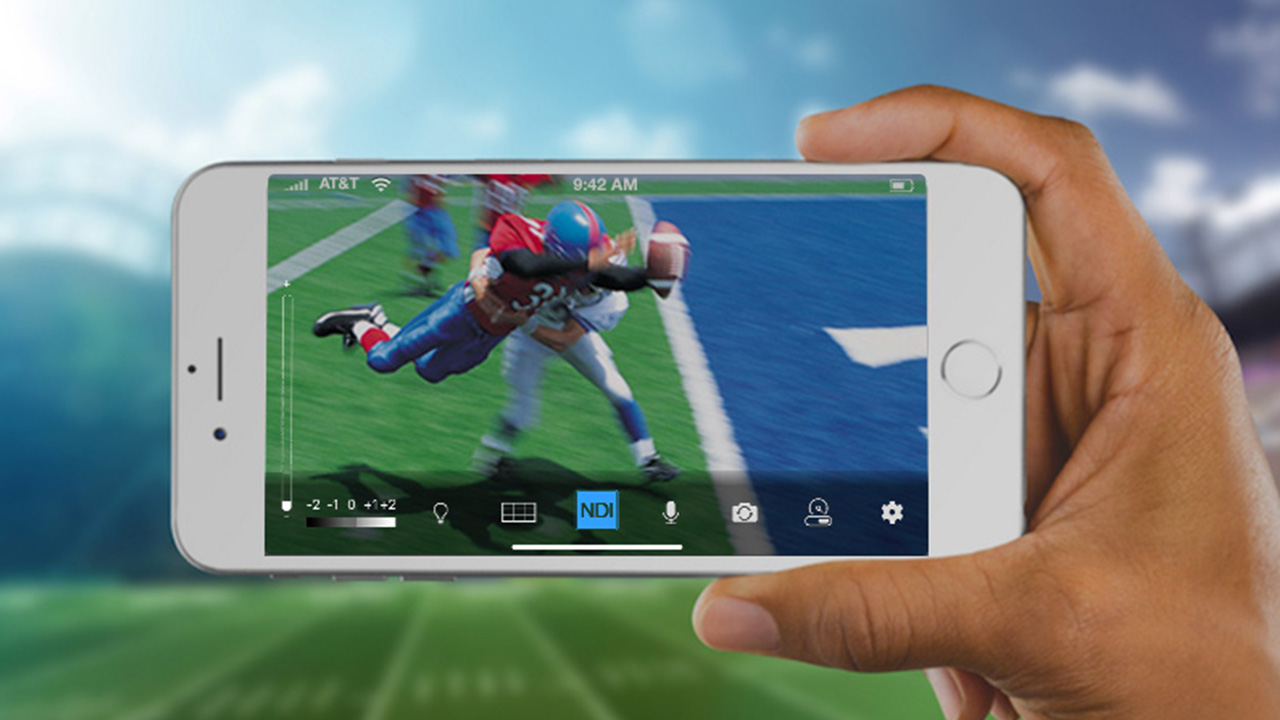
is there a way to stream iphone on streamlabs?
TenderSausage 10/19/2020 2:24 PM
Yeah, via NDI
2:25 PM
@Yuki Shinka Here's an article: https://www.cined.com/how-to-stream-live-from-ios-devices-for-free-using-newtek-ndi-hx-camera-and-obs-studio/
Newtek's NDI HX camera app turns any iOS device into a 4K NDI streaming camera source. Get the app free until the end of May.

7:39 PM
I'm hitting thermal and power limit throttling...
mmese 10/19/2020 9:02 PM
@TenderSausage The only way I could think of fixing that would be underclocking the CPU. Maybe a cooling pad would help, but a cooling pad doesn't help my laptop much.
TenderSausage 10/19/2020 9:04 PM
Yeah, I knocked it back a few pegs. it seems to be doing pretty good now. Going to stress test it in a bit.
mmese 10/19/2020 9:04 PM
If it doesn't work, fans should help if dialing back a bit helped at all.
Yuki Shinka 10/19/2020 9:06 PM
Yeah, via NDI
Yuki Shinka 10/19/2020 9:36 PM
is there a way to stream iphone on streamlabs?
mmese 10/19/2020 9:38 PM
@Yuki Shinka I'm assuming you want to stream Among Us, because that's the only game I can see being streamed from an iPhone. If I'm correct in this logic, you can use BlueStacks on your computer. It emulates Android. If I'm wrong, then I can't really help you.
Yuki Shinka 10/19/2020 9:39 PM
@Yuki Shinka I'm assuming you want to stream Among Us, because that's the only game I can see being streamed from an iPhone. If I'm correct in this logic, you can use BlueStacks on your computer. It emulates Android. If I'm wrong, then I can't really help you.
mmese 10/19/2020 9:40 PM
Alright. That does make sense.
9:40 PM
I wish you luck.
 1
1
1
1
TenderSausage 10/19/2020 10:10 PM
Apowersoft iPhone/iPad Recorder is a program that can mirror iPhone/iPad screen to computer and make screen recording.

10:10 PM
There's an option to evaluate it and see if it will do what you need.
mmese 10/19/2020 10:11 PM
I can vouch for that one at least working.
10:11 PM
I used it for a bit.
10:11 PM
It streams the screen to the PC.
Deleted User 10/20/2020 10:27 PM
Hi. I’m having problems with choppiness in my streams and I don’t know why. Could anyone help me?
TenderSausage 10/21/2020 1:27 AM
@Deleted User Sure. Do you notice the choppiness during gameplay, or is it only on stream?
Deleted User 10/21/2020 2:19 AM
@TenderSausage just during stream
mmese 10/21/2020 4:10 AM
@Deleted User Might be that your specs aren't good enough to stream the game, thermal throttling, internet, etc. To start off, what's your GPU and your CPU specs?
Deleted User 10/21/2020 8:49 AM
@mmese I have an i9-9900k and a NVIDIA 2070 Super
MantasSil 10/21/2020 12:18 PM
hey guys, I'm streaming with streamlabs it shows that I'm live on it. But on my twitch it shows that I'm offline any ideas?
mmese 10/21/2020 2:29 PM
@Deleted User Alright, so it definitely isn't your specs. It could be your internet or your PC could be getting too hot to work at full speed. While you're streaming, try to check your component temps. I recommend Core Temp for CPU.
TenderSausage 10/21/2020 2:43 PM
@Deleted User Personally, I don't think I can assess where the issue is yet. I think we should continue to ask a few more questions before we assume it's heat related. To check if it's internet related, could you post a screenshot of your most recent screen graph from https://inspector.twitch.tv please? (edited)
2:45 PM
@MantasSil Does it ever go live? Do you have test mode enabled in your streaming app?
2:49 PM
If you're using OBS, make sure the bandwidth test option is disabled (unchecked). (edited)

Deleted User 10/21/2020 3:32 PM
I will do that as soon as I get home
MantasSil 10/21/2020 3:41 PM
@TenderSausage Will try bit later tonight again. But it didn't go live
TenderSausage 10/21/2020 3:42 PM
I should be around to help tonight if needed
PumpkinSocks 10/21/2020 7:56 PM
Hey I’m looking for computers to buy for streaming games and I’m wondering if this is a good one. https://www.bestbuy.ca/en-ca/product/gaming-pc-dell-7010-sff-desktop-intel-core-i7-3-4ghz-32gb-ram-500gb-ssd-geforce-gtx-1650-windows-10-pro-refurbished/14423085?icmp=Recos_5across_yr_rcntly_vwd_tms&referrer=PDP_Reco
Dell 7010 Gaming PC SFF, i7-3770 (Quad Core) @ 3.4 GHz, 32GB DDR3, 500GB SSD, DVD-ROM, NEW GeForce GTX 1650 4GB GDDR5 Video Card, Win 10 Professional Refurbished
mmese 10/21/2020 8:46 PM
@PumpkinSocks For that price you could build a much better PC, but if you're deadset on prebuilt, I'd say that's pretty okay. If I bought prebuilt, I'd get a cheaper one and upgrade it, personally.
PumpkinSocks 10/21/2020 8:59 PM
Sounds good I’m just not sure where to start when building a PC. But I’ll look into it. Thanks
TenderSausage 10/21/2020 9:24 PM
Does that say an i7-3770? That's an 8-year-old CPU. Please don't spend money on that.

Shingfling 10/23/2020 8:52 PM
i need help!
8:52 PM
anyone?
mmese 10/23/2020 9:07 PM
Can you say the problem that you're having?
Shingfling 10/23/2020 10:23 PM
I fixed it lmao
10:23 PM
was panick on stream
10:23 PM
my desktop audio was mirroring my mic
10:24 PM
and I could either have just mic with no game sound or an annoying double voice and game sound
hey guys, i'm trying to setup a recording/streaming setup and I can't get it working right I am trying to route audio from my mic, discord and a game into for example, audacity, without listening to my own mic but i can never get it working right. its my understanding most people use vb and virtual cables for this, which I am too, but I don't know how to get it working right. (edited)
Yuki Shinka 10/26/2020 3:35 AM
You aren’t able to hear both without virtual cables? I’m able to with discord calling and with hearing the game audio at the same time @CRF
Yuki Shinka 10/26/2020 10:56 AM
is there any alternatives to adobe animate? free preferred. I want to make my own stream starting transition graphic

SolderOtter 10/26/2020 1:39 PM
Anyone familiar with hardware requirements on Elgato gear?
1:40 PM
Trying to find out if a second system with an i3-4130, GTX 750 Ti, and 16GBs DDR3 will be sufficient for capturing 1080P60 on an Elgato Hd60S

chidarengan 10/26/2020 5:24 PM
guys, how do i make nightbot answer a command with a random line of multiple pre-determined options? im struggling with this a lot if its not clear what i want is: !convostarter and then he will pick one of many conversation starters like: what's your favorite position in yoga
TenderSausage 10/26/2020 5:25 PM
@SolderOtter Those system specs do not meet the Elgato minimum specs. The CPU is insufficient; Elgato requires at least an i5-4xxx quad-core or greater. (edited)
5:27 PM
@Yuki Shinka FaceRig (they're releasing a new subscription version called Animaze). There is also FaceFX and CrazyTalk (edited)
5:32 PM
@chidarengan Is !convostarter a custom command that you coded?
chidarengan 10/26/2020 5:36 PM
its not XD
5:36 PM
but i know ill likely have to
5:36 PM
i just dont know how
SolderOtter 10/26/2020 5:39 PM
@SolderOtter Those system specs do not meet the Elgato minimum specs. The CPU is insufficient; Elgato requires at least an i5-4xxx quad-core or greater.
5:39 PM
Cause I know how to read specs. I was asking for someone that actually has experience with the hardware.
TenderSausage 10/26/2020 5:43 PM
@SolderOtter I mean, I don't own an i3-series anything, so I guess can't help you. I own a lot of Elgato gear. Not sure what you're after if you're not willing to take the above advice. (edited)
5:50 PM
QuickSync is required for those using an Intel-based GPU, which you're not because you have a dedicated GPU. At that point, it becomes an issue of whether your CPU even meets the bare minimum for CPUs without regard for the GPU/codec you want to use. IN this case, it's not powerful enough to use the Elgato HD60 S.
5:52 PM
But don't let me stop you from trying, honestly. I'm curious if you can get good streaming performance out of it.
SolderOtter 10/26/2020 6:22 PM
@TenderSausage My theory here is that the reason for stating i5 is because if you’re using QuickSync, the video performance is dependent on the number of CPU cores. Since the CPU isn’t going to be handling encoding which is easy for GPUs but tougher for CPUs.

TenderSausage 10/26/2020 6:33 PM
@SolderOtter I see what you're saying, but I just don't think an i3-4xxx of any variety has the horsepower needed to use an HD60 S at the desired resolution and framerate. From Elgato: "To use the basic functionality of Elgato Game Capture HD60 S, including video capture and editing, your CPU needs to be multi-core. It needs to have four or more cores." (edited)
6:33 PM
Here are the general Elgato Game Capture HD60 S System Requirements. Windows: • Windows 10 (64-bit) • 4th generation quad‑core Intel Core i5 CPU (i5-4xxx or comparable) • Intel HD, NVIDIA GeFor...

SolderOtter 10/26/2020 6:35 PM
Editing I can see, but capturing pre-encoded video takes almost nothing. Look at your phone. But, I’ll definitely report back once I’ve had a chance to test it.
TenderSausage 10/26/2020 6:36 PM
I'm not going to attempt to compare my Windows 10 environment to an iOS 13 environment. It's not even close to a fair comparison.

JigglesExMachina(DonumExMachina) 10/26/2020 7:51 PM
Anyone have any suggestions for a cheap-ish mini-computer that can be used to just stream something mirrored through an external capture card? I'm getting some frame drops on my main machine with some things and it's beginning to irritate me, so I'm hoping for a cheap solution to offload the CPU/GPU intensive side of streaming and leave my main desktop for the game itself.
SolderOtter 10/26/2020 8:10 PM
I'm not going to attempt to compare my Windows 10 environment to an iOS 13 environment. It's not even close to a fair comparison.
8:11 PM
Cause I mean, it's just Linux

oxycodone 10/27/2020 3:19 AM
Hey... I have a very low end laptop.. i5-3337u , 4gb ram, amd radeon hd 8730m (2gb) graphics.... can I connect a second screen to my laptop while streaming? Is that a possibility or does that just make everything lag?
SolderOtter 10/27/2020 4:27 AM
@oxycodone Theoretically yes. End of the day is it all depends on what you've got going.

MACH2Simulations 10/28/2020 8:34 PM
Stream Elements Help - NB I Have tried asking in their discord but it keeps getting lost in the ether Trying to save some alert variations and the saving block just sticks on saving. i have tried with adding many variations and i have tried adding 1 and it still fails. i have tried in chrome, Mozilla and chrome incognito and the same thing happens. Tried a different PC (Bear Metal server i have in a different country) a new overlay using my bot account to make the changes (Full Control) Adblock disabled, Pihole disabled a 413 error shows in browser dev tools Anything i can try? TIA (edited)

NickiAtNight 10/29/2020 8:22 AM
This might help some of you if you want to collab with another creator in minecraft - https://www.youtube.com/watch?v=7biJmgb56fI

BioBigDaddy 10/29/2020 11:23 AM
Hey there, got a question about the logitech streamcam, I currently have a b450 tomahawk motherboard and it does have a type c port on the back of the board, will this be compatible with the Logitech Streamcam?
TenderSausage 10/29/2020 7:42 PM
@BioBigDaddy Yes
7:43 PM
@MACH2Simulations I don't have a good recommendation for you. If you'd like, we can schedule a time to troubleshoot it.
7:44 PM
@oxycodone You will take a performance hit, but like @SolderOtter said, without knowing more about your scene comp and inputs, it's hard to say how large of an impact it will make.
BioBigDaddy 10/29/2020 7:55 PM
@TenderSausage ty I appreciate the help!!
7:55 PM
I couldn't find anything online so I went to the tried and true discord haha
oxycodone 10/29/2020 9:34 PM
@TenderSausage thanks.. I appreciate it... ideally for better streaming I should upgrade my ram, correct? (edited)
TenderSausage 10/29/2020 11:26 PM
@oxycodone It will get you a little further to have 8 or 12gb of RAM, and that wouldn't be a huge investment. Your CPU is pretty dated, and is a dual-core with hypterthreading, so at some point that will become a factor, but that's dependent on your scene comp.
SolderOtter 10/30/2020 1:50 AM
@oxycodone What's the model of your laptop?

terribleluigi89 10/30/2020 6:32 AM
Hello everyone, I have a question about the alerts. I setup and customized the Global alerts. Do i need to set up the other events as well such as Twitch bIts_1, 100, 1000, and the Anon gift sub, prime sub and gift sub seperately? Using SLOBS

iLoveCookies 10/30/2020 11:06 AM
hello guy, got a question about streaming with steamelements obs plugin and having weird "black" issues, havent had that on regular obs
11:06 AM

11:06 AM
any clue why it happens, works great on my pc, streaming on discord also
oxycodone 10/30/2020 1:25 PM
@SolderOtter its a dell inspiron 15 3521.. i5 3337u processor
SolderOtter 10/30/2020 1:40 PM
If you aren't using an external capture card, I'd avoid taxing the GPU anymore lest you hurt your capture performance.
1:41 PM
Looks like the max that laptop supports is 8GBs of RAM.
1:44 PM
@oxycodone Do you know if you have a 32-bit or 64-bit version of windows installed?
oxycodone 10/30/2020 3:31 PM
64
TenderSausage 10/30/2020 5:17 PM
@iLoveCookies I noticed this kind of issue independent of OBS/SLOBS the other night while playing Zed. I'm not sure, but it might be a LOL issue.
5:18 PM
Unless you're only seeing it on stream?
iLoveCookies 10/30/2020 5:18 PM
@TenderSausage it got fixed by dissabling transparency in obs, the zed issue is league of legends issue tho, with his recall/death animations
1
TenderSausage 10/30/2020 5:19 PM
Was it an animation that triggered it, or do you know why the transparency setting was affecting it? Specific champs? @iLoveCookies (edited)
iLoveCookies 10/30/2020 5:20 PM
pretty much half the skill effects triggered black shadows on stream only and on obs preview, not ingame
5:21 PM
esp anything red related had massive black outlines
5:21 PM
darius was fully broken, aatrox that i noticed, didnt test too much after being told to dissable it
TenderSausage 10/30/2020 5:27 PM
Interesting. I'll have to research that one a bit. Thanks!

Thercio 10/30/2020 7:01 PM
Anyone that reached affiliate, could you clear a doubt that I have? I have a friend that became elegible for affiliate, but she is waiting for her payment method to be authenticated (PayPal). How long did this process took for you? (edited)
TenderSausage 10/30/2020 7:13 PM
@Thercio I'm not sure, personally, that I'd wait for that authentication. They'll pay once it's set up. What is the doubt you need cleared up?
Thercio 10/30/2020 7:29 PM
It's just that, because I talked with a few brazilian streamers and people have been waiting up to 4 months (and still no authentication from Amazon) (edited)
TenderSausage 10/30/2020 7:43 PM
@Thercio But they're earning money as an affiliate during that time, correct? It's just a matter of payment? (edited)
7:44 PM
I wouldn't pass up 4 months of earnings just because the direct deposit isn't set up (edited)
7:45 PM
Is the doubt that Amazon won't pay?
Thercio 10/30/2020 7:45 PM
Nah, the issue is that it's taking over 2 days to review her payment method
7:45 PM

TenderSausage 10/30/2020 7:46 PM
Just give it time
7:46 PM
I wouldn't worry too much about that
Thercio 10/30/2020 7:46 PM
Translation of the last line: "Your payment method is currently under revision. This process usually takes a few minutes." (edited)
7:47 PM
Yeah, I'll tell her that. Just gotta wait and see.
7:47 PM
Thanks for the help
TenderSausage 10/30/2020 7:47 PM
No problem

Lutrinae 10/31/2020 10:49 PM
Im using obs and for the encoder should I used x264 or AMD
10:49 PM
or are they the same
TenderSausage 10/31/2020 11:53 PM
What is your CPU and GPU? @Lutrinae ?

carryTHEflag117 11/1/2020 6:54 PM
Streaming with Wirecast. Live video feed is a second or two delayed. Any idea why? When we used to use OBS there was no delay.
TenderSausage 11/1/2020 8:05 PM
@carryTHEflag117 Are your video and audio in sync?

Golden 11/1/2020 8:14 PM
That happens for me on obs, tends to fall behind a few seconds. No idea why

NoirRoex 11/1/2020 11:18 PM
Did anyone have trouble setting up two-factor authentication once they reached affiliate? It won't send me a text to set it up.

Sachiru 11/3/2020 5:44 AM
Hi all! Joined the discord to get good advice on how to improve my presentation setup. I'm about to move to another city since my previous job position dissolved, and I'd like to get work via online tutoring and teaching. The target audience is students on Zoom and Teams, but I figure that since the streaming community literally thrives on immersion and interacting with viewers, I'd like to ask for tips from you guys since you are the experts. Anyhow, for my first setup, I was reading on the importance of lighting, and saw something about three point lighting. My question is, is it necessary to have three lights for three point lighting, or can I use some sort of reflective material to bounce light off the two lights in front of me to create the third light?

The Kentrosaurus 11/3/2020 11:25 AM
Heya, I'm having some problems with my frame rate on Twitch. When I'm tabbed out, focused not on the game window, the framerate is fine. But when I'm tabbed in, focused in on the game window, the framerate goes to hell. https://www.twitch.tv/videos/790631858 shows it, from 0:15 - 0:30 I'm tabbed out on my Task Manager and it's fine, but from 0:30 onwards I'm solely focused on the game and the framerate dies. I'm on Streamlabs and am using 6000 Video Bitrate, Hardware (NVENC) (new), and Audio Bitrate 160. My specs are CPU: Intel i7-3770k, GPU: NVIDIA GeForce GTX 680, RAM: 16 GB, and an Ethernet connection. I figure it's probably a software issue because it runs just fine when tabbed out, has anyone experienced something like this? Is there a way to prioritize Streamlabs for CPU cycles and bandwidth, even when tabbed out or something like that? Thanks!
TenderSausage 11/3/2020 6:18 PM
@Sachiru Start with one light, and add more to defeat shadows. There are plenty of people who use single or two-point lighting. If you have a decently-lit room, a single key light may be all you need. I recommend the Elgato Key Light Air, but there are plenty of less-expensive options from Neweer and other brands.
6:21 PM
@The Kentrosaurus Try switching to the software encoder. It looks like your GPU is fully utilized, and you have some overhead left on the CPU. (edited)
Sachiru 11/3/2020 11:26 PM
@The Kentrosaurus Try switching to the software encoder. It looks like your GPU is fully utilized, and you have some overhead left on the CPU.
TenderSausage 11/3/2020 11:33 PM
@Sachiru That's correct, adding more light will typically reduce grain.
11:34 PM
I recommend the Key Light Air, or any that use edge-lit diffusion. It creates a really balanced, even light. I found the straight-on LED panels to be a bit harsh when close up, like on my desk.
Sachiru 11/4/2020 1:47 AM
I recommend the Key Light Air, or any that use edge-lit diffusion. It creates a really balanced, even light. I found the straight-on LED panels to be a bit harsh when close up, like on my desk.
TenderSausage 11/4/2020 2:08 AM
@Sachiru I have almost ideal lighting, and I still use a bit of sharpen and color correction, but generally speaking yes.
Sachiru 11/4/2020 2:09 AM
Gotcha, thanks very much!
The Kentrosaurus 11/4/2020 2:26 AM
@The Kentrosaurus Try switching to the software encoder. It looks like your GPU is fully utilized, and you have some overhead left on the CPU.
Yuki Shinka 11/4/2020 6:17 AM
has anyone used the streamlabs app? whats a custom RTMP setup?

Tonic 11/4/2020 7:13 AM
I think a custom RTMP is when you want to stream through your own website or somewhere else other than YT, FB or Twitch
1

davecore 11/4/2020 9:51 PM
Hi. I'd like to be able to receive someone's video stream and take care of streaming it to Facebook live. Any ideas how to approach this?
TenderSausage 11/4/2020 10:31 PM
@davecore NDI over a VPN (edited)
10:32 PM
There are other options, but that's one I use frequently. Why are you restreaming your friends stream? (edited)
davecore 11/5/2020 12:18 AM
@TenderSausage it would be streaming a customer feed (from a social media manager perspective). I want my paying customer to have the easiest possible le experience, and want to manage the stream/tickers/overlays from my side
12:20 AM
@TenderSausage is the VPN necessary here? Is it because NDI has a LAN limitation and doesn't work over WAN?
TenderSausage 11/5/2020 12:24 AM
@davecore I guess it depends on if it's a one-off event or a recurring thing. If it's one-off, WAN would work so long as you can configure ports. A VPN might help with odd connection/porting issues that way. (edited)