r/streaming
💬│chat 🎨│art 🔥│memes 🔧│tech-support-archive 🎮│free-games charity-announcements 👋│introductions 🎵│tunes 🥪│food 📸│photos ⭐│commissions ❗│rules 💯│raid-targets 💖│health 🔧│tech-support-archive

Misio 6/25/2020 3:37 PM
probs not 

SoulDrinker 6/25/2020 3:38 PM
thxs
3:38 PM
that's how I saw it as well

Dpzook 6/25/2020 3:40 PM
I wouldn’t do it on stream, if you do just keep it off camera
3:40 PM
unless you’re specifically trying to have that be the focus for some reason
SoulDrinker 6/25/2020 3:41 PM
I wouldn't have the camera on my self if that's what u mean
Dpzook 6/25/2020 3:42 PM
then how would anyone know lol
SoulDrinker 6/25/2020 3:52 PM
uhhhhhh
3:52 PM
cause I was going to do a thing like everytime I die in ow i take a shot

GrimmmReapa 6/25/2020 3:52 PM
Then you would be hammered by your first game
SoulDrinker 6/25/2020 3:53 PM
I mean if I play Hammond I never die
3:53 PM
it really depends who I play
GrimmmReapa 6/25/2020 3:54 PM
Ball
SoulDrinker 6/25/2020 3:54 PM
exactly
3:54 PM
now I am a main tank and I tend to feed on rein
3:54 PM
so......
3:54 PM
it might not end very well
3:55 PM
then again I did get drunk and played ow once I only played rein and went 6-1
3:55 PM
somehow
GrimmmReapa 6/25/2020 3:55 PM
Basically I will say it like this. Do it at your own risk. I'm not telling you its a good idea or anything, but if you do it, don't let people know your age for the most part.
3:56 PM
Unless you're in Germany or something
SoulDrinker 6/25/2020 3:56 PM
ok thanks for your advice
Misio 6/25/2020 3:57 PM
Man, I remember when I went on a school trip to Germany, I was 15 or something, they're like "Here's your beer, cigarette vending machine is on the wall, yes, you can buy the porn. Have fun!"
GrimmmReapa 6/25/2020 3:57 PM
While in America it goes like "Your school can't afford any trips"
Misio 6/25/2020 3:58 PM
Tbf this school trip was basically a trip to the mosel wine valley for the teachers. We actually went to a vinyard haha
SoulDrinker 6/25/2020 3:59 PM
in America it's like oh ur 18 cool you can go fight in a war or go thousands of dollars in debt and that's encouraged but one sip of alcohol nope don't do that
Misio 6/25/2020 3:59 PM
"Now, don't drink this till you get home, it's for your parents"
3:59 PM
queue 60 fucked up schoolchildren on a bus
GrimmmReapa 6/25/2020 3:59 PM
lmaooo
4:00 PM
Hey man, I will say this. As a person in the military who has witnessed asshattery from a couple of 18 year olds that drank underage, I get it sometimes
4:00 PM
Other times I'm like, if you can die, you can drink
SoulDrinker 6/25/2020 4:00 PM
lmao misio
Misio 6/25/2020 4:01 PM
I think there is a balance, demystifying things can be good, but you don't want "Here's some booze a car and a road, have fun"
4:01 PM
and yeah
4:01 PM
if you can fight, you should be able to have a drink :/
SoulDrinker 6/25/2020 4:02 PM
yea but people should also be taught responsible drinking cause rn its basically no one drinks toll they go off to college and then they get access to a shit ton of alcohol and don't understand moderate
GrimmmReapa 6/25/2020 4:02 PM
You'll learn a life lesson the first time you black out
4:02 PM
Following that life lesson is a different matter
SoulDrinker 6/25/2020 4:03 PM
my goal is to never black out
GrimmmReapa 6/25/2020 4:03 PM
Best of luck
SoulDrinker 6/25/2020 4:04 PM
thanks

sssalic 6/25/2020 8:34 PM
Hey guys so I was wondering if I should increase my bitrate since my upload speeds are pretty good

LaFlamaBlanca 6/25/2020 8:52 PM
anyone ever use a macbook pro as their 'streaming pc'? like running OBS on it and using a capture card that connects to their gaming PC running Windows?
GrimmmReapa 6/25/2020 10:57 PM
@sssalic Just follow the websites recommended settings for the resolution and frame rate you want to go for
10:57 PM
@LaFlamaBlanca Yeah you shouldn't have any problem using it
sssalic 6/25/2020 10:57 PM
Thanks
GrimmmReapa 6/25/2020 10:58 PM
No problem

Novolone 6/26/2020 2:51 PM
would appreciate any ideas on a diy way to prop up a phone as a webcam (edited)
2:51 PM
at a height where it doesn't show off my n + 1 chins (edited)
GrimmmReapa 6/26/2020 3:18 PM
get a broom, some rubber bands and something to hold the broom in place
Novolone 6/26/2020 3:21 PM
makes sense

typeclint 6/26/2020 4:00 PM
Does nvenc really cause streams to lag behind more? I was looking stuff up about it because I noticed last night that my stream was 20-30 seconds behind and people said to switch to x264.
GrimmmReapa 6/26/2020 4:06 PM
sounds like just a latency thing tbh
4:06 PM
I haven't noticed anything like that personally
typeclint 6/26/2020 4:55 PM
I hit stop streaming in OBS, then went to my channel and was able to watch the last ~20 seconds of it. Was pretty jarring, I've seen a like 3-5 second delay commonly but never this huge it's weird.
4:55 PM
It's also weird because I didn't change any settings same I always use.
SoulDrinker 6/26/2020 5:04 PM
my stream delay ranges from like 5 seconds to at the worst 2 minutes
5:04 PM
I think it's pretty normal

PVT COOTER SNIFFER 6/26/2020 5:45 PM
hi guys ive been streeaming for a couple weeks now and i been using nvenc which seems to be the best but i keep having hiccup in my stream dont know why though cus my ping in 34 and upload is 26 pc specs: i7-8700k 2060 super corsiar vengence pro 32 gb so i feel like my pc specs should be able to handle that
5:45 PM
would really apppreciate the help thx
5:49 PM

typeclint 6/26/2020 5:49 PM
@SoulDrinker Okay thanks man good to know it's normal to fluctuate

Enchanté 6/27/2020 3:31 AM
Hello I will be starting soon but i play by xbox and i Was wonder ing if theres anyway to put or use twitch lab for xbox
GrimmmReapa 6/27/2020 6:54 AM
@Enchanté if you mean streamlabs, then no, unfortunately not
6:54 AM
@PVT COOTER SNIFFER What is the hiccup?

Kyrein 6/27/2020 8:42 AM
I was curious if anyone knows how to set a co-op stream/recording in the way that Shadypenguinn (on youtube) does for his Pokemon series. He mentions that he uses OBS but I can't figure out how you would have a live feed of someone else's gameplay over wifi from two separate places in the world.
GrimmmReapa 6/27/2020 8:44 AM
Usually they just edit in their friends gameplay that they get sent to them or clip themselves
Kyrein 6/28/2020 3:49 AM
Yeah I know but in their series (recent ones before the drama with Nappy happened) they could see each other's gameplay live as it was happening
GrimmmReapa 6/28/2020 4:11 AM
You could capture his gameplay through discord
4:12 AM
delay should be pretty minimal
4:14 AM
https://www.reddit.com/r/Twitch/comments/8n52a3/is_there_some_way_to_stream_my_gameplay_and_my/ Sorry2Super may have a good solution in this thread
1 vote and 3 comments so far on Reddit
Kyrein 6/28/2020 6:13 AM
sweet

OGLetterB 6/29/2020 1:55 PM
Good Morning All, I have some technical issues. I made the mistake of buying some good gear for streaming and not really understanding the ins and outs of the equipment. I keep running into problems, so this is what I am running into. Program: SLOBS 2 PC Set Up GOXLR Capture Card: HD60 Pro I have made it so i can see my gaming pc monitor and the audio from my voice is great according to my friends. The problems lies in the game audio and being able to hear my friends through discord. Their audio is not captured and the game audio is too loud. I look at the mixer options in SLOBS but it's just not clicking for me. I would appreciate any help and please know that I am really uneducated on this whole subject so barney style pls lol
GrimmmReapa 6/29/2020 7:25 PM
What are you using to try capturing your friends audio? What computer is your friends audio coming from? How do you have your audio cables set up? What issues are you having with adjusting game audio?

Ardeshir 6/30/2020 4:00 AM
having this come up when I try connect my twitch account to OBS, was working fine yesterday 


anchikai 6/30/2020 9:05 PM
having a strange issue right now and can't figure it out for the life of me. Whenever I livestream Super Mario Maker 2 It works fine but for whatever reason on some levels the gameplay in OBS just freezes. No other games freeze at all like this, only mm2. heres the capture card i use https://www.amazon.com/gp/product/B088TFS342/ref=ppx_yo_dt_b_asin_title_o00_s00?ie=UTF8&psc=1
PVT COOTER SNIFFER 6/30/2020 9:35 PM
@GrimmmReapa sorry for late answer it will just drop frames on stream labs but my pc specs are pretty good so it’s should be doing that
9:35 PM
Maybe there’s a setting I have on that messing it up but who knows
GrimmmReapa 6/30/2020 9:43 PM
And you have also tried resetting your internet?
9:43 PM
Modem and router
9:44 PM
@anchikai have you also tried running OBS in administrator mode to test it out?
anchikai 6/30/2020 9:45 PM
how would i do so in linux?
GrimmmReapa 6/30/2020 10:13 PM
oooh
10:13 PM
let met check and see
anchikai 6/30/2020 10:17 PM
@GrimmmReapa fixed the issue by changing the resolution of the output, but thanks for trying to help :)
GrimmmReapa 6/30/2020 10:17 PM
No prob friend
OGLetterB 7/2/2020 3:57 PM
@GrimmmReapa well i have my desktop audio being captured by the elgato, i use discord on the gaming pc as well. audio cables run like this Astro A50 [usb - gaming pc] [aux - goxlr] mic [xlr cable -goxlr] goxlr[aux - stream pc]

pantzzzz 7/2/2020 11:53 PM
I need a bit of advice here. I bought USB live 2 capture card for streaming NES tetris. The card works fine, but I cannot seem to get an even halfway decent quality image. I have tried every interlacing option, every source resolution etc, it still has an insane amount of combing going on though.

GrimmmReapa 7/3/2020 10:13 AM
@OGLetterB with hearing your friends through discord and game audio since it's going through a bunch of loop holes, is it that you are not hearing them or the audio quality is poor?
OGLetterB 7/3/2020 8:20 PM
@GrimmmReapa
8:20 PM
I honestly dont know about the loop part but i have zero audio of my friends
GrimmmReapa 7/3/2020 10:03 PM
so in discord you have it set that the A50 is your output device so you can have it set to hear your friends?
10:03 PM
and also the game audio can just be manually adjusted in game right?

highnatenance 7/4/2020 4:58 AM
Hi there I am just wondering if anyone can recommend a webcam for newbies other than logitech stuff cause it is absurdly overpriced in canada right now - I have a blue yeti pro I am going to use for sound I don't care about that aspect
4:59 AM
c920 is 250 bucks for example
GrimmmReapa 7/4/2020 11:00 AM
Have you tried using a vpn to try to get better prices? also, is there anything you want from a vpn?
Novolone 7/5/2020 8:44 PM
if you're absolutely just starting then you can use your phone's selfie cam with droidcam for android, there's an app for apple as well @highnatenance

Crayon 7/5/2020 9:22 PM
hey guys, looking for some audio assistance. posted on the subreddit too https://www.reddit.com/r/streaming/comments/hlugkq/need_help_determining_an_audio_setup/?
0 votes and 0 comments so far on Reddit
GrimmmReapa 7/5/2020 10:43 PM
@Crayon you goal is to talk in game and on your laptop with the same headset?
Crayon 7/5/2020 11:06 PM
yeah. i tried using an aux on the ouput of my mixamp that goes into my macbook but it just doesnt work. there's static so i bought a ground loop isolator, and tried a TTRS splitter, it just doesn't work out
GrimmmReapa 7/6/2020 12:33 AM
Yeah those set ups are really awkward, there are usb plug ins that can convert audio and voice into your console, but the headset would need to support that ability for analog, since the usb the astros use are already digital

Bioklok 7/6/2020 3:01 AM
Trying to stream fortnite but my graphics card keeps crashing when I run streamlabs without even being live. I feel like there is something wrong or to many background operations running. Does anyone know any tweaks to fix it? I have a i9 9900k -RTX 2060 -Super 32gb Ddr4 2666hz
GrimmmReapa 7/6/2020 10:54 AM
have you tried rolling back your gpu driver update to the previous version? @Bioklok
SoulDrinker 7/6/2020 2:51 PM
do u have to be affiliate to set up channel points?

kuyabryan 7/6/2020 5:51 PM
Hey all, Anyone here with an audio technica at2020 xlr mic? I'm having issues not hearing anything even with the phantom power on my audio interface. I'm using a XLR to 1/4 inch cable that might be an issue. I may need to get a new audio interface to use a proper xlr to xlr cable?
GrimmmReapa 7/6/2020 8:08 PM
@SoulDrinker I believe so
SoulDrinker 7/6/2020 8:09 PM
unfortunate
GrimmmReapa 7/6/2020 8:09 PM
@kuyabryan I don't know if a 1/4 would be capable of supplying that phantom power you need for the at2020
8:09 PM
I think you need a legit audio mixer with an xlr port to be able to supply power as it would be through usb
kuyabryan 7/6/2020 9:14 PM
@SoulDrinker Yeah I ordered a proper XLR to XLR cable and will see if that fixes the problem. Otherwise I'll need to switch out my audio interface.


kuyabryan 7/6/2020 11:33 PM
Check if your gpu drivers are up to date
eyezak 7/6/2020 11:42 PM
i checked my display drivers and they are all up to date...

Y5 Show 7/7/2020 7:03 AM
my channel https://www.twitch.tv/y5show isn't appearing in twitch searches. I can just see some of my past broadcasts below of list of streamers. Channel is on the followers (left side on Twitch) list when i'm offline but dissaperars when i go online. i'm not visible to my followers lists of followed streamers. this problem appears on twitch app aswell on browsers like chrome and Firefox. I have made other channel and tried to stream with exatcly same setings. all was working fine. logged back to Y5Show and again it is not visible. i checked all settings and nowhere is some place where i can hide my stream by mistake. the "online" switch is on and i share my activity. Reseted my stream key few times and connected twitch to OBS aswell. manually selected server with lowest ping, used automatic aswell. I'm using OBS. Opened ticked in twitch support 21.05.2020 and its still "open" with one automated response. tried to add additional info in support, but that gets closed within few hours as duplicate. any idas what is problem to disapearing?

alixkast 7/7/2020 4:17 PM
I need a better webcam but can't find any. Don't want to fork out the money for a DSLR yet. Any recommendations on what to get and where to get it?

vizsivizsi 7/7/2020 4:22 PM
Is there a bot that I have to allow for the "live now" feature to work? I have already enabled streamer mode on discord (does that suffice?).
SoulDrinker 7/7/2020 4:30 PM
there are bots that put out live now messages is that what u r talking about or?
vizsivizsi 7/7/2020 4:33 PM
yes the bots that put out the live now messages
4:34 PM
if I have already connected to twitch on discord and turned on streamer mode is there anything else I need to do?
SoulDrinker 7/7/2020 4:35 PM
you need to get a discord bot and set it up to do that but that can only be done on servers where u when admin perms
 1
1
vizsivizsi 7/7/2020 4:40 PM
ah okay -- thank you!
SoulDrinker 7/7/2020 4:54 PM
np

manolis 7/7/2020 7:22 PM
Hey guys do you think my cpu:AMD-A10 5800k could run a stream?

Frantrek23 7/7/2020 7:54 PM
It depends on the rest of your hardware and what software and games you'll be streaming, but I think it won't be very reliable, specially if is an older model. You'll be able to play games, but if you are streaming with the same pc, the A10 chips don't handle heavy use very well. (edited)
manolis 7/7/2020 7:58 PM
One guy helped me few minutes ago but still thank you for answering.I've been thinking about upgrading my whole build so yeah
SoulDrinker 7/7/2020 8:01 PM
also check ur internet speed
manolis 7/7/2020 8:03 PM
i get around 60-70 mbps for upload
manolis 7/7/2020 8:37 PM
Guys is i5 6600 good for streaming in 720p30 ?I was thinking about buying i5 6600
8:37 PM
with new motherboard
8:39 PM
Or i was thinking about ryzen 5
kuyabryan 7/7/2020 11:03 PM
Try out Ryzen 5. I switched from intel to ryzen and its pretty good.
11:03 PM
16g of ram should be plenty to support streaming
manolis 7/8/2020 8:33 AM
Okay!

coffers 7/8/2020 6:16 PM
Got a question. My upload speed gets up to around 34 MB. However I am also streaming and gaming from the same PC i7-7700 and Gtx 1070 16gb Ram. Newer streamer so I will start at 720p 60 FPS. Obviously from my speed a high bitrate is possible but if I only plan on 720 should I stick with 4500 bitrate as the output? (edited)
manolis 7/8/2020 7:41 PM
I heard that some viewers cant actually view 60 fps on a stream so its better with 720p30

Deleted User 7/9/2020 2:29 AM
I've tried changing the aspect ratio on the camera, it doesn't fix it, just makes the black box go on the bottom too (edited)

TenderSausage 7/9/2020 2:54 AM
Easy answer is to zoom in slightly in the scene in OBS until the black bars are gone.
2:55 AM
I don't know specifically about the SL2/200D, but I know my 60D doesn't output at 1080p on the HDMI. It uses a different aspect ratio.

Legendairy 7/9/2020 6:51 AM
ok so I'm looking up webcams to buy... main question is on the logitechs everyone recommend 720 or 920 can you rotate them 90 degrees if put on side of monitor? or are they only able to clip on top

TenderSausage 7/10/2020 1:27 AM
Pick the rotation option that corresponds to whichever side of the monitor you've mounted it to, in my case the right side was a CCW rotation.
TenderSausage 7/10/2020 1:38 AM
Also, if you do Transform -> Edit Transform, you can control rotation and crop, if you need to.


TokageStudies 7/10/2020 4:09 PM
Hey does anyone know how to do stream?
SoulDrinker 7/10/2020 4:32 PM
no
4:32 PM
like what specifically like how to make a stream or?

ifoxmani 7/10/2020 11:21 PM
I need help
11:22 PM
I cannot get my computer to handle modern warfare streaming for the life of me
GrimmmReapa 7/11/2020 12:32 AM
@ifoxmani What are your computer specs?m
12:32 AM
@TokageStudies I've been known to help a little with stream doing
ifoxmani 7/11/2020 12:33 AM
@GrimmmReapa 2070 super, 3700x, 1440p monitor
GrimmmReapa 7/11/2020 1:13 PM
but it runs totally fine when you aren't streaming it?

Horizen 7/11/2020 11:21 PM
hello, I have a 2080Super and 3700x, what are the best settings for streaming in streamlabs? I seem to get some stutter
11:21 PM
and some frames dropped
GrimmmReapa 7/12/2020 4:32 AM
What are your settings right now, also depending on where you stream to you can find the recommended settings on the associated website
Horizen 7/12/2020 4:44 PM
i am streaming cod on twitch
4:45 PM
there are my settings

TenderSausage 7/13/2020 12:45 AM
@Horizen What resolution are you streaming at? (edited)
12:50 AM
Regardless of what your resolution, streaming at 20,000 Kbps is insane. Drop that down to 6000 and you should be good to go.
12:51 AM
Maybe 8000 if you have good bandwidth
GrimmmReapa 7/13/2020 2:08 AM
Everything Tender said is correct, I would shoot for 6000 though, because twitch won't support over 6mb/s
Dpzook 7/13/2020 2:09 AM
And you need good upload speed for 6000 if I’m not mistaken
2:09 AM
I think small amounts of dropped frames is normal
SoulDrinker 7/13/2020 3:12 AM
anyone know how to add a animated transition that can hekp me with it?
3:12 AM
on stremalbas obs
TenderSausage 7/13/2020 3:19 AM
For anyone who hasn't seen it, here's Twitch's guidelines on stream settings: https://stream.twitch.tv/encoding/
SoulDrinker 7/13/2020 4:29 AM
nvrm i figured it out

Locar 7/13/2020 4:58 PM
Hey guys quick question, Ive been having random issues with disconnections on stream but my slabs says im online, and the only way to get back online is to close entirely slabs and stream again. ANy idea what it could be? I get no notifications of packet loss or anything
SoulDrinker 7/13/2020 4:58 PM
r u running slabs in administration mode?
Locar 7/13/2020 5:06 PM
Hmm, im not sure @SoulDrinker is that a known issue? Might have to force admin mode all the time then and test.
5:06 PM
Like i said is strange since i get no packet loss or disconnections on my internet
SoulDrinker 7/13/2020 5:12 PM
idk all I know is when I run it in non admin mode it has like a 50% packet loss but when I run in it admin mode it works perfectly
Locar 7/13/2020 5:15 PM
@SoulDrinker Thx soul will try it out, if any1 else have any similar experience let me know.
Horizen 7/13/2020 7:29 PM
@TenderSausage 1080p
manolis 7/13/2020 9:23 PM
Hello is intel core i7 7700hq good for streaming?And what settings i should use
TenderSausage 7/14/2020 12:40 AM
TenderSausage 7/14/2020 5:59 PM
Is anyone using the Blue Yeti X?

james_f987 7/15/2020 12:23 AM
Getting some pretty bad motion blur when I'm streaming on twitch from my ps4 Pro, anybody know how I can reduce this or fix it? Any would be really appreciated!
typeclint 7/16/2020 5:16 AM
Anyone else have the problem streaming Hyper Scape on borderless window (monitor capture) where the screen goes black when you alt tab? I stream Dauntless regularly same settings and it doesn't happen in that game, also didn't happen in Crucible when I tried that on stream a few times.
GrimmmReapa 7/16/2020 8:32 PM
@typeclint Unfortunately not all games are the same when it comes to borderless window. It just works for some but not others
8:33 PM
@james_f987 as far as streaming from console, you can't really do too much, it just will always rely on your internet connection and the console itself
8:33 PM
@TenderSausage what about the mic?
typeclint 7/16/2020 8:34 PM
Man that sucks, using a single PC it's the only way I can alt tab and keep it "full screen" from my view. I could use a window and window capture and see how that works, don't like the idea of it but if it stops the blanking out when I alt tab it's worth.
TenderSausage 7/16/2020 8:35 PM
@GrimmmReapa I bought a Yeti X (arriving soon) as an upgrade to the original Yeti and I'm wondering if it's worth looking at new headphones or continuing to use my Logitech G633 headset.
GrimmmReapa 7/16/2020 8:45 PM
Nothing wrong with continuing to use your logitech headset. If you upgrade your headphones to studio quality it will be more money out of your pocket at this time and not really have much pay off
8:46 PM
At least your logitech headphones have drivers that are attuned to gaming experiences rather than getting studio ones that lack the bassiness of gaming headsets
8:46 PM
unless you want a pretty neutral sound
8:46 PM
@typeclint It's unfortunately the way things go, especially with one monitor set ups, but it is what it is

carryTHEflag117 7/17/2020 1:08 AM
Hello. Need a way to convert HDMI to USB so I can use my camera with OBS.
1:09 AM
What are the best boxes to do so?
TenderSausage 7/17/2020 1:44 AM
@carryTHEflag117 Which camera?
carryTHEflag117 7/17/2020 1:50 AM
I actually found what I'm looking for. Blackmagic makes a very affordable one.

snazy1125 7/17/2020 3:47 AM
quick question, Elgato HD60S+ or Avermedia LG extreme 2? Couldnt find direct comparison online
GrimmmReapa 7/17/2020 6:15 AM
I personally prefer elgato products over avermedia, I've used both in the past

luxurysedan3030 7/17/2020 11:08 AM
Does anyone use a canon camera for streaming? If so, how do you keep it from turning off automatically after 30 minutes?


65765765 7/17/2020 7:21 PM
Hello. Could someone tell me please whether my laptop (AMD ryzen 3 2200u, Radeon Vega mobile gfx, 8gb ram) will be able to stream ps4 over capture card (I'm going to buy Avermedia Live Gamer Portable 2 Plus)?
GrimmmReapa 7/19/2020 8:02 PM
@luxurysedan3030 have it also plugged into your computer via usb cable and have the eos utility app running
8:02 PM
just runs in background but also keeps camera from auto shutting off
1
8:03 PM
@65765765 Just verify the minimum specs for the capture card

rainymood3654 7/20/2020 12:59 PM
How does a capture card work from a macbook pro retina 2015 to my windows PC?
1:00 PM
I want to stream code on my MBP
1:00 PM
Then stream that video output from my monitor to OBS on my windows PC and then stream from there
1:00 PM
Is that possible?
SoulDrinker 7/20/2020 2:12 PM
srry y'all I just realized I posted that in the wrong channel
TenderSausage 7/20/2020 3:49 PM
@rainymood3654 If you have a capture card on your PC, it will accept whatever input you provide it. You can set up the capture card as an input in OBS on your PC and stream that. You'd basically run an HDMI cable out from your MBP as a mirrored display to your capture card/PC. Does this sound like what you're trying to do?
rainymood3654 7/20/2020 4:09 PM
@TenderSausage I dont have a capture card yet (which one should I buy?). Capture card as input on OBS on my PC I can do that I figure. HDMI out from my MBP... but where do I see it then on what monitor?
4:09 PM
I drew this picture a while ago, is this how it works?

4:10 PM
Point is I dont have USB c on my PC
TenderSausage 7/20/2020 4:14 PM
@rainymood3654 Yeah, your chart is correct. Regarding the cable, one end is USB-C, the other is a USB 3.0 A-style (standard input) (edited)
1
4:14 PM

4:15 PM
Since your chart had the had the Elgato HD60 S, I used that
4:16 PM
It should be mentioned that you don't need a seperate tv/monitor if you're running it to OBS on your PC, since you'll be able to monitor the input stream through OBS
4:17 PM
There are cheaper capture cards available, but that discussion requires knowing more about your expectations for the stream and if you want to have an external monitor specific to that input.
rainymood3654 7/20/2020 9:36 PM
@TenderSausage you think the elgato is a good purchase? Right now I just wanna stream coding but might build a new dedicated stream rig soonish
TenderSausage 7/20/2020 9:43 PM
It really depends on your future plans, then. Do you want 60fps video, or could you get away with 30? Do you want a separate, dedicated monitor output, or would you be able to use the stream PC as your stream/source monitor? At $180 retail, the HD60 S is pretty robust and full featured, it if you just want 1080p30 in to your stream PC, there are a ton of options, as low as $30.
1
9:44 PM
Also, if you are limited on USB ports, there are PCIe options
Deleted User 7/21/2020 4:24 AM
Hey guys, looking at buy a streaming pc was wondering if this one was fine? Thanks

rainymood3654 7/21/2020 7:56 AM
@Deleted User what games do you want to stream at what resolution? I would go for more ram and a bigger ssd tbh
Deleted User 7/21/2020 8:15 AM
@rainymood3654 i play on console and want to stream at least 720p
TenderSausage 7/21/2020 8:28 PM
@Deleted User I agree with @rainymood3654 that 8GB is a little light on RAM. 16Gb should be the standard anymore IMO. With the SSD, it's small, but if you don't intend on loading it up with games or recording your videos to archive, then it should be fine. If it becomes a problem, grab a cheap 2TB platter drive down the road for storage. Everything else looks fine.
Deleted User 7/21/2020 9:29 PM
@rainymood3654 @TenderSausage thanks a lot guys

jamie 7/22/2020 2:46 AM
i want to stream w 1 monitor. im using streamlabs and everything works fine except the game overlay only works when im NOT IN THE FUCKING GAME (tf2) i'm open to using any software, please!! somebody point me in the right direction!
TenderSausage 7/22/2020 4:11 AM
@jamie Can you post a screenshot of your scene sources? (edited)
4:14 AM
Like this

jamie 7/22/2020 4:45 AM
everything works except i cant see chat. i use toonhud but i restarted everything after switching back to stock (edited)

TenderSausage 7/22/2020 4:47 AM
Move your game capture layer to the bottom
4:47 AM
all the way down
 1
1
typeclint 7/22/2020 5:25 PM
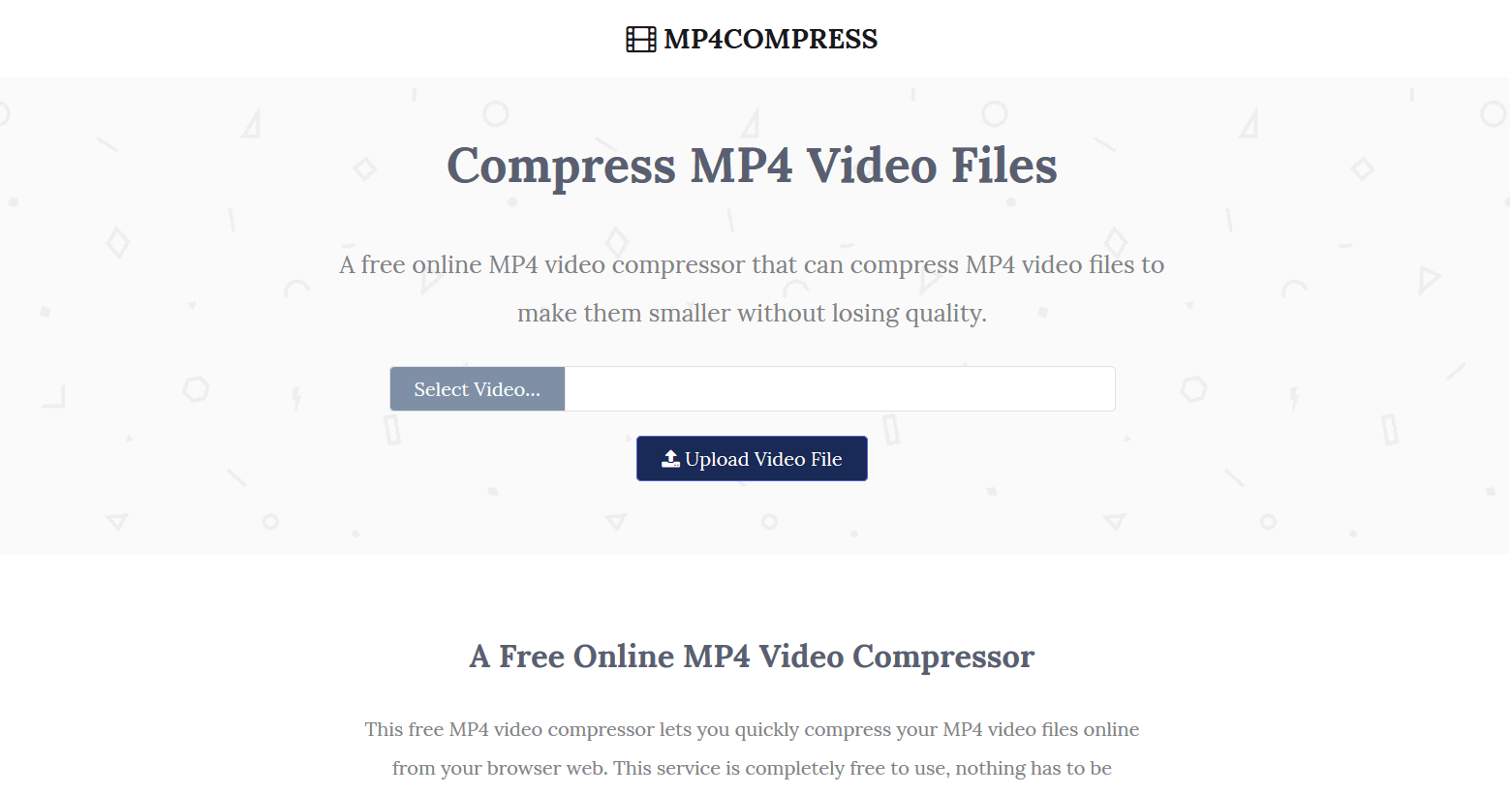
Alright you guys really need help, Twitter is not letting me post a clip from Twitch - usually when this happens I use this site to compress the mp4 https://www.mp4compress.com/ but for some reason it's not working this time
Mp4Compress is a free online MP4 video compressor that can compress MP4 video files to make them smaller without losing quality. Just select your MP4 file (max 500MB) and click the upload button.
5:25 PM
Anyone have any other solutions they use for this it's been driving me crazy since last night
5:31 PM
I know this isn't directly related to streaming but figured a lot of people here deal with this since it's a problem with converting between highlights and the codec that Twitter accepts.
typeclint 7/22/2020 5:57 PM
Found another site that works better for this, will leave it here in case anyone needs it https://webservice.online-convert.com/convert-for-twitter
This online converter converts your video or image to a format that is accepted for upload by Twitter.

GrimmmReapa 7/23/2020 9:53 AM
@typeclint Handbrake is a program that lets you compress files as well
9:53 AM
So that it just works locally
typeclint 7/23/2020 1:07 PM
Thanks I'll check that out
GrimmmReapa 7/23/2020 9:36 PM
Sure thing

tanner1086 7/24/2020 12:29 AM
Hi, can anyone check out this vod https://www.twitch.tv/videos/686593676 and throw some ideas why it gets so pixelated when there is fast movement. My settings are 720p60fps at 6000 bitrate. Im using the graphicscard encoder. My setup is Ryzen 5 3600 16GB RAM RTX 2070 SUPER 50k DSL 50 down and 10 up.
12:29 AM

12:29 AM

GrimmmReapa 7/24/2020 6:44 AM
@tanner1086 I'd try making Preset to Quality, Bitrate to 5000. FPS has a lot of movement, pixilation is common
Legendairy 7/24/2020 8:37 PM
Ok question cause I haven't built a full rig in a while... ordered new pc parts including MOBO + CPU + GPU for a streaming build. Do I need to buy an extra copy of windows 10 for the new motherboard or is it licensed / mapped to the SSD OS I run in my existing desktop? Note I'm currently running an older intel board and am going to a amd x570 board for ryzen build.
TokageStudies 7/24/2020 10:40 PM
hey i have a nikon coolpix l830 and i am trying to us it as a webcam. i have the capture device but the it only shows pictures can anyone help?
jamie 7/25/2020 3:13 AM
all the way down
GrimmmReapa 7/26/2020 1:43 PM
@jamie simple solution, use chatterino and in the options choose that the window always be on top. You may have to just use borderless full screen or windowed mode for the game though
1:44 PM
Restreams chat does the same thing
1:44 PM
@TokageStudies what capture device do you have?
1:45 PM
@Legendairy you would need a different copy, windows can only be activated on one pc at a time
TenderSausage 7/26/2020 2:27 PM
@jamie How do you have the chatbox source set up?

evie 7/27/2020 4:41 AM
Hi everyone!! I’m trying to start streaming from my MacBook Pro with an elgato to my ps4, but for some reason, I can’t get the game audio and party chat audio to go through ):. If anyone could help or have any advice, let me know!! I’m trying to stream off of obs!!

Saucy✧ 7/27/2020 8:50 AM
hey i need some help setting up my stream overlay in game could anyone help

Xivire 7/27/2020 10:27 AM
Hi! I'm planning to build a new pc solely for gaming and use my older pc for streaming, 2 pc stream setup basically. Was wondering if i7-6800K CPU, MSI X99S Gaming 9 ACK Mobo is good enough or do i have to upgrade them(for streaming pc)? my current GPU feels as if its about to die, so was just thinking of getting a new PC overall and wondering if this 2 PC stream setup would work. Any tips/recommendations?

BlessedJess 7/27/2020 4:15 PM
Help with streaming from Macbook Pro 2017 - i just posted to reddit but thought i’d also post to the discord Hi! I was wondering if anyone might help me troubleshoot or figure out how to better my stream set up. I would like to work with what I have in regards to my laptop  I did a test stream to Youtube yesterday from my Macbook Pro and had issues with dropped frames as well as only being able to stream at 720p (upper limit came to 480p) Here are the specs of my laptop: MBP 13" 2017 2 thunderbolt 3 ports 2.3 GHz dual core i5 8 GB 2133 MHz DDR3 RAM Intel iris plus graphics 640 1536MB I was using an Elgato HD60S+ connected to a Nintendo Switch. I had a tv (not sure exactly the model or series) and then used a Thunderbolt display as my monitor all connected through the Elgato Thunderbolt 3 dock. My internet seemed okay with around 100mbs download and 10mbs upload. I used Streamlabs OBS to stream (previously tried OBS and it just wasn’t as user friendly). I did recommended settings first but my video output was only at 480p so then I tried to change settings to: 3000 bitrate 1280x720 output and 30 fps I thought it was my internet that was causing the lag and dropped frames, but my friend said it might be because my macbook can’t handle it. Obviously I know the best answer would be to get a PC, but I wanted to know if there was any workaround to streaming without any buffering and getting the quality to 1080p. Please let me know if I should provide more info and if there even is a workaround to this! Thank you all so much! Btw, I was streaming Animal Crossing lol
I did a test stream to Youtube yesterday from my Macbook Pro and had issues with dropped frames as well as only being able to stream at 720p (upper limit came to 480p) Here are the specs of my laptop: MBP 13" 2017 2 thunderbolt 3 ports 2.3 GHz dual core i5 8 GB 2133 MHz DDR3 RAM Intel iris plus graphics 640 1536MB I was using an Elgato HD60S+ connected to a Nintendo Switch. I had a tv (not sure exactly the model or series) and then used a Thunderbolt display as my monitor all connected through the Elgato Thunderbolt 3 dock. My internet seemed okay with around 100mbs download and 10mbs upload. I used Streamlabs OBS to stream (previously tried OBS and it just wasn’t as user friendly). I did recommended settings first but my video output was only at 480p so then I tried to change settings to: 3000 bitrate 1280x720 output and 30 fps I thought it was my internet that was causing the lag and dropped frames, but my friend said it might be because my macbook can’t handle it. Obviously I know the best answer would be to get a PC, but I wanted to know if there was any workaround to streaming without any buffering and getting the quality to 1080p. Please let me know if I should provide more info and if there even is a workaround to this! Thank you all so much! Btw, I was streaming Animal Crossing lol

CorceTV 7/27/2020 4:43 PM
@BlessedJess I'm not super familiar with macs, and yes - a lot of your solution could be get a PC or microsoft laptop - but let's do our best to work on your current setup. Are the frames dropping visibly on your computer, or just on your stream, or both? I'd use a different device to tune into your stream and check, or ask a friend
4:44 PM
@evie What streaming platform are you using
4:44 PM
@Saucy✧ What kind of overlays are you looking for / what streaming platform are you using
BlessedJess 7/27/2020 4:44 PM
@CorceTV It was mostly dropping via the stream! my friend said there was lagging every so often and then not as much towards the end
CorceTV 7/27/2020 4:45 PM
@BlessedJess , that could either be an internet issue or a hardware issue - might depend on the type of lag. But if it's largely a framerate issue might be overall processing power. Have you tried eliminating like ALL OTHER PROGRAMS on the laptop so it's just SLOBS active? (edited)
BlessedJess 7/27/2020 5:10 PM
@CorceTV do you mean uninstalling? i do have photoshop and lightroom classic as well as a final cut pro trial installed too
5:10 PM
@CorceTV I could move them to a hard drive and see if it works better
CorceTV 7/27/2020 5:11 PM
Oh no, just not having a lot of stuff running at once. It sounds like a processing issue, which again comes back to your hardware.
BlessedJess 7/27/2020 5:17 PM
@CorceTV Ohh okay, it was SLOBS and chrome running i think
TokageStudies 7/27/2020 6:11 PM
@GrimmmReapa sorry, I did not see your response I already fixed the problem thanks though.
GrimmmReapa 7/27/2020 6:34 PM
Yuh

Kurineko 7/27/2020 8:00 PM
Hello guys, i'd really like to introduce myself to the community and all but i have a problem id like to solve as quickly as possible, i stream using streamlabs obs, i can't use regular obs for some reasons, my problem is that i almost always go offline without me noticing, it just stops streaming, and sometimes i end up acting like im streaming for up to an hour till i notice, is there a way to have an instant BIG notification when the stream has gone offline? or a way to prevent the stream from going offline just like that?
Saucy✧ 7/27/2020 8:20 PM
@CorceTV i use streamlabs OBS and i mainly just want chat but when i do it the overlay shows up on OBS and not the game im playing
CorceTV 7/27/2020 11:37 PM
@Saucy✧ gotta ask the basic questions - you checked the hotkey for it? I know you gotta set it to a hotkey and then activate it while you're playing the game
11:39 PM
Also which game are you trying to use it with?
Saucy✧ 7/28/2020 12:08 AM
i did set the hotkey and i was playing rust
CorceTV 7/28/2020 12:13 AM
I've noticed it tends to not work with certain games. I just set mine to test it out, seems to be working, but I don't have Rust installed unfortunately.
12:13 AM
And it's enabled as well, yeah? Cause you have to both enable it and set the hotkey, then turn it on in game. Looking to see if there's anything rust-specific may be causing an issue
12:14 AM
Also maybe try the Borderless Windowed mode.
12:14 AM
Affects it on some games
TenderSausage 7/28/2020 1:23 AM
@Xivire An i7-6800K with any compatible motherboard is sufficient as a streaming PC. I'd recommend 16GB of RAM on that machine.
TenderSausage 7/28/2020 1:41 AM
@BlessedJess According to Elgato, the HD60S+ requires discrete graphics (dedicated GPU) on a MBP. Unfortunately, yours is using the Intel Iris graphics, which is on the CPU. From Elgato: "Macs with only an Intel integrated GPU are not supported as most of them won't be able to process hardware video encoding and video compositing at the same time (a dedicated GPU is required for video compositing in most cases)." I read a few threads on Reddit that suggest some people have gotten it to work, but the people with a 2017 MBP had the 3.1GHz processor with Iris 650 Graphics. I just don't think your MBP meets the minimum requirements for much over 480p streaming. Sorry to be the bearer of bad news.
BlessedJess 7/28/2020 4:00 PM
@TenderSausage Whaat can you link me to that elgato? I was actually sent a link to better SLOBS settings for Mac and was able to stream at 720p last night with very minimal if any lag!
TenderSausage 7/28/2020 4:00 PM
@BlessedJess https://help.elgato.com/hc/en-us/articles/360034848551-Elgato-Game-Capture-HD60-S-System-Requirements
Here are the general Elgato Game Capture HD60 S+ minimal System Requirements. Windows: • Windows 10 (64-bit) • 4th generation quad‑core Intel Core i5 CPU (i5-4xxx or comparable) • NVIDIA GeFo...

4:01 PM
If you scroll halfway down the page, it talks about Mac-specific requirements
4:03 PM
What are the settings you were recommended to use? Can you post a link?

Pepper 7/28/2020 4:09 PM
hey guys. i just bought a razer ripsaw hd. setup and everything went pretty well but one thing. when i play on my switch the sound is playing thru my left side of the headset
4:10 PM
the right side is so quite i barely can hear it and it makes me dizzy af
TenderSausage 7/28/2020 5:21 PM
@Pepper what are you using for a headset?
Pepper 7/28/2020 5:49 PM
Hyper X cloud
5:50 PM
Any other sound goes perfectly. Only that particular is shit
5:52 PM
Im not having a stroke. Autocorrect is messing with me. So only that one is shit. I tested it with other things like i tried it in wow, league, chrome. Everything was fine. Ripsaw is a lefty. I tried with 4 different games and all of them were lefties
TenderSausage 7/28/2020 9:27 PM
@Pepper Where is your headset plugged in? Directly into your Ripsaw HD via the front 3.5mm port, or into your streaming PC via USB?
Pepper 7/28/2020 9:27 PM
into my PC via USB
TenderSausage 7/28/2020 9:29 PM
I'm assuming that you're running OBS, correct?
Pepper 7/28/2020 9:29 PM
yep
TenderSausage 7/28/2020 9:31 PM
To me, it sounds like it could be a couple things: 1. The audio output from the Switch to the Ripsaw HD is not properly configured. 2. The Ripsaw video source in OBS is not properly configured. 3. There is a physical connection issue preventing one audio channel from transmitting from the Switch to the Ripsaw HD via the HDMI cable.
9:31 PM
I don't have a Switch, so I can't help you on #1.
Pepper 7/28/2020 9:32 PM
i should try it with my PS
9:32 PM
and see if the switch was the failure
TenderSausage 7/28/2020 9:32 PM
On #2, you can right-click on the Ripsaw source in OBS, go to Properties, and click on Configure Video. In there, check the Audio Input and make sure to select HDMI+AUX
Pepper 7/28/2020 9:32 PM
wait let me do that
9:33 PM
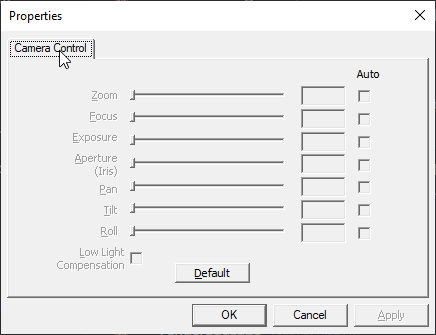
well since OBS sees ripsaw as a webcam i get this window https://i.imgur.com/9xUPa4F.png
9:34 PM
keep in mind this is my first capture device that handles consoles. i have the big noob
9:40 PM
and if i dont run OBS the sound is still shit. so i'm going to try with my ps and if its still bad gonna try with a different hdmi or something
TenderSausage 7/28/2020 9:42 PM
It shouldn't be a webcam input. It should be set up as a Video Capture Device.
Pepper 7/28/2020 9:43 PM
webcam has the same input option
TenderSausage 7/28/2020 9:43 PM
You're right, I was thinking of something else.
9:43 PM
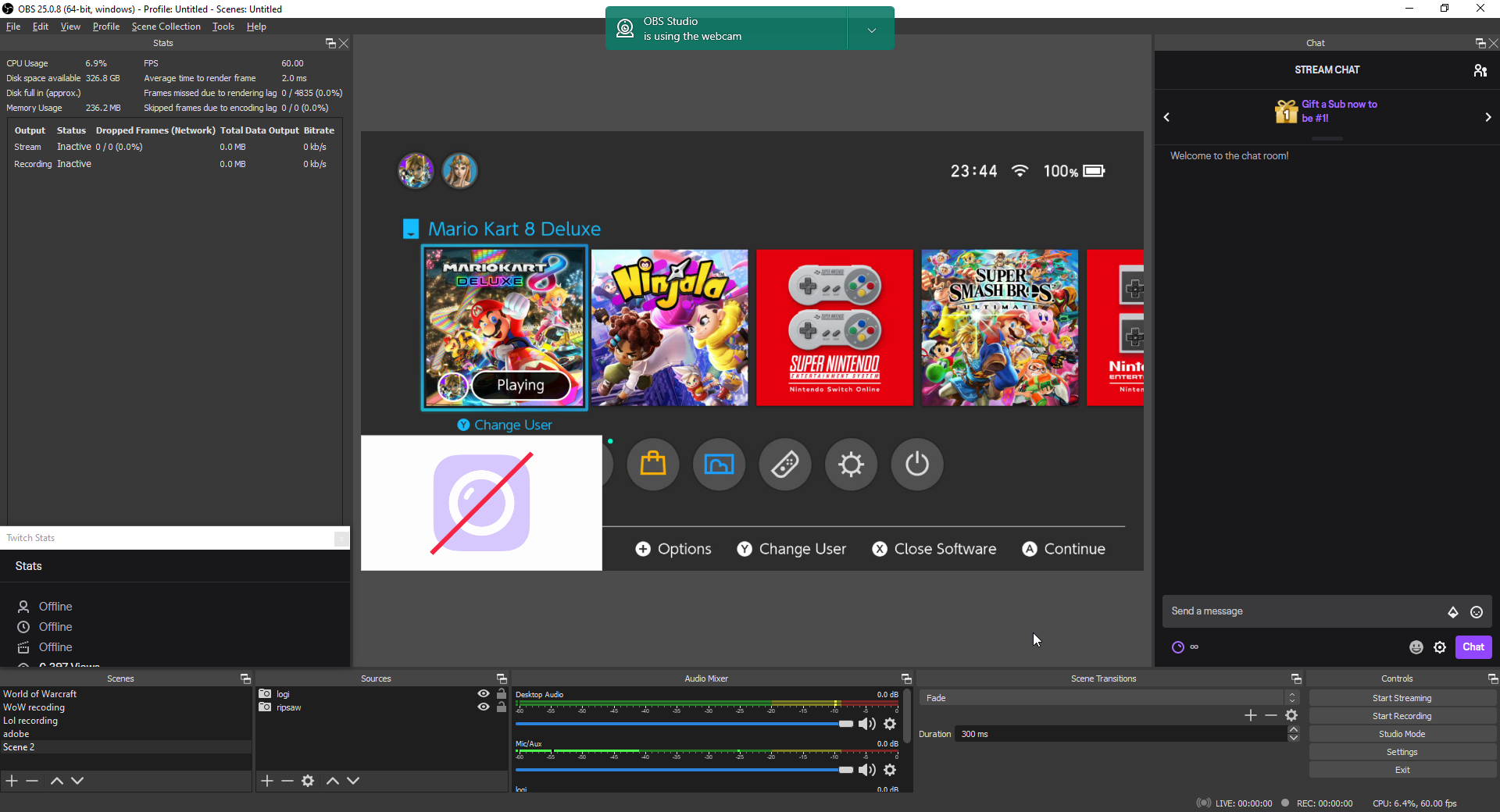
Can you post a screenshot of the source screen?
9:44 PM
this is the whole obs
TenderSausage 7/28/2020 9:45 PM
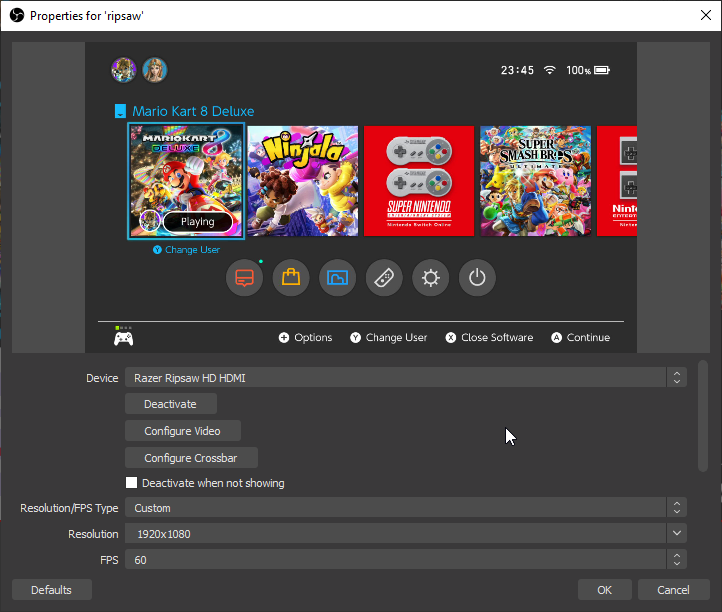
Double-click on the Ripsaw source and post a screenshot of that, please
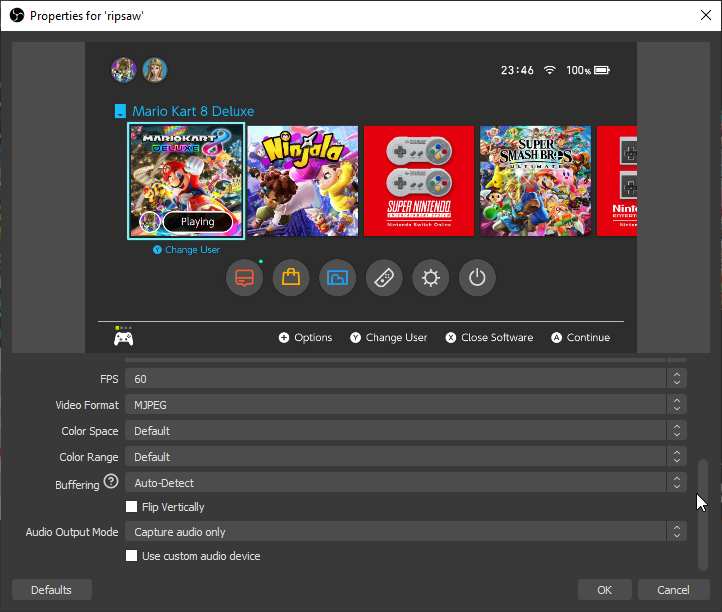


TenderSausage 7/28/2020 9:48 PM
Nothing out of the ordinary there. Can you try your PS real quick?
Pepper 7/28/2020 9:48 PM
yea in a sec
TenderSausage 7/28/2020 9:52 PM
It could be the Audio Output Mode, too...
9:53 PM
Change that to DirectSound and see if that changes it.
Pepper 7/28/2020 10:05 PM
alrighty. having a blue light of death apparently
10:08 PM
the issue is still up with ps too
10:09 PM
will the output mode change anything in the system actually?
TenderSausage 7/28/2020 10:15 PM
Yeah, it could. It could also be a bad HDMI cable. Do you get stereo output if you connect the Switch or PS directly to your TV with that cable?
Pepper 7/28/2020 10:16 PM
yes i do
10:17 PM
sent you a video in DM
10:17 PM
of my "microphone" setup
10:18 PM
i mean there is no hdmi cable that goes into my pc actually
10:18 PM
its a type c usb cabel
10:18 PM
one hdmi goes to my ps
10:18 PM
and one goes to my monitor
10:18 PM
and also i have different cabels for my consoles
10:19 PM
also tried with a different usb port
TenderSausage 7/28/2020 10:19 PM
I’m on mobile, can’t watch your video but I’ll be at my PC in a little bit. I’ll review and get back to you.
Pepper 7/28/2020 10:20 PM
thank you
LaFlamaBlanca 7/29/2020 5:39 AM
Hi all, new to this server and streaming. I am hoping for some hardware and/or stream setup advice. I'm very new to streaming but want to get my hardware/setup concrete before i start streaming more. I had contemplated buying a capture card for a while but I just learned of NDI tonight and am considering that as a possibility. But I'm still open to a capture card if that is the best option. I tried streaming CSGO tonight using Display Capture and the game was just too choppy and not up to par for what I want if I'm playing competitive matches. I've made a paste bin and it has the specs of the 3 computers I have available. The first is my gaming PC. The second is a Macbook Pro. And the third is an old (6-7 years i think) gaming PC that I got from a friend for $100. https://pastebin.com/VCdsWv9Y I don't know a ton about NDI yet but I plan to watch some videos on it tomorrow. If I understand correctly it seems like it just streams your video source from one computer to the next. Would i be able to do this with the Macbook Pro? Follow up question to that is, is that model macbook pro capable of running the stream on its own? I'd like to think it could but I'm not sure. What about the 'old' gaming PC I have? (the only thing that worries me about the older PC is that it sometimes will BSOD when I use it for torrents, some kind of network driver issue with the motherboard). Lets say cost doesn't matter and I'm open to getting whichever Elgato capture device would be the best for me (and other hardware, audio mixer etc), what kind of setup would you all suggest using the PC's i have available? (edited)
Pastebin.com is the number one paste tool since 2002. Pastebin is a website where you can store text online for a set period of time.
TenderSausage 7/29/2020 5:17 PM
@LaFlamaBlanca Have you tried just streaming from your gaming PC to see if you even need the second one? I'd start there. If you feel like you're experiencing bottlenecks that a second PC would eliminate by offloading the streaming task from your gaming rig, I'd recommend using the i5-3570K PC and not the MBP, especially if you intend to use a capture card like an Elgato. NDI is a pretty robust solution, and will give you very high quality streams. However, I'm concerned about your network-related BSOD comment since NDI is a network-dependent tech. If you are having issues with your network adaptor, your should resolve that before attempting to do NDI. (edited)

GabeTwoThousand 7/29/2020 6:27 PM
Okay so I think I already know the answer will be no, but I'll ask anyway on the off chance there's some solution I'm unfamiliar with. Is there any known way to use an Elgato HD60S to stream the video from a 1440p144hz monitor with only one PC? I only know of the nvidia cloning solution for higher refresh rates that doesn't let you use higher res than 1080p. There's also the OBS projection method that requires a 2 PC setup. (Idk why a $15 adapter from amazon can downscale a 4k60 signal to 720p30 but there doesn't seem to be a way to do this with a $200 capture card and a $700 graphics card.)
6:29 PM
Even if it requires buying some kind of $50 adapter to pre-downscale the video, I'd greatly appreciate any advice. I just don't wanna have to buy a whole new cap card If I can help it since I don't need to capture anything with an output above 1080p60. I just want some kind of good passthrough solution that can let me play at native res and framerate.
TenderSausage 7/29/2020 6:35 PM
@GabeTwoThousand The Elgato HD60 S has a maximum supported resolution of 1080p60, so you're right, the answer is no. Can you explain why you're using an Elgato to recapture a video stream that's already being output by the PC instead of setting up a Display Output source in OBS? A diagram of your setup might help. (edited)
GabeTwoThousand 7/30/2020 1:01 AM
@TenderSausage Here's the diagram
1:01 AM

1:01 AM
Poorly done in MS-Paint but you get the idea
TenderSausage 7/30/2020 1:02 AM
Running it that way, you’re processing the video signal twice.
GabeTwoThousand 7/30/2020 1:02 AM
I can already clone my main monitor with nvidia control panel and send 1080p@144hz to the monitor and 1080p@60hz to the cap card
TenderSausage 7/30/2020 1:03 AM
Just set up a Game Capture or Display Output in OBS
GabeTwoThousand 7/30/2020 1:03 AM
...
1:05 AM
The whole point of the cap card is to let an external processor do the video encoding and receive the encoded video as a video device like a webcam feed. If I do this at 1080p without even worrying about the 1440p res, I get waayyyyy higher framerates doing this than I do from just using OBS Game Capture. Regardless of whether I'm using NVENC encoding or x264 CPU encoding
1:06 AM
The issue is that by intercepting the game's video feed at the software level is a massive drain on resources and just capturing and encoding the HDMI signal externally takes a lot of strain off the PC
1:06 AM
Let me try to sum it up better
1:08 AM
Nvidia control panel will let me send a 1080p@144hz signal to my main monitor and clone that signal to a second "monitor" that's my capture card, but the GPU will downscale it to 720p@60hz if I want to. But it won't let me set my main monitor to native res and downscale the res to 1080p for some reason. It's clearly possible from the hardware since 1080p144hz to 720p60hz is already a thing. But nvidia just locks me out of doing the obvious thing with that feature.
1:08 AM
I was asking if there was a workaround to use the same idea.
1:09 AM
Maybe not with Nvidia control panel even. Just any way to avoid the technical issues with software game capture that cause framerate drops.
TenderSausage 7/30/2020 1:10 AM
Rescale the output in OBS?
1:11 AM
The whole point of an external processor is to allow you to process feeds that have not already been processed.
1:11 AM
Your game can be ported directly into OBS as a source and rescaled without significant additional load on your PC.
GabeTwoThousand 7/30/2020 1:12 AM
I literally said: "If I do this at 1080p without even worrying about the 1440p res, I get waayyyyy higher framerates doing this than I do from just using OBS Game Capture. Regardless of whether I'm using NVENC encoding or x264 CPU encoding"
1:13 AM
I know I can do that
TenderSausage 7/30/2020 1:13 AM
Then you have a configuration issue
GabeTwoThousand 7/30/2020 1:13 AM
but software based game capture has a lot of issues with certain games
1:13 AM
some games have a graphics pipeline that doesn't work well with any software game capture.
TenderSausage 7/30/2020 1:14 AM
Regardless, your HD60 S doesn't have the capability to do what you're doing
GabeTwoThousand 7/30/2020 1:14 AM
Not to mention a lot of games have tons of frame skipping and input lag when you're using software game capture even if you get a high framerate.
TenderSausage 7/30/2020 1:14 AM
the point is kind of moot
GabeTwoThousand 7/30/2020 1:16 AM
Yeah I know it can only capture 1080p60. I don't need a capture any better than that. I was just hoping someone had figured out a good way to downscale a higher res/hz monitor's signal so it could be captured by the HD60S. Nvidia control panel has the capability but has arbitrary limit put on it's features for no apparent reason.
1:16 AM
It's more "I know of one way to do it, but it's limited for dumb reasons, is there a way to get around this or a better way entirely?"
TenderSausage 7/30/2020 1:16 AM
With your current hardware, I don't think so
1:17 AM
Maybe with a 4K
GabeTwoThousand 7/30/2020 1:17 AM
As far as I can tell, It's not a limitation of the cap card. It's an nvidia driver limitation.
TenderSausage 7/30/2020 1:17 AM
OK. Seems like you've got your answer then. Contact Nvidia and see if they can add it to their driver roadmap.
GabeTwoThousand 7/30/2020 1:17 AM
I know there's open source drivers for certain things and other hacky ways to use nvidia features so I thought maybe this wasn't a new issue and someone had figured out something.
1:18 AM
I'll try, although I find it hard to believe they actually read or consider any of that feedback... Especially after all the dumb stuff they've done and features they've gimped
1:20 AM
A few versions back, nvidia control panel literally had a feature breaking bug that affected EVERYONE. Like anyone with any configuration that had updated to that version couldn't use an entire feature. I find it hard to believe they even QA their updates.
TenderSausage 7/30/2020 1:21 AM
Possibly. I mean... They release updated drivers pretty frequently that address reported issues, and I'm sure are resource constrained like everyone else right now... Maybe cut them a little slack.
1:21 AM
But still, suggest it to them to get it on the roadmap.
1:21 AM
Maybe it's an easy fix they'll slide in quickly, who knows.
1:22 AM
You know what Gretzsky said, You miss 100% of the shots you don't take.
GabeTwoThousand 7/30/2020 2:12 AM
Got it working
2:12 AM

2:13 AM
Very little info out there on this so it took a lot of digging. You have to enable Dynamic super resolution in Nvidia control panel and set the res of the capture card "display" to your desired mirror resolution with DSR Then you can do the mirror process and set your output framerates to each display accordingly
TenderSausage 7/30/2020 2:25 AM
How is the performance?
GabeTwoThousand 7/30/2020 2:27 AM
Exactly as I expected, just fine
2:28 AM
All it has to do is downscale to 1080p60 which requires almost no resources by comparison
TenderSausage 7/30/2020 2:37 AM
Good to know. I learned something today, thanks!

SadMachine 7/31/2020 2:47 AM
also please @ me if you have ideas
LaFlamaBlanca 7/31/2020 6:42 AM
Anyone else use Scan Converter and NDI with OBS and with a dual PC setup? I'm looking for tips on this type of setup in particular. I got it set up yesterday and tested it out tonight and it seems to run fairly well. BUT i'm a stickler for wanting things to run buttery smooth, particularly in CSGO. Normally this is easily attainable but when i start the stream up i still notice tiny stutters or choppiness or loss of frames. Or something. It's hard to put my finger on what it is exactly but i know its something. Does anyone know if this is more likely due to my gaming PC not being able to hang? Or maybe more because my streaming PC isn't up to par? Or maybe just something in the settings and the way i have it setup? Here are my two pc's specs: https://pastebin.com/SrQHxdi0 Should i try to overclock either? Maybe more ram in the stream PC? Would a capture card eliminate this performance hassle?
Pastebin.com is the number one paste tool since 2002. Pastebin is a website where you can store text online for a set period of time.
TenderSausage 7/31/2020 2:00 PM
@LaFlamaBlanca Are you noticing the stuttering on your gaming PC while playing (impacting play) or on the stream?
LaFlamaBlanca 7/31/2020 2:19 PM
@TenderSausage i notice it on the gaming PC while playing CS.
LaFlamaBlanca 7/31/2020 4:13 PM
@TenderSausage on the 'Output' tab of OBS's settings on the Stream PC I have the quality set to "faster". and the CPU usage gets up to around 90-95%. If i try to go past faster it affects the Gaming PC more I think. I'll have to keep experimenting with it. Do you think that if the Stream PC had better specs it wouldn't pull as much on the gaming PC?
TenderSausage 7/31/2020 4:31 PM
@LaFlamaBlanca The Stream PC isn’t pulling resources. If there’s stuttering affecting gameplay, it’s likely something on the gaming PC end.
LaFlamaBlanca 7/31/2020 4:33 PM
So the gaming PC just not being enough essentially? I might try to OC the cpu
4:33 PM
But a capture card would eliminate any of that right?
TenderSausage 7/31/2020 4:33 PM
Your hardware specs seem fine. It’s probably a setting.
LaFlamaBlanca 7/31/2020 4:34 PM
In OBS? On the stream PC?
TenderSausage 7/31/2020 4:34 PM
On your gaming PC.
4:34 PM
You’re streaming with OBS on the gaming PC to your streaming PC, correct?
4:35 PM
Via NDI?
LaFlamaBlanca 7/31/2020 4:35 PM
I’m using scan converter
4:35 PM
So OBS is not open on the gaming PC
4:36 PM
The game is super smooth until I open OBS on the stream pc and start streaming. I’m going to google around some more and check YouTube and just keep fiddling with it and see if I can find anything
TenderSausage 7/31/2020 4:39 PM
So, if I understand what you’re saying, as soon as you open OBS on your stream PC, your gaming PC’s performance drops. You’re using NDI Scan Converter to send video/audio from your gaming PC to your streaming PC.
4:40 PM
Or is it once you actually start streaming?
TenderSausage 7/31/2020 4:50 PM
I'm going to set up a similar setup and do some testing. Obviously my hardware is a variable, but what I'm going to attempt to do is measure the difference in performance using the information you provided.
LaFlamaBlanca 7/31/2020 4:55 PM
Awesome thank you! I think the performance hit only happens once I hit the ‘start streaming’ button and I’m actually streaming
4:55 PM
I have the preview disabled
TenderSausage 7/31/2020 4:55 PM
What about when you record locally?
4:56 PM
Just curious on that one... It's not terribly important to test,
LaFlamaBlanca 7/31/2020 5:17 PM
I haven’t tried any recording yet
5:17 PM
But yes you have the setup correct
TenderSausage 7/31/2020 5:18 PM
I just got NDI tools set up and configured, I'll do a little testing
LaFlamaBlanca 7/31/2020 5:18 PM
Awesome! Thank you so much. I’m very interested to see what you find out
TenderSausage 7/31/2020 5:18 PM
What resolution is your gaming PC at?
LaFlamaBlanca 7/31/2020 5:33 PM
1920x1080
LaFlamaBlanca 7/31/2020 8:05 PM
my "skipped frames due to encoding lag" is up to around 22% but that was on the "fast" preset. Im not sure what the best setting is for "Framerate" inside of NDI scan converter.
LaFlamaBlanca 7/31/2020 8:26 PM
so i switched it from CPU encoding to GPU encoding and that seems to make a BIG difference

lumpy1313 7/31/2020 10:43 PM
hey guys, so i have been using the same setting on twitch since i started streaming on twitch so for about 5 months now. And all of the sudden i went to go live last night and the stream started lagging really bad and telling me that my encoder is overloaded? but i am using the same settings i always have and playing the same game. literally nothing has changed. i ended the stream last night and just gave up went to bed now today it is the same issue can anyone please help me get my stream back up and going? either via responses here or even in a vc

Queue 7/31/2020 11:59 PM
Hey guys! I'm trying to set up a dual PC Streaming setup and am kinda lost when it comes to audio is anyone here willing to help
TenderSausage 8/1/2020 12:29 AM
@LaFlamaBlanca that makes sense. Since you aren’t using the video card for anything but the stream, might as well.
12:29 AM
@lumpy1313 did you install any new softwares that you’re aware of?
12:30 AM
One thing I’ll be testing soon is the new Win10 update. It’s supposed to fix some audio issues, but because it’s so new I don’t know what other performance issues might arise from updating.
12:31 AM
@Queue What questions do you have?

chidarengan 8/1/2020 12:31 AM
helloo people that help with tech stuff. ive been streaming for a few weeks now using streamlabs+remote play ps4. i want to stream through my xbox 360 since there is where my favorite dark souls version is. for that i need a capture card. its important to note that i live in brazil and our importation taxes are insane (and also our money, the real (R$) is about 1/5 of a american dolar) so a 70 dolars eletronic is almost 1000 R$ here (yeah crazy. i do have that money but it would be literaly burning money to buy something that expensive. ) i've researched a lot and its been hard to find people that understand about capture cards, but from what i gather apparently a usb 2.0 capture card is pretty decent and would work, and it would only cost up to 300R$. i considered buying a 3.0 but my notebook only supports 2.0. and this got me scared, what if i buy a 2.0 one and it just doesnt work on my notebook? do i need to like share my specs with you guys before making the purchase? and is any other equipment necessary? also, would it work on ps4 too? on remote play i get a bit of lag. thanks in advance. and please feel free to answer on private because i dont check this too often (hope im not asking too much). ill try to check oftenly
TenderSausage 8/1/2020 12:34 AM
@chidarengan Most USB 3.0 devices are backward compatible, so I wouldn’t worry about compatibility, you just won’t utilize the full potential of a USB 3.0 device.
12:34 AM
I’m sure there are some exceptions, but it should be fine with whatever option you choose.
chidarengan 8/1/2020 12:36 AM
i see. the 2.0 are cheaper thou. i wonder if it would make much difference. i REALLY dont understand this stuff
12:37 AM
my notebook is not that great
TenderSausage 8/1/2020 12:40 AM
For consoles, I’d encourage you to get a pass-thru capture device (one that has HDMI in and out). They are really easy to set up.
12:42 AM
There are some off-brand options in the $100 USD range that will work fine. If you want to future proof a bit, in case you get a new laptop or something, an Elgato HD60 S is a great option.
chidarengan 8/1/2020 12:46 AM
elgato is too expensive here :/ https://lista.mercadolivre.com.br/elgato-hd60#D[A:%20Elgato%20HD60 you can see for yourself
Encontre Elgato Hd60 - Placas de Captura de TV/Vídeo Elgato no Mercado Livre Brasil. Descubra a melhor forma de comprar online. Aproveite o frete grátis pelo Mercado Livre Brasil!
12:46 AM
ive been looking for something more like this https://lista.mercadolivre.com.br/placa-de-captura-usb-2.0#D[A:placa%20de%20captura%20usb%202.0]
Encontre Placa De Captura Usb 2.0 no Mercado Livre Brasil. Descubra a melhor forma de comprar online.
TenderSausage 8/1/2020 12:48 AM
I’d start with this one: https://produto.mercadolivre.com.br/MLB-1550018987-1080p-hdmi-to-usb-20-video-capture-card-caixa-de-gravaco-_JM
Characteristics:Supports HDMI Loop Out;Supports 4K maximum resolution input;Supports maximum 1080P output resolution;Supports most acquisition programs such as VLC, OBS, Amcap, etc.Compatible with Windows, Android and MacOS;Complies with USB Video and UVC standards;Complies wi...

12:49 AM
Low cost, will probably work for now

Shanecus 8/1/2020 12:49 AM
@TenderSausage thanks for being awesome. Also I tried to hit up your twitch, but I think the one you have linked to discord is broken? I tried a few times and nothing
TenderSausage 8/1/2020 12:50 AM
@Shanecus Yeah, I’m in the process of updating things. I’ve supported a number of streamers, but haven’t really streamed yet myself.
Shanecus 8/1/2020 12:50 AM
No worries, just let me know when and also that way I can get you on socials amigo
TenderSausage 8/1/2020 12:51 AM
Also, no problem, I love talking tech and helping people.
12:52 AM
@chidarengan Yikes on that Elgato pricing, my dude.
12:54 AM
@chidarengan Are you streaming to Twitch, or another platform? I believe both PS4 and XBOX have Twitch apps you can use, depending on your setup/goals.
chidarengan 8/1/2020 12:59 AM
@TenderSausage i dont think its possible to stream directly from xbox 360. i think streaming directly from xbox you lose some functions on twitch witch i dont want. thats why i use remote play.
TenderSausage 8/1/2020 12:59 AM
Makes sense
carryTHEflag117 8/1/2020 12:59 AM
Recently had someone come to me saying they bought a Sony EVI D100 which I don't know how as it's an older camera but would anyone be able to say roughly how much they got it for if it was new? Are there any cameras around the same price with HDMI or SDI output and a similar zoom?
chidarengan 8/1/2020 12:59 AM
on my second sentence, i meant ps4
1:01 AM
https://produto.mercadolivre.com.br/MLB-1598180700-1080p-placa-de-captura-hdmi-usb-20-live-streaming-_JM?quantity=1#position=2&type=item&tracking_id=37b28d8e-de9e-4cbf-80a8-49c497ffb662 i was thinking about buying this one. it has live streaming on the title XD up to about 300 R$ i dont mind the price. i just not sure if its a worthy purchase because i really dont get this stuff. are you sure i dont need to share my specs or anything? also do you know how it works? i just plug the hdmi from the ps4 or 360 on the capture card and then into my notebook * and it shows on my pc? (edited)
Pronta entrega, postagem em 24 horasPlaca de Captura 1080p - 30fpsCompatível com vMix, OBS e qualquer outro playout de transmissão, ideal para lives e games.Sistemas operacionais suportados, windows, Mac e androidResolução máxima 1080p - 30fpsvideo capture can capture both HDM...

TenderSausage 8/1/2020 1:03 AM
@chidarengan The issue I see is how you’re going to get the video to your TV. That will go out from the console to the PC, and then you’ll have to do a mirrored output on the PC or something. I’d get the other one so you can send video to both your pc and your TV.
1:04 AM
The one I linked for R$142.95 will be more flexible on configurations. (edited)
1:08 AM
@carryTHEflag117 The EVID100 has been discontinued for quite a while. I’ve seen them around online for as little as $50, and new-in-box for over $800.
1:08 AM
It’s a pretty big range.
1:12 AM
I’m keeping my eye on this camera, might just buy one to try: https://www.indiegogo.com/projects/obsbot-tiny-ai-powered-ptz-webcam#/
Smarter, Smaller, Smoother! Video Calls with Freedom! | Check out 'OBSBOT Tiny : AI-Powered PTZ Webcam' on Indiegogo.

Queue 8/1/2020 1:13 AM
@TenderSausage I'm using an internal cap card with a dual PC setup
1:13 AM
and when I duplicate my main monitor and elgato, my monitor is capped at 60Hz
1:13 AM
but its a 144Hz monitor, so i want to know how to get it to stay that way
TenderSausage 8/1/2020 1:14 AM
@Queue Nvidia card and a g-sync monitor?
Queue 8/1/2020 1:14 AM
freesync but yes
chidarengan 8/1/2020 1:15 AM
@TenderSausage i heard that some capture capture cards are only good for recording and not for streaming. not sure what is the case for this one. i also dont know if that one works for xbox 360
carryTHEflag117 8/1/2020 1:15 AM
@TenderSausage guess I'll have to ask the person and see what they paid. Hopefully they paid closer to the $800 range and we can get a decent PTZ
chidarengan 8/1/2020 1:15 AM
oh i see now in the pic that i says that it works for streaming
TenderSausage 8/1/2020 1:16 AM
@Queue I actually learned from @GabeTwoThousand that there’s a setting in the Nvidia Control panel called Dynamic Super Resolution. I haven’t explored it myself, but I will be soon because I’m using a G-sync monitor and anticipate hitting the same obstacle.
TenderSausage 8/1/2020 1:19 AM
@carryTHEflag117 The product should be the same regardless of the price, but a NIB one would hopefully mean a fresh, unused sensor with plenty of life left and good motors.
Queue 8/1/2020 1:20 AM
hm, enabling that didn't seem to work sadly
carryTHEflag117 8/1/2020 1:21 AM
@TenderSausage I mean hopefully he paid closer to $800 so we can return that one and get one with the right outputs. I'd rather not go through so many conversions and I'd like at least 720p video
Queue 8/1/2020 1:21 AM
though based on the description of DSR that im reading it doesnt seem like itd do much in the way of fixing that problem anyhow
TenderSausage 8/1/2020 1:22 AM
@Queue I’ll test it a little later tonight and see what I find.
1:23 AM
@carryTHEflag117 That makes total sense.
1:25 AM
@chidarengan Yeah, it should work with pretty much any HDMI source.
1:26 AM
@lumpy1313 sorry, I lost your message in the mix
lumpy1313 8/1/2020 1:27 AM
@TenderSausage only thing i have done is do the new windows update. But i did find out that it ONLY happens when i am playing warzone no other games but warzone
TenderSausage 8/1/2020 1:27 AM
Let me re-read it
1:27 AM
Oh, interesting...
1:28 AM
@lumpy1313 Single PC setup, correct? (edited)
chidarengan 8/1/2020 1:33 AM
@TenderSausage ill make the purchase then. thanks for your help. mind if i add you as friend?
lumpy1313 8/1/2020 1:35 AM
yes single pc setup im running a 3900x with a asus rog 2080ti and 32g ram
TenderSausage 8/1/2020 1:37 AM
@chidarengan no problem 
1:38 AM
@lumpy1313 You definitely shouldn’t be getting encoder overload with those specs...
1:38 AM
I’ll add that to my test list for tonight
1:39 AM
I’ll do the win10 1909 update and update to the latest Nvidia drivers and see what happens.
lumpy1313 8/1/2020 1:46 AM
let me know how it goes because right now im not even able to stream bearly
TenderSausage 8/1/2020 1:48 AM

GabeTwoThousand 8/1/2020 3:54 AM
@Queue if you continue to have issues DM me and I'll show you what I did to make it work
3:55 AM
In a little bit since I'm eating supper currently
lumpy1313 8/1/2020 3:56 AM
@TenderSausage so i may have fixed it. so in obs i run display capture since one of the main games i play is destiny 2 and it doesnt work with game capture only display capture. well i tried game capture for just call of duty and its no longer having issues. why would display capture just now be an issue?
TenderSausage 8/1/2020 4:01 AM
@lumpy1313 As far as I understand it, Display Capture is more resource-intensive because it's rendering anything that's on the display, even stuff you don't see, like your desktop. Game Capture only keeps track of the one specific executable application. Some games don't like Game Capture, so an alternative is to use Display Capture at the cost of performance.

ReturnPolicyTTV 8/1/2020 8:41 AM
Hey all was hoping someone could help me out with a question. Looking to start streaming with a friend (we're at two different locations), I know how to incorporate both of our webcams into the stream, but I'm looking for solutions as how to incorporate both of our gameplay footages into the stream as well. Not partnered so we cant just squad stream (eff u twitch). Any suggestions would be much appreciated.
Queue 8/1/2020 3:30 PM
if anyone's able to help me out with configuring audio in a 2 PC Stream setup I'd super appreciate it
TenderSausage 8/1/2020 8:02 PM
@ReturnPolicyTTV You could use an NDI over VPN if you both have good internet.
8:04 PM
@Queue I use VoiceMeeter Banana on my gaming rig to send what I want over NDI to the streaming machine.
Queue 8/1/2020 8:05 PM
I downloaded voicemeeter but i dont know to actually like, set it up
8:05 PM
and gabe was talking about using an NDI but I also wasnt able to get that towork either
TenderSausage 8/1/2020 8:09 PM
I can walk you through later tonight, depending on your availability
8:09 PM
At least how I’m using it. There are a lot of options
8:11 PM
I’m in PST, and I’ll probably be on my PC around 8:30pm
8:11 PM
So like... 7 hours?
Queue 8/1/2020 10:01 PM
I should be home by then, thanks man
Queue 8/2/2020 3:20 AM
@TenderSausage I'm here whenever you're ready, no rush:)
TenderSausage 8/2/2020 3:34 AM
I’m putting my kids to bed, will be there shortly
Queue 8/2/2020 3:37 AM
no worries man
3:37 AM
take your time
TenderSausage 8/2/2020 3:48 AM
@Queue Go ahead and pop into the "Chat" voice channel
Queue 8/2/2020 3:50 AM
sounds good!
3:50 AM
give me jsudt one secon
Queue 8/2/2020 4:01 AM
can you still hear me?
4:01 AM
@TenderSausage
4:01 AM
I cant hear you anymore

SusKi 8/2/2020 4:59 AM
sorry to be a pain, when im making a paypal account for twitch donations, should i make it business or personal

Ivan_demi 8/3/2020 1:34 AM
Hi so recently my friend had the idea that we should attempt to stream us playing games so I shrugged and said why not but we’ve run into the first hurdle, that is not having any idea for what we might need to stream we know ps4 has a built in broadcasting feature but past that we’re at a loss any and all input would be appreciated
TenderSausage 8/3/2020 3:25 AM
@SusKi I'd leave it personal for now. I'm sure there are tax ramifications once you hit a certain amount (I'm not sure what that is), and depending on how much you're receiving in donations you may want to consult with a tax accountant.
3:27 AM
@Ivan_demi Are you both on PS4? What all do you intend on streaming (Game only, game + webcam, etc)? Are you both on the same console, or are you each on your own console? In the latter case, do you intend to have two console feeds streaming on the same stream?
Ivan_demi 8/3/2020 6:49 AM
Same console game and audio, as I think other guy doesn’t wants to share his face yet (edited)