r/streaming
💬│chat 🎨│art 🔥│memes 🔧│tech-support-archive 🎮│free-games charity-announcements 👋│introductions 🎵│tunes 🥪│food 📸│photos ⭐│commissions ❗│rules 💯│raid-targets 💖│health 🔧│tech-support-archive

TenderSausage 9/1/2022 12:18 AM
One might say PWR+ and the other PWR- (edited)


12:20 AM
Idk if i did it right my lights went off up top
TenderSausage 9/1/2022 12:22 AM
Yep, that looks right.
12:24 AM
Okay, let's try this: 1. On the back, find the power switch and set it to Off. 2. Unplug the power cable. 3. Press the power button 4 times. 4. Plug the power cable back in. 5. Switch the power switch to On. 6. Press the power button once.
BigK9DRACO 9/1/2022 12:26 AM
Still nothinf
12:26 AM
You think my mother board got power
TenderSausage 9/1/2022 12:29 AM
It's possible your power supply isn't providing power to the motherboard. To test, you'd need a known-good power supply, one you know works. (edited)
12:31 AM
If replacing the power supply makes it power up, you know the issue was the power supply. If you still don't get power with a known-good power supply, you'd probably be looking at an issue with the motherboard or the CPU.
12:32 AM
Could also be the power switch
12:32 AM
but less likely
BigK9DRACO 9/1/2022 12:32 AM
Okay thank you
TenderSausage 9/1/2022 12:33 AM
You're welcome, let me know how testing goes
12:33 AM
So im assuming maybe its not getting power
TenderSausage 9/1/2022 12:33 AM
That's a reasonable assumption
12:34 AM
It may be an issue with one of the rails in the power supply, like the 5V rail isn't putting out power (edited)
BigK9DRACO 9/1/2022 12:34 AM
O my
TenderSausage 9/1/2022 12:34 AM
Because some power was coming through. You had some lights.
BigK9DRACO 9/1/2022 12:35 AM
Yeah thats why i had wishful thinking that a cable was off
12:35 AM
So hopefully its a faulty cable
TenderSausage 9/1/2022 12:50 AM
When you are having problems with your setup and you want to rule out whether your power supply is faulty or not, you can perform the following simple test to m
12:50 AM
You could do this process


synthie_cat
A question like that is nearly impossible to answer besides "the best you can get". Framing a budget helps a ton. Here's some general questions that will help:
- How much money can you comfortably spend?
- Does it have to be a laptop or would a desktop be an option? (Desktops have generally better hardware for a lower price)
- do you only want to stream or would you like to record/cut in the future?
- If a desktop: Building your own is a lot easier then most people worry for. Would you be willing to do that?
Evey ( E-V) ♥ 9/1/2022 3:12 AM
500-1000 price range I want the desktop version cuz I’m not planning on moving around with it , it’s going to be in one space In the future I would be looking to record yes
3:12 AM
@TenderSausage ^
3:12 AM
Thank u guys 
Evey ( E-V) ♥
500-1000 price range I want the desktop version cuz I’m not planning on moving around with it , it’s going to be in one space In the future I would be looking to record yes
TenderSausage 9/1/2022 4:16 PM
This is a pretty good pre-built: https://www.microcenter.com/product/651180/msi-codex-rs-11tc-057us-gaming-pc
Get it now! Everyone has to start somewhere, whether you are climbing ELO or getting your first win. MSI wants you to have the perfect desktop to start your gaming journey.

TenderSausage 9/1/2022 5:38 PM
With OBS 28, if you use StreamElements, you'll need to update: https://discord.com/channels/141203863863558144/313419268471521291/1014951386238173264 (edited)
TenderSausage
This is a pretty good pre-built: https://www.microcenter.com/product/651180/msi-codex-rs-11tc-057us-gaming-pc
Evey ( E-V) ♥ 9/1/2022 11:18 PM
Cool! And what do u think about this one https://www.bestbuy.com/site/skytech-gaming-blaze-ii-gaming-desktop-pc-intel-core-i5-10400f-16gb-memory-nvidia-geforce-gtx-1660-ti-1tb-ssd-black/6499434.p?skuId=6499434 ?
Evey ( E-V) ♥
Cool! And what do u think about this one https://www.bestbuy.com/site/skytech-gaming-blaze-ii-gaming-desktop-pc-intel-core-i5-10400f-16gb-memory-nvidia-geforce-gtx-1660-ti-1tb-ssd-black/6499434.p?skuId=6499434 ?
TenderSausage 9/2/2022 1:28 AM
Personally, I would opt for the 30-series RTX GPU over a 16-series GTX, especially at the same price point. So no, I would not recommend that one.
1:31 AM
It's not a bad computer either way (edited)
1:32 AM
This with an additional 8GB of RAM would be an acceptable option: https://www.bestbuy.com/site/ibuypower-slatemr-gaming-desktop-intel-i5-12400f-8gb-ddr4-memory-nvidia-geforce-rtx-3050-8gb-500gb-nvme-ssd-black/6500554.p?skuId=6500554
Shop iBUYPOWER SlateMR Gaming Desktop Intel i5-12400F 8GB DDR4 Memory NVIDIA GeForce RTX 3050 8GB 500GB NVMe SSD Black at Best Buy. Find low everyday prices and buy online for delivery or in-store pick-up. Price Match Guarantee.

TenderSausage 9/2/2022 1:47 AM
Depending on the motherboard they put in there, you could spend just under $100 and have 32GB RAM, which would make that computer last for the next four years

Talon 9/4/2022 5:10 AM
Hey there! I recently picked up a Shure MV7 for gaming, which has been great! I'm currently using it on a boom arm for streaming and Discord, but I find it picks up my mouse clicks and sometimes keyboard clicks. But they are only auditable when I'm speaking, the microphone/discord/stream doesn't pick it when I'm not speaking. Does anyone know a fix for this?
Talon
Hey there! I recently picked up a Shure MV7 for gaming, which has been great! I'm currently using it on a boom arm for streaming and Discord, but I find it picks up my mouse clicks and sometimes keyboard clicks. But they are only auditable when I'm speaking, the microphone/discord/stream doesn't pick it when I'm not speaking. Does anyone know a fix for this?
TenderSausage 9/4/2022 3:16 PM
Turn your microphone gain down and get the mic closer to your mouth
3:21 PM


Greypic | HC 4 Hire 9/8/2022 2:55 PM
What is the best camera angle for a stream? I do live talks but want to stream / record content and courses. I can't figure the right camera angle from behind my screen.
2:55 PM
Using a ZVE-10 if that makes a difference
2:56 PM
also, don't know if this counts as tecch support
Greypic | HC 4 Hire
What is the best camera angle for a stream? I do live talks but want to stream / record content and courses. I can't figure the right camera angle from behind my screen.
TenderSausage 9/8/2022 3:24 PM
I'd do some research on the type of content you're looking to produce and see what feels natural out in the wild. If you are teaching makeup tutorials, the angle will be very different than karate or pottery. Also, it's a matter or preference and what you want the audience to see.

ChronicMayhem 9/9/2022 11:48 PM
Anyone use a ducking compressor on there audio that can give me some feedback?
TenderSausage 9/10/2022 6:49 PM
Can you be more specific about what you're trying to do? Ducking with a compressor is possible, but a lot of apps have ducking functions built in.
ChronicMayhem 9/12/2022 7:19 PM
I'm using side chaining in OBS. I already have it all set up. I just want to know if I should change my settings or up the ratio or threshold etc. I can post an example from my stream
Greypic | HC 4 Hire 9/14/2022 12:38 AM
Is there a way to adjust the audio settings of a mic outside of a scene?
12:39 AM
Meaning, I use the same mic in several scenes, do i have to adjust the settings on the mic in OBS in every scene? or is there a way to adjust the settings universally?
TenderSausage 9/14/2022 12:46 AM
You can create a group that only has that audio source in it, and then add that group to each scene
12:46 AM
Then, apply the plugin to the source inside that group. It should persist across scenes.
12:50 AM
@Greypic | HC 4 Hire I'm not understanding why the filters are changing from scene to scene, though (edited)
12:51 AM
If you apply them as filters, they apply to the source no matter what scene it's in
12:54 AM
Alternatively, you could use a software like Voicemeeter and apply the VST before it hits OBS. Then you can adjust it all you want.
12:54 AM
I use Elgato Wave Link for this.
12:54 AM

TenderSausage
@Greypic | HC 4 Hire I'm not understanding why the filters are changing from scene to scene, though (edited)
Greypic | HC 4 Hire 9/15/2022 5:43 PM
They aren't. I assumed they would. Thanks for the reply. I am really a noob.
TenderSausage 9/15/2022 5:51 PM
No worries!

Does anyone have some pdfs or so about http live streaming ? Need for my master thesis, i mean i almost finished but i need to see like implementation in works i dont know what my professor really wants
Ana
Does anyone have some pdfs or so about http live streaming ? Need for my master thesis, i mean i almost finished but i need to see like implementation in works i dont know what my professor really wants
synthie_cat 9/16/2022 9:43 AM
You mean like technical implementations?
9:43 AM
You could find a source here: https://www.rfc-editor.org/rfc/rfc7826
9:45 AM
RFCs - Request for Comments - are implemented references for internet standards.
9:45 AM
They outline the technical specifications for everything that's "the internet"
I think so, she isnt ideal so i dont know what she meant , i will read it and see if it can be used for my work, thank you so much ❤️
Ana
I think so, she isnt ideal so i dont know what she meant , i will read it and see if it can be used for my work, thank you so much ❤️
TenderSausage 9/16/2022 7:49 PM
Does it have to be a document, or could it be a transcription of an expert interview? I would consider a conversation on Discord to be an interview if you transcribed it.
7:49 PM
Feel free to ask any questions you may have if it would help you.
It can i think
7:58 AM
She wants me to cintribute somehow with my work and i cant do that at my job
TenderSausage 9/17/2022 2:04 PM
Could you potentially contribute to a project on GitHub, or branch a project and make your own rendition of it?
TenderSausage 9/17/2022 2:21 PM
That may show a more complete understanding of HTML and give you an already-established project that you can tinker with.
2:21 PM
exeldro has 39 repositories available. Follow their code on GitHub.

2:22 PM
Technology enthusiast and front-end web developer. These days I'm spending a lot of time working in React, with some C/C++ for @obsproject on the side. - WizardCM

Kira 9/18/2022 3:23 PM
Hello! I am currently trying to improve the quality of my stream to the best and I've noticed that the sound volume of my stream is really low (my mic + the sound of the game + the music in the background on spotify). Is there a way I can increase the general volume of it? (Using streamlabs)
TenderSausage 9/18/2022 3:46 PM
@Kira When you look at the interface, where do these inputs peak? Are they in the green, yellow, or red at the highest point?

3:47 PM

Kira 9/18/2022 3:47 PM
in the middle of green
3:47 PM
But my mic is pratically at the max
3:47 PM
and it's still in green
TenderSausage 9/18/2022 3:47 PM
Which mic?
Kira 9/18/2022 3:47 PM
headphone mic
TenderSausage 9/18/2022 3:48 PM
Does the headphone mic have software that controls it?
Kira 9/18/2022 3:48 PM
no
TenderSausage 9/18/2022 3:49 PM
Okay, before we start, here's what I think may be going on: All of the inputs (game, desktop, mic) have independent volume controls. Let's check those and see where they are at.
3:50 PM
I suspect they're all turned down, which means they're low by the time they hit OBS/.
3:50 PM
We can handle that in a couple ways: 1. Turn up the inputs earlier in the signal chain, or; 2. Add gain to the output in OBS.
3:50 PM
I prefer to do option 1 and then limit the signal in OBS.
3:51 PM
Because you can get weird distortion if you do #2 wrong.

TenderSausage 9/18/2022 3:51 PM
Well, for one, those can all be turned up to 0.0
3:51 PM
That would get you back to where they are by default
Kira 9/18/2022 3:52 PM
okay
TenderSausage 9/18/2022 3:52 PM
Like I said, I suspect your input volume is low, so we can check that in Windows
3:53 PM

3:53 PM
Right click the speaker, then go to Open Sound Settings
3:53 PM
On the right, find the option for "Sound Control Pane" under Related Settings

3:54 PM

3:54 PM
Go to the Recording tab. Then, find your microphone, click on it, and press Properties.

3:55 PM
Go to the Levels tab and see what the level is set to. Turn this up as needed.

Kira 9/18/2022 3:57 PM
the level is at 82 which is a lot
3:57 PM
so idk why it's so low
TenderSausage 9/18/2022 3:58 PM
What do you mean by it's a lot?
3:58 PM
It can go higher, to 100
Kira 9/18/2022 3:58 PM
well the max is at 100
3:58 PM
but yours is at 50
TenderSausage 9/18/2022 3:59 PM
If it's too low, you need to turn it up. My setup shouldn't be compared yours. I have a very different microphone.
Kira 9/18/2022 3:59 PM
ok
TenderSausage 9/18/2022 3:59 PM
I'm only using these screens to show what they should resemble, for reference
4:00 PM
Each setup is a little different, so we're just discovering what we need to adjust for yours.
4:00 PM
Could you share the model of headset? This may help.
Kira 9/18/2022 4:01 PM
Spirit of Gamer Elite-H70
TenderSausage 9/18/2022 4:08 PM
There does appear to be software for it, though I'm unsure what it controls: https://spiritofgamer.com/fr/index.php?controller=attachment&id_attachment=70
4:13 PM
In reviewing your channel, the microphone sounds fine to me, the other sources could be turned up
4:14 PM
You could position the microphone closer to your mouth by bending the boom. That would help with picking up your voice louder by proximity.
4:16 PM
Maybe 20-30mm closer should help.
Kira 9/18/2022 4:16 PM
the sound is nice if you use headphones but if you don't you need to put your computer's sound to 100% to hear it
4:16 PM
BRUH DOn't post my face like that without warning 
TenderSausage 9/18/2022 4:16 PM
lol, sorry, I can remove
Kira 9/18/2022 4:17 PM
problem is that if i put it too close you can hear me breath xd
TenderSausage 9/18/2022 4:17 PM
You can put a gate on it in Streamlabs (edited)
Kira 9/18/2022 4:17 PM
a gate?
TenderSausage 9/18/2022 4:18 PM
This will mute anything that the mic picks up below a certain level, but will allow sound over that level (threshold)
4:18 PM
Sound quality is a vital part of your live streaming set up. Remember, you are trying to capture and hold the attention of a viewer that…

4:18 PM
Check out the section on Noise Gate
Kira 9/18/2022 4:19 PM
ooh i didn't know that! thanks!
TenderSausage 9/18/2022 4:19 PM
No worries!

4:32 PM
the close threshold is if i speak too loud the viewers won't hear it?
TenderSausage 9/18/2022 4:35 PM
No, too loud would be handled by a different filter, a limiter
Kira 9/18/2022 4:35 PM
so what is close threshold? 
TenderSausage 9/18/2022 4:35 PM
You can add a limiter after your noise gate to suppress loud outbursts
4:37 PM
The close threshold is where the gate turns off the microphone once your audio level reaches that point.
Kira 9/18/2022 4:37 PM
ooooh ok
4:39 PM
thank you!
TenderSausage 9/18/2022 4:40 PM
I don't know if it's mentioned in that article I linked, but the order matters when setting up filters.
4:40 PM
If it doesn't sound right, swap the order and it might sound different. You can play with it until it sounds right to you. (edited)
4:41 PM

Kira 9/18/2022 4:42 PM
i will only use the noise gate so it shouldn't be a problem!
4:45 PM
if that is okay i have others questions now that this thing is fixed (edited)
TenderSausage 9/18/2022 4:48 PM
Go for it 
Kira 9/18/2022 4:50 PM
I feel like my stream labels aren't in the exact middle of my boxes, even when i put "align in the middle"

4:50 PM
usually i use magnetism on photoshop to be sure everything is centered but we don't have that in streamlabs
TenderSausage 9/18/2022 5:00 PM
Is the font center-justified?
5:02 PM
I don't use Streamlabs, only the regular OBS, so if I misunderstand because of that, please forgive me.
5:06 PM
Is wrap turned on?
5:10 PM
and i'm afraid idk what is wrap
TenderSausage 9/18/2022 5:10 PM
There should be a checkbox at the very bottom for wrap
5:11 PM
It will change how characters break inside a space
5:11 PM
If it's there and enabled, try turning it off

TenderSausage 9/18/2022 5:15 PM
You may want to adjust the custom text extents to give you a more consistent size
5:15 PM
Or adjust the font size down
Kira 9/18/2022 5:20 PM
even when i do that to me it's still not in the exact middle of the text box
5:24 PM
look it's clearly not in the middle 

5:25 PM
it looks like there is space after the label for some reasons
TenderSausage 9/18/2022 5:28 PM
is there a space in the source document?
Kira 9/18/2022 5:28 PM
i just checked, no :/
TenderSausage 9/18/2022 5:29 PM
How about a line break?
5:29 PM
or carriage return?
Kira 9/18/2022 5:30 PM
line break is enable already
5:30 PM
what is carriage return?

Vexero 9/21/2022 7:05 PM
Was wondering if there are any people here who dabble with audio? im trying to set up a vst eq but can seem to get the right settings
7:05 PM
i can drop a sound test/screenshot of what im running right now
 1
1

Brex10 9/25/2022 3:40 AM
I recently did a stream and went to edit it for youtube afterwords, I noticed something, early on in the stream video the audio is synced, but much later its out of sync, the audio comes early for the actions on the video, what could cause this and what can i do to prevent it in the future?

Deleted User 9/25/2022 10:11 AM
Streamlabs 10-15 second mic delay Hey guys I’m new to streaming, I’ve recently come into an issues where my mic has a 10-15 second delay while live streaming, all other audio is good but mic it’s out heaps. I’m running a audio technica mic using usb-c through nvidia broadcast software to get the filter. xXRENTACOPXx - twitch

Brex10
I recently did a stream and went to edit it for youtube afterwords, I noticed something, early on in the stream video the audio is synced, but much later its out of sync, the audio comes early for the actions on the video, what could cause this and what can i do to prevent it in the future?
Someone 9/25/2022 11:26 AM
What capture card
Deleted User
Streamlabs 10-15 second mic delay Hey guys I’m new to streaming, I’ve recently come into an issues where my mic has a 10-15 second delay while live streaming, all other audio is good but mic it’s out heaps. I’m running a audio technica mic using usb-c through nvidia broadcast software to get the filter. xXRENTACOPXx - twitch
Someone 9/25/2022 11:27 AM
Obs had built in noise gate and suppression tho
11:27 AM
Also. Anyone know budget friendly versions of the key light mini? Not getting full face lighting with my kiyo.
Someone
Also. Anyone know budget friendly versions of the key light mini? Not getting full face lighting with my kiyo.
synthie_cat 9/25/2022 12:02 PM
Pretty much any photography light should work. I'd suggest to look for something with LEDs, a diffuser and no built in battery as it sounds you're streaming from home anyway. So anything with a colour temp dail should work and not break the bank  (edited)
(edited)
Someone
Also. Anyone know budget friendly versions of the key light mini? Not getting full face lighting with my kiyo.
TenderSausage 9/25/2022 1:46 PM
No. Save your duckets and buy the Elgato light. There is no comparison to other LED lights right now, except for a few very fringe lights. They are a wicked good value, all of the Key Light series.
Brex10
I recently did a stream and went to edit it for youtube afterwords, I noticed something, early on in the stream video the audio is synced, but much later its out of sync, the audio comes early for the actions on the video, what could cause this and what can i do to prevent it in the future?
TenderSausage 9/25/2022 1:47 PM
Generally it's encoder lag. What does https://inspector.twitch.tv say?
Deleted User
Streamlabs 10-15 second mic delay Hey guys I’m new to streaming, I’ve recently come into an issues where my mic has a 10-15 second delay while live streaming, all other audio is good but mic it’s out heaps. I’m running a audio technica mic using usb-c through nvidia broadcast software to get the filter. xXRENTACOPXx - twitch
TenderSausage 9/25/2022 1:48 PM
Does this happen when you record locally?
synthie_cat
Pretty much any photography light should work. I'd suggest to look for something with LEDs, a diffuser and no built in battery as it sounds you're streaming from home anyway. So anything with a colour temp dail should work and not break the bank (edited)
(edited)
TenderSausage 9/25/2022 1:53 PM
The key benefit of the Key Lights are the edge projection of the diodes. The light from Key Lights are hitting a diffuser and bouncing toward your face from a reflective surface, which broadcasts a much more even light with better coloration. Most LED products are direct-lit, meaning the lights are blasting directly at you with little to no diffusion other than a cheap piece of lens plastic, so you're getting about as harsh of a light as you can get. It's bad lighting, and terrible for your eyes. BUT, we buy what we can afford to meet our needs, so I understand why people get them.
Someone
Also. Anyone know budget friendly versions of the key light mini? Not getting full face lighting with my kiyo.
TenderSausage 9/25/2022 1:55 PM
Also, consider the Key Light Air instead. They are brigher, larger, and you can generally find them for the same price as the Mini. They go on sale all the time, and the refurbished ones are just fine.
1:56 PM

Deleted User 9/25/2022 2:21 PM
Inspector say everything is fine, and seems to work normally when recording local
TenderSausage 9/25/2022 2:22 PM
How about OBS Logs?
TenderSausage
How about OBS Logs?
Deleted User 9/25/2022 3:13 PM
I’ve jumped into bed, I’ll check tomorrow If I get the chance

DannyMiii 9/25/2022 3:45 PM
If anyone can help, I'm still having spikes and drops (8:00 of this video https://www.youtube.com/watch?v=P0hJROV79kE for example). I bought equipment to directly connect both my PS5 and computer to the modem, lowered a few qualities, and just not sure what else I can do. I have PS5 & TV > HDMI converter > Computer, OBS > Twitch.
3:51 PM
11:55 as well. I decreased performance on the PS5 and computer. Do I need to do that more, or is it the connection (even through stronger) is not strong enough?
DannyMiii
If anyone can help, I'm still having spikes and drops (8:00 of this video https://www.youtube.com/watch?v=P0hJROV79kE for example). I bought equipment to directly connect both my PS5 and computer to the modem, lowered a few qualities, and just not sure what else I can do. I have PS5 & TV > HDMI converter > Computer, OBS > Twitch.
TenderSausage 9/25/2022 5:26 PM
I'll take a look and let you know what I think.
5:29 PM
Also, what does OBS say while streaming? Have you observed the statistics?

TenderSausage
Also, consider the Key Light Air instead. They are brigher, larger, and you can generally find them for the same price as the Mini. They go on sale all the time, and the refurbished ones are just fine.
Someone 9/25/2022 6:26 PM
Thing is I don't really have a way to mount them unless they can work with a magnetic stand thing
TenderSausage 9/25/2022 6:27 PM
The Air comes with a stand.
6:28 PM
They have a standard 1/4"-20 threaded hole in the back, so you can use most camera mounts
6:28 PM
I prefer SmallRig, but there are others
Someone 9/25/2022 6:31 PM
Kinda can't fit a stand in my set up. It's already cramped with my 2 consoles monitor and PC
TenderSausage 9/25/2022 6:40 PM
Ok
Someone 9/25/2022 6:45 PM
Using a dresser as a desk is annoying lol

Shirox 9/25/2022 8:31 PM
Heya, what are good tools for stream alerts? I feel like Streamlabs is the most well-known one, is it good/are there better alternatives?
8:31 PM
found streamlabs kinda annoying due to the number of "come buy premium" ads it throws at you
Someone
What capture card
Brex10 9/26/2022 12:44 AM
I don't know, i was streaming from a ps4 to twitch
Brex10 9/26/2022 12:49 AM

Brex10 9/26/2022 4:07 AM
also, on ps4 streams, when displaying chat and message to spectators, it shows my PFP but it's only showing my stock photo not my custom one, how can i get it to display the custom picture?
TenderSausage
Also, what does OBS say while streaming? Have you observed the statistics?
DannyMiii 9/26/2022 3:17 PM
Thanks for checking TS. I’ll run something tonight and observe. I think I remember an average of less than 9% CPU in real time.
TenderSausage 9/26/2022 3:18 PM
I’m more concerned about the encoder, checking to see if you are dropping or missing frames.
3:18 PM
The stats will show that, too
DannyMiii 9/26/2022 3:18 PM
Gotcha. Will review when able. Thank you so much!
TenderSausage 9/26/2022 3:19 PM
No worries, take your time no rush, I’ll be around

Shirox
found streamlabs kinda annoying due to the number of "come buy premium" ads it throws at you
Theylovebillion 9/26/2022 5:08 PM
I recently got StreamLabs for my alerts. It works just fine without paying for anything extra.
Shirox
Heya, what are good tools for stream alerts? I feel like Streamlabs is the most well-known one, is it good/are there better alternatives?
TenderSausage 9/26/2022 8:41 PM
StreamElements.

DedByDawn 9/27/2022 12:06 PM
Hey all, this is probably a silly question but I have no idea how to find this out. Basically I am going to be streaming in the future and I want to create a background with moving elements but I dont want to have a video on my PC that it pulls from and takes up valuable power. Is there a more efficient way of doing this? if I upload the video somewhere is it better to use the video link and loop it? any advice would be great
DedByDawn
Hey all, this is probably a silly question but I have no idea how to find this out. Basically I am going to be streaming in the future and I want to create a background with moving elements but I dont want to have a video on my PC that it pulls from and takes up valuable power. Is there a more efficient way of doing this? if I upload the video somewhere is it better to use the video link and loop it? any advice would be great
synthie_cat 9/27/2022 12:25 PM
Hey, You can easily make that with OBS and a static picture if you go to
filters -> scroll
12:26 PM
You can also scroll videos if you like. My current background is a scrolling video that's a 4 second loop and it's not very CPU intensive
DedByDawn 9/27/2022 12:28 PM
It's a bit of a bigger video im afraid. I will try to upload the video to youtube and try using a link. would that work
synthie_cat 9/27/2022 12:29 PM
Local should always be less intensive I am in a meeting rn - brb
I am in a meeting rn - brb
DedByDawn 9/27/2022 12:29 PM
ok
synthie_cat 9/27/2022 1:19 PM
So - getting a youtube video run in the background will be a bit more complicated and has no real upside. I mean - if you host the video somewhere else you PC has to pull the video anyway.
 1
1
 1
1
DedByDawn 9/27/2022 1:28 PM
I suppose. I suppose if the easiest way to do it is to just pull it from the desktop it cant hurt much
synthie_cat 9/27/2022 1:30 PM
I mean yeah. It really depends on how elaborate the video is, too. Setting it up differently might be a good call if CPU time is that much of a concern, otherwise re-encoding it (e.g. from 4k to 1080p) might also be an option
synthie_cat
So - getting a youtube video run in the background will be a bit more complicated and has no real upside. I mean - if you host the video somewhere else you PC has to pull the video anyway.
TenderSausage 9/27/2022 2:39 PM
If you stream it or play it locally, it uses the same resources. Streaming will actually need MORE resources, including the browser overhead and the network traffic. I agree with @synthie_cat
 1
1
Someone 9/28/2022 2:03 AM
Anyoen know a good now playing thing since Tuna changed to {} stuff and Zyphen's Now Playing only checks for % stuff? (edited)

K1ngofdadjokes 9/28/2022 12:49 PM
This might be a bit long winded but I am looking for suggestions ideas....So I have a gaming laptop that I would like to turn into my streaming pc may not be ideal but I want to split the stream from the gaming pc. I have a USB mic and a wireless headset what can I do to bridge the gap between the streaming pc and gaming pc I already have a capture card just need to sort out the audio. I am on a low budget as well! (edited)
Greypic | HC 4 Hire 9/29/2022 1:07 PM
sent here from #💬│chat Can we talk capture cards? I just need a cam link. don't need all the features of the elgato. But I want a full 1080 60 output with 4k input. It seems there are $20 roll the dice cam links then $120 elgato that does a bunch of stuff I don't need. Any advice?
1:07 PM
Are you using one you like that is actually giving you a 1080 60 output? can you throw me a link?
Greypic | HC 4 Hire
Are you using one you like that is actually giving you a 1080 60 output? can you throw me a link?
TenderSausage 9/29/2022 5:06 PM
I use the Avermedia GC553 and the Elgato 4K60 Pro for this purpose
TenderSausage
I use the Avermedia GC553 and the Elgato 4K60 Pro for this purpose
Greypic | HC 4 Hire 9/29/2022 5:07 PM
You use a $300 capture card as a camlink? Are you trying to stream your camera at 4k?
TenderSausage 9/29/2022 5:08 PM
You're asking for 1080p60 output.
5:09 PM
The Cam Link 4K can to 1080p60, but it's unreliable
5:09 PM
I have one, and I don't use it
5:09 PM
So I bought better hardware
Greypic | HC 4 Hire 9/29/2022 5:09 PM
Are there more options for 1080 30? Is that the barrier? I am just streaming the camera on it. I am doing teachings through OBS, no game play
TenderSausage 9/29/2022 5:09 PM
Yes, the barrier is framerate
5:09 PM
You're doubling the required bandwidth when you go from 30 to 60
5:10 PM
Bandwidth in this case being the raw, uncompressed A/V coming from your camera
5:10 PM
It takes a lot for these devices to encode that much data in real time
5:11 PM
For example, the Cam Link 4K doesn't play well with my Sony a6400, but the GC553 works great
5:11 PM
I'm pushing 1080p60 from that source
Greypic | HC 4 Hire 9/29/2022 5:11 PM
Using a Sony ZVE10
5:12 PM
I just checked and I am streaming at 30fps so I guess 60 would not be needed? (edited)
TenderSausage 9/29/2022 5:13 PM
It depends
5:13 PM
If you are only streaming, then probably not
5:13 PM
If you are running a second encoder to record your stream locally, then it might matter, but still probably not
5:13 PM
Or using Source Record
Greypic | HC 4 Hire 9/29/2022 5:14 PM
I am recording while streaming
TenderSausage 9/29/2022 5:15 PM
IIRC, source record does its recording at the device's resolution/framerate, but I'll have to check that when I get home.
Greypic | HC 4 Hire 9/29/2022 5:15 PM
Basically I do live teachings. Then I use the recording, clean up the audio and adjust the video, trim it and use it for ecourses.
TenderSausage 9/29/2022 5:15 PM
If it's just a second encoder (the record encoder), then it will use the canvas size and framerate
Greypic | HC 4 Hire 9/29/2022 5:16 PM
I have been using the USB streeam function on the sony but it only streams at 720
TenderSausage 9/29/2022 5:16 PM
Progressive, right? Not interlaced
Greypic | HC 4 Hire 9/29/2022 5:16 PM
 ♂️
♂️
5:16 PM
I just hit the record button.
TenderSausage 9/29/2022 5:18 PM
Yep, that's one of the two built-in encoder options.
5:18 PM
I meant from the camera, it's a progressive scan. I'll check the camera docs.
5:22 PM

5:22 PM
Just make sure you have 1080p selected, and 60p for the framerate
5:24 PM
Here's my two cents: I've bought about 15 different caputre devices over the last two years, from the cheapest to the most expensive Elgato. In the end, you get what you pay for.
5:25 PM
Elgato, Avermedia, and Blackmagic have been stalwart brands, though the Cam Like 4K specifically gave me headaches.
5:26 PM
I have bought cheaper models that claim 1080p60 capture, and they work for a while until they overheat and go kaput.
5:26 PM
But, as you pointed out, I'm trying to push 1080p60 to the stream, which requires a substantial amount of power and bandwidth.
5:27 PM
At 1080p30, you can probably use just about anything, but you'll want something that can downsample the 1080p60 to 1080p30.
5:28 PM
So just keep an eye on the specs and make sure it can handle 1080p60 input and has 1080p30 output.
 1
1
Greypic | HC 4 Hire 9/29/2022 5:38 PM
Thanks
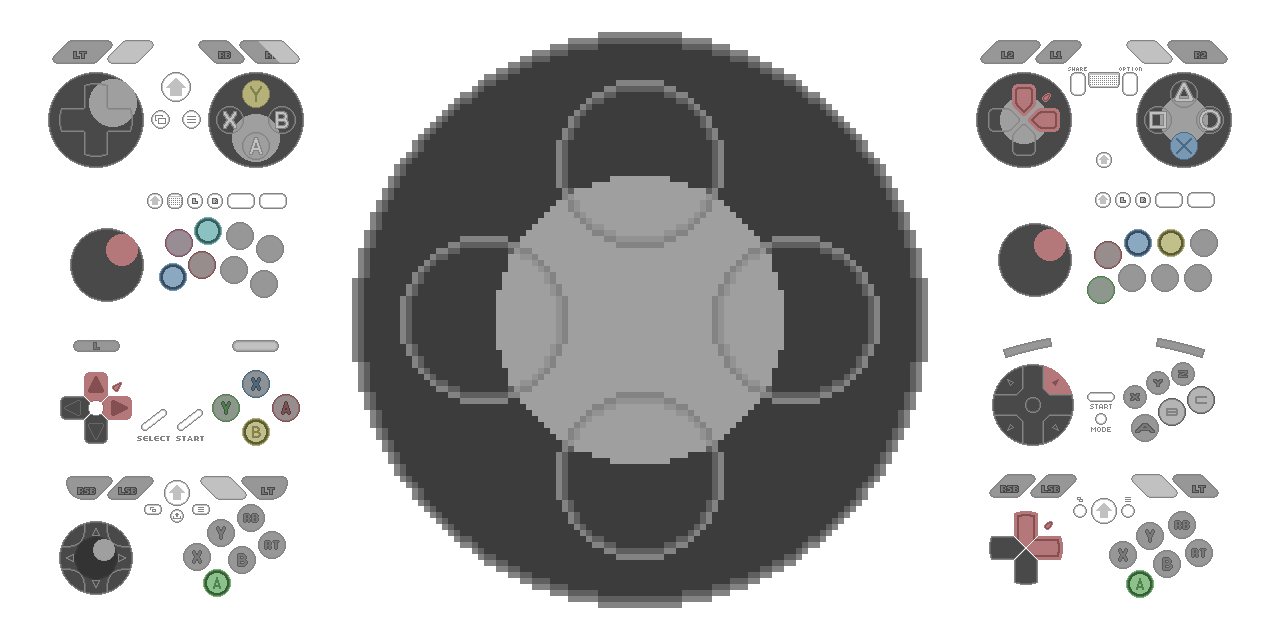
synthie_cat 9/29/2022 8:46 PM
Has anyone here ever made a custom https://minipadder.link skin?
A simple and clear input overlay for your gamepads and joysticks. Show your moves in your stream and videos.

WODZombie 10/4/2022 3:57 AM
Hey everyone. I am new and hopefully this is the right place to ask something like this. I need to get a layout of multiple users for debates. All of the users would be using their phones or webcams. But two of the users would need to be larger than the others, side by side. Sorry if this is the wrong place to ask. But any help would be appreciated.

WODZombie
Hey everyone. I am new and hopefully this is the right place to ask something like this. I need to get a layout of multiple users for debates. All of the users would be using their phones or webcams. But two of the users would need to be larger than the others, side by side. Sorry if this is the wrong place to ask. But any help would be appreciated.
TenderSausage 10/4/2022 4:11 AM
What you're asking for is typically a paid-for product. There are many layout makers online, and marketplaces like Envato where you can get many assets for a subscription. (edited)
4:13 AM
You may be able to make one yourself if you have the tools and knowhow. I use the Adobe CC Suite to build my assets.
WODZombie 10/4/2022 4:14 AM
I definitely do not have the knowhow. I dont mind paying as long as it'll work I'll check Envato right now. And once I get that layout setup I could stream it to platforms? Thanks for answering by the way.
TenderSausage 10/4/2022 4:15 AM
You'd be one step closer, I suppose
4:15 AM
I don't know how far along in the process you are, so it's hard to say
4:16 AM
"I am new" tends to have a range...
WODZombie 10/4/2022 4:18 AM
I have zero streaming experience. I have watched a lot of videos on streaming services like stream yard. But none of them have that layout option. So I'm just trying to see where I can start.

LeperMessiah 10/4/2022 8:49 AM
What is the best way to get audio from one PC to the other with a dual PC setup? I tried Voicemeeter but the delay was too bad

Canello 10/4/2022 10:36 PM
Hey guys, is there a fix to blurryness while streaming Skyrim? Take a look here: https://clips.twitch.tv/DullTrustworthyLardHassaanChop-GEWMC89OIcKMKRN8 When I move, it's all blurry. Im streaming at 1080p 60fps, 6000kb bitrate, nvenc encoder (3060ti) and my upload speed is 20mb/s. Thank you!
Canello
Hey guys, is there a fix to blurryness while streaming Skyrim? Take a look here: https://clips.twitch.tv/DullTrustworthyLardHassaanChop-GEWMC89OIcKMKRN8 When I move, it's all blurry. Im streaming at 1080p 60fps, 6000kb bitrate, nvenc encoder (3060ti) and my upload speed is 20mb/s. Thank you!
TenderSausage 10/5/2022 1:57 AM
Reduce your stream to 864p30


elmiau115 10/5/2022 6:55 AM
Hello I bought a monitor 1440p144hz for my ps5 but when I play a game it change to 1080 120hz why?

Cassie’s Boyfriend❤ 10/5/2022 12:44 PM
Because 1440p144 isn’t a supported resolution for the ps5, the closest thing it can get is 1080p120
TenderSausage 10/5/2022 1:50 PM
Find out how to enable 4K resolution and adjust video output settings on your PlayStation®5 console.
elmiau115 10/6/2022 1:22 AM
It’s now
1:23 AM
You can play at 1440 120hz
1:23 AM
Thanks for the link but that not going to work
elmiau115 10/6/2022 6:55 AM
Can show a video?


vulpisetclava 10/10/2022 1:41 PM
Could someone give me a feedback to my mic settings? Or help me set it up better?
1:42 PM
(If this is a correct channel for that)
vulpisetclava
Could someone give me a feedback to my mic settings? Or help me set it up better?
synthie_cat 10/10/2022 8:42 PM
Feel free to DM me a sample

TBD.Drew241 10/13/2022 8:06 PM
I'm having an issue when I stream certain games on OBS I lose my mic audio. Once I close the game the mic audio comes back. I have no idea what to do.
Cassie’s Boyfriend❤ 10/13/2022 10:32 PM
It’s the game taking your mic because windows only allows one application to access your input device at a time. You’ll have to disable in game voice chats if they exist and set your audio device to specifically your microphone and not just default. That cured a similar issue for me
Cassie’s Boyfriend❤
It’s the game taking your mic because windows only allows one application to access your input device at a time. You’ll have to disable in game voice chats if they exist and set your audio device to specifically your microphone and not just default. That cured a similar issue for me
TBD.Drew241 10/13/2022 11:03 PM
The game I was playing when I had the issue was Mad Max, Mafia 3, an Remember Me all are single player games with no voice chat.
Cassie’s Boyfriend❤ 10/13/2022 11:27 PM
I have absolutely no idea then I’m sorry 
Cassie’s Boyfriend❤
I have absolutely no idea then I’m sorry
TBD.Drew241 10/14/2022 12:01 AM
Nah its cool I think you might be on to something. Maybe there is a setting where Steam is taking priority of the mic from OBS.
TenderSausage 10/14/2022 1:00 AM
@TBD.Drew241 How is your microphone input configured in OBS? (edited)
vulpisetclava
Could someone give me a feedback to my mic settings? Or help me set it up better?
TenderSausage 10/14/2022 1:01 AM
Did you get sorted out?
TenderSausage
@TBD.Drew241 How is your microphone input configured in OBS? (edited)
TBD.Drew241 10/14/2022 1:43 AM
Not sure exactly what specific settings your asking for still fairly new to it but I have a MV7X XLR mic going into an Elgato Wave XLR. It works fine just not with some games.

TenderSausage
Could you post a screenshot of your Audio settings in OBS?
TBD.Drew241 10/14/2022 1:49 AM

TenderSausage 10/14/2022 1:53 AM
If you have a log file from a recent stream session, go ahead and send it to me and I can take a look

TenderSausage
If you have a log file from a recent stream session, go ahead and send it to me and I can take a look
TBD.Drew241 10/14/2022 2:07 AM
Do you want me to just copy paste it or is there another way for me to send it?
TenderSausage 10/14/2022 2:12 AM
2:12 AM
If it was your most recent log file, you can use the Upload Previous Log File option and then paste the link. If it's an older one, you'll need to send me the file with the form above.
TenderSausage
If it was your most recent log file, you can use the Upload Previous Log File option and then paste the link. If it's an older one, you'll need to send me the file with the form above.
TBD.Drew241 10/14/2022 2:14 AM
2:15 AM
That was the most recent one I have
TenderSausage 10/14/2022 2:20 AM
Could you post a screenshot of your sources list in the scene? I want to confirm something I see in the log.
2:20 AM


TenderSausage 10/14/2022 2:21 AM
Try this: Go back to your Audio settings and disable the Mic/Aux input.
2:22 AM
Since you have the mic as an input in the scene, it's unnecessary to instance it globally
TBD.Drew241 10/14/2022 2:23 AM
ok gonna give it a shot real quick gonna try the game again real quick brb
TenderSausage
Try this: Go back to your Audio settings and disable the Mic/Aux input.
TBD.Drew241 10/14/2022 2:26 AM
Its still doing it. But I notice it only does it in full screen mode.
2:26 AM
Windowed the mic works fine while the game is running.
TenderSausage 10/14/2022 2:38 AM
What about in Display Capture mode?
2:39 AM
It could be how Game Capture hooks into the game process.
TBD.Drew241 10/14/2022 2:39 AM
I can try that
2:40 AM
One sec
2:44 AM
Still knocking the mic out in fullscreen mode
TenderSausage 10/14/2022 2:50 AM
Let me think about this for a minute
TenderSausage
Let me think about this for a minute
TBD.Drew241 10/14/2022 2:51 AM
ok no rush kinda late where I am bout to get some rest we can pick it up tomorrow or feel free to message me
2:52 AM
Thanks for all your help so far
TenderSausage
Did you get sorted out?
vulpisetclava 10/14/2022 4:10 AM
I didn't end up getting anyone's assistance, but I applied some filters so the answer is: perhaps
1
TenderSausage 10/14/2022 5:03 PM
If you need additional help, feel free to submit a sample to one of the forms below. Send me an @ message if you end up sending in a submission; Google doesn't always do a good job of informing me when submissions happen. https://forms.gle/yfUJ9GRTokTRWKsk6 - Stream Link Review (URLs only) https://forms.gle/ywLcZhbujsVdQdMEA - Audio Sample Review (mp3, wav, etc) (edited)
Someone 10/15/2022 3:17 AM
Anyone know a thing that makes it where you don't get redirected when someone raids? Cause I afk had EA's fifa twitch open for when FGS comes on.... and I got raid redirected

Felimancer 10/15/2022 7:27 AM
You mean you dont want to go with the raid? there's a button that appears at the top of chat and you can click join/leave to not take part
TenderSausage
Let me think about this for a minute
TBD.Drew241 10/16/2022 2:34 AM
Did anything come to mind?
TenderSausage 10/16/2022 2:45 AM
Try running OBS as Admin
8:11 PM
Yes the software is up to date
TBD.Drew241 10/16/2022 8:42 PM
Do you think it could be something with the permissions where Steam is taking it from OBS?
8:42 PM
Because it only does it when its in full screen if I play windowed it doesnt happen at all.
Felimancer
You mean you dont want to go with the raid? there's a button that appears at the top of chat and you can click join/leave to not take part
Someone 10/17/2022 12:10 AM
Thing is if I have it AFK lmao
Felimancer 10/17/2022 6:18 AM
Oh yeah that sucks lol
TenderSausage 10/17/2022 4:21 PM
@TBD.Drew241 Did you recently update to OBS 28, and that's when it started happening? I see that you're on 28 from the log, but I'm curious if you had this issue before.
TenderSausage
@TBD.Drew241 Did you recently update to OBS 28, and that's when it started happening? I see that you're on 28 from the log, but I'm curious if you had this issue before.
TBD.Drew241 10/17/2022 4:25 PM
Unfortunately I just came over to OBS from streamlabs when I got my new mic setup
4:25 PM
First time using it with the new mic was after the update
TenderSausage 10/17/2022 4:27 PM
Try using OBS 27 and see if you have the same issues
4:28 PM
I know I have plenty of issues with 28, but it's to be expected with it being freshly released and having such a diversified plugin community
TenderSausage
I know I have plenty of issues with 28, but it's to be expected with it being freshly released and having such a diversified plugin community
TBD.Drew241 10/17/2022 6:12 PM
Ok I'll give it a shot when I get home an keep you updated.
TenderSausage
Try using OBS 27 and see if you have the same issues
TBD.Drew241 10/17/2022 7:30 PM
Gave it a shot an the same problem occurred. I also tried Streamlabs an it also gives me the same issues.
TenderSausage 10/17/2022 8:06 PM
Interesting, those are good data points. I'll keep investigating. FWIW, I have the Wave Link as well, and do not have this issue.
TenderSausage 10/17/2022 8:22 PM
@seahawksbrndn It sounds like an issue with your USB bus. Have you changed computers, or integrated a USB hub into your setup?
8:26 PM
Or, has the USB cable that you're using been damaged/kinked in any way, especially near the micro-USB port on the bottom o the Nano?
8:27 PM
This is how I destroyed my Blue Yeti X; Moved the microphone while it was sitting in the yoke, and it bent the USB cable right at the connector. I was able to fix it, but it wasn't fun.

seahawksbrndn 10/17/2022 8:31 PM
@TenderSausage currently my microphone plugs directly into the computer. i've had this computer for quite some time now
8:32 PM

8:33 PM
does that qualify as kinked?
9:05 PM
Check to see if your motherboard chipset drivers have any updates, or anything related to the USB controller
9:05 PM
Perhaps switch ports
seahawksbrndn 10/17/2022 9:06 PM
i believe i tried switching ports some time ago but yeah sure, i'll try that
TenderSausage 10/17/2022 9:06 PM
Could you share the motherboard you're using, or the computer model?
seahawksbrndn 10/17/2022 9:06 PM
for whatever it's worth, when the 'permanent' disconnect happens, i do the unplug/plug back in at the base of the yeti
9:06 PM
not at the computer
1
TenderSausage 10/17/2022 9:06 PM
No worries. Whenever you have a chance.
seahawksbrndn 10/17/2022 9:07 PM
TenderSausage 10/17/2022 9:08 PM
Is it plugged into a USB2.x port, or a USB3.x port?
9:08 PM
They use different controllers
seahawksbrndn 10/17/2022 9:08 PM
let me try to figure that out
TenderSausage 10/17/2022 9:08 PM
I assume you have a 5000 series Ryzen?
9:09 PM
Unfortunately, there is a known issue with Ryzen 5000 and USB issues with certain mainboards
seahawksbrndn 10/17/2022 9:11 PM
is there any way to tell the difference between the 2 and 3 visually?
TenderSausage 10/17/2022 9:11 PM
I would update the BIOS
9:11 PM

9:11 PM
ASUS Prime series is expertly engineered to unleash the full potential of AMD and Intel processors. Boasting a robust power design, comprehensive cooling solutions and intelligent tuning options, Prime series motherboards provide daily users and DIY PC builders a range of performance tuning options via intuitive software and firmware features.
seahawksbrndn 10/17/2022 9:12 PM
this is a stable update yes?
TenderSausage 10/17/2022 9:12 PM
That is an old BIOS
9:12 PM
They are many revisions ahead of this
9:12 PM
But this BIOS fixes the USB connectivity issue (edited)
seahawksbrndn 10/17/2022 9:12 PM
so update to the newest stable one, or that one specifically?
TenderSausage 10/17/2022 9:12 PM
Go to the latest one
9:12 PM
I don't see anything that suggests they need to be installed sequentially
9:13 PM
So I assume they're rolled up with each revision
seahawksbrndn 10/17/2022 9:13 PM
thank you, will try
9:13 PM
but i wasn't able to determine which usb port it's plugged into
9:13 PM
it's the one that's next to the word 'prime'
9:13 PM
like horizontal to it
1
9:14 PM
fwiw
9:15 PM
ohhhh i've done this before, is this the thing where you put the cap file on a USB drive and then boot to bios
9:15 PM
and update from there?
seahawksbrndn
it's the one that's next to the word 'prime'
TenderSausage 10/17/2022 9:16 PM
You can do it that way, or use the ASUS software
9:16 PM
I didn't mean to reply to that specific post lol
9:16 PM

9:17 PM
I believe you can flash a UEFI BIOS directly from AI Suite (edited)
seahawksbrndn 10/17/2022 9:17 PM
alright i'll try it
TenderSausage 10/17/2022 9:17 PM
You may have to disable legacy support first though, so it may be easier to just do it in the BIOS anyway (edited)
seahawksbrndn 10/17/2022 9:19 PM
alright, going in
9:19 PM
ty man
TenderSausage 10/17/2022 9:19 PM
No worries, let me know how it goes
seahawksbrndn 10/17/2022 9:28 PM
Looks good so far. But no idea if it fixed the problem...
9:28 PM
That will take some time
seahawksbrndn 10/17/2022 9:36 PM
hypothetically if i notice the same problem later on, is there anything else you'd recommend trying? or is it time to update the hardware?
TenderSausage 10/17/2022 10:28 PM
Possibly, or adding in an expansion card for USB
seahawksbrndn 10/17/2022 10:39 PM
for the record i do have a USB hub
10:39 PM
but i thought it'd be better to not use it when i started having this problem
1
TenderSausage 10/17/2022 10:58 PM
Webcams and mics should never be plugged into a hub.
seahawksbrndn 10/17/2022 11:05 PM
right
11:05 PM
is the expansion card something internal?
TenderSausage 10/17/2022 11:16 PM
Yep, it would be PCIe ideally
11:16 PM
On a PCIe lane not occupied by your GPU
seahawksbrndn 10/18/2022 12:13 AM
@TenderSausage https://www.amazon.com/Inateck-Extension-Bandwidth-External-RedComets/dp/B096ZK6C37/ref=sr_1_1?crid=275YRBADSJGXN&keywords=pcie+extension+card+usb&qid=1666051966&qu=eyJxc2MiOiIyLjMxIiwicXNhIjoiMC4wMCIsInFzcCI6IjAuMDAifQ%3D%3D&sprefix=pcie+extension+card+usb%2Caps%2C190&sr=8-1 would this one work?
12:13 AM
there were a couple cheaper ones but i don't mind spending extra money to get something that works, if it's actually better
TenderSausage 10/18/2022 12:22 AM
That is a USB 3 card. You don’t need USB 3, but it shouldn’t cause an issue.
seahawksbrndn
hypothetically if i notice the same problem later on, is there anything else you'd recommend trying? or is it time to update the hardware?
TenderSausage 10/18/2022 12:53 AM
But we're only speaking in hypotheticals. We're confident this will work.

Sugar 10/19/2022 5:04 AM
Hey there, im new to streaming and enjoying it so far meeting new peoples but when im streaming my webcam is capturing perfectly but when im playing overwatch 2 the game is stuttering. Im using Twitch studio Beta and DOWNLOAD is 108.66, UPLOAD Mbps is 18.73. I have a 3080. Any help would be appreciated
5:04 AM
Frames in game are always 100 (max for the monitor)
Sugar
Hey there, im new to streaming and enjoying it so far meeting new peoples but when im streaming my webcam is capturing perfectly but when im playing overwatch 2 the game is stuttering. Im using Twitch studio Beta and DOWNLOAD is 108.66, UPLOAD Mbps is 18.73. I have a 3080. Any help would be appreciated
synthie_cat 10/19/2022 7:38 AM
How exactly does the stutter look? Is it dropping frames or does it get blocky / hard to see? Based on your subreddit post I don't think that there should be any hardware based issue but can imagine that the "stutter" is more of an encoding issue while you play OW2. What bitrate are you using? If that's not the issue try setting up OBS instead of Twitch Beta. There might be a software issue.
7:43 AM
General rule: Using anything marked as Alpha/Beta software in production isn't worth it. It means that the software is not yet finished but a test build.
Sugar
Hey there, im new to streaming and enjoying it so far meeting new peoples but when im streaming my webcam is capturing perfectly but when im playing overwatch 2 the game is stuttering. Im using Twitch studio Beta and DOWNLOAD is 108.66, UPLOAD Mbps is 18.73. I have a 3080. Any help would be appreciated
TenderSausage 10/20/2022 12:46 AM
I am also curious about what this looks like. More often than not, issues like this are from encoder overload, meaning you’re trying to push too much content into a small bandwidth pipe.

deere76 10/25/2022 11:59 PM
I need to take a feed from a TV about 25-30 ft away for my stream. If I plug a 25-30 ft usb-c to usb-a cord into it it my computer won’t pick it up but if I have the 3 ft cord that came in the box it works fine. Is there a good usb cord that would work or do I need to get long hdmi cables? I have EVGA XR1 lite capture cards.
deere76
I need to take a feed from a TV about 25-30 ft away for my stream. If I plug a 25-30 ft usb-c to usb-a cord into it it my computer won’t pick it up but if I have the 3 ft cord that came in the box it works fine. Is there a good usb cord that would work or do I need to get long hdmi cables? I have EVGA XR1 lite capture cards.
synthie_cat 10/26/2022 12:22 AM
You could check r/videoengineering for that. I can imagine that the electrical resistance is screwing you over with that length.
deere76 10/26/2022 12:23 AM
Ok thank you

deere76
I need to take a feed from a TV about 25-30 ft away for my stream. If I plug a 25-30 ft usb-c to usb-a cord into it it my computer won’t pick it up but if I have the 3 ft cord that came in the box it works fine. Is there a good usb cord that would work or do I need to get long hdmi cables? I have EVGA XR1 lite capture cards.
Shanecus 10/26/2022 12:24 AM
Genuine question, is moving closer out of the equation? Normally the easiest answer is the best one
 1
1
deere76 10/26/2022 12:26 AM
No I can’t move any closer. I am streaming a powerlifting competitions and I’d be in the way.
TenderSausage 10/26/2022 12:46 AM
@deere76 Try an active USB extension. (edited)
12:48 AM
Amazon Basics USB 2.0 Active Extension Cable Type A-Male to A-Female Long Cord - 32 Feet (9.75 Meters) https://a.co/d/8AVPXFh
Amazon Basics USB 2.0 Active Extension Cable Type A-Male to A-Female Long Cord - 32 Feet (9.75 Meters)

12:49 AM
Plug in anything you want up to 32’ away. I use a few of these, most notably for my top-down webcam.
12:51 AM
If you need higher bandwidth, you can use a USB 3 extension: RSHTECH USB 3.0 Active Extension Cable 32 Feet with 5V 2A Power Adapter, USB 3.0 Extender Male to Female Cord with Built-in Signal Booster Chips for Xbox, PS4, USB Printer, Mouse, Keyboard, etc https://a.co/d/2gBHxNk
RSHTECH USB 3.0 Active Extension Cable 32 Feet with 5V 2A Power Adapter, USB 3.0 Extender Male to Female Cord with Built-in Signal Booster Chips for Xbox, PS4, USB Printer, Mouse, Keyboard, etc

seahawksbrndn 10/28/2022 11:15 PM
@TenderSausage the problem with my mic popping out persisted after the bios update, so i got a PCI card and now have the mic plugged into it. if it continues i'll be forced to conclude it's a mic problem or wire problem
11:15 PM
just FYI
TenderSausage 10/29/2022 12:02 AM
Yikes! I was really hoping that would work.
seahawksbrndn 10/29/2022 12:03 AM
me too

Tene 𒌐 10/29/2022 8:11 PM
anyone getting the error 3000 recently?
8:11 PM
I want to do highlights from my previous broadcasts
8:11 PM
but seems like the encoder doesn't work of the browser
8:11 PM
I tried hardware acceleration on and off
8:12 PM
and when its off, it loads a bit but the audio is robotic and then crashes
Tene 𒌐
anyone getting the error 3000 recently?
TenderSausage 10/29/2022 8:31 PM
Try a different browser.
Someone 10/29/2022 11:57 PM
@Meta-Man Can help ya here

Someone
@Meta-Man Can help ya here
Meta-Man 10/30/2022 12:04 AM
Hi Jabeenus, I’m trying to get into streaming/game recording for a game I like to play called War Robots. Here is what I have for a set up. Dslr Nikon D3200 (18mm-175mm lens) 2 ring lights (dimmable and able to change color temp) Mac tower with High Sierra 2 bg wallpaper rolls (green and white) 1 decent 50$ mic. (Audio tested it and it sounds fine to my ears but I’m not a audio technician so what do I know ) (edited)
) (edited)
12:04 AM
Here’s a pic of the setup.
12:04 AM

12:08 AM
I’m learning about lighting for the moment. I think this is a good placement.
Someone
@Meta-Man Can help ya here
Meta-Man 10/30/2022 12:12 AM
I have questions for each item if you’re up for the task? Or would you like to use a lifeline?

Shanecus 10/31/2022 12:05 AM
He has a minor setup
Meta-Man
Hi Jabeenus, I’m trying to get into streaming/game recording for a game I like to play called War Robots. Here is what I have for a set up. Dslr Nikon D3200 (18mm-175mm lens) 2 ring lights (dimmable and able to change color temp) Mac tower with High Sierra 2 bg wallpaper rolls (green and white) 1 decent 50$ mic. (Audio tested it and it sounds fine to my ears but I’m not a audio technician so what do I know ) (edited)
) (edited)
TenderSausage 10/31/2022 12:10 AM
Hey there, saw your message in #💬│chat and wanted to make sure you got the help you needed.
Shanecus
He has a minor setup
TenderSausage 10/31/2022 12:12 AM
I'm so happy with the reconfig. I have the space so now I can do VR games!
TenderSausage
Hey there, saw your message in #💬│chat and wanted to make sure you got the help you needed.
Meta-Man 10/31/2022 12:12 AM
Hi Tender, I’m still in the starting line.
TenderSausage 10/31/2022 12:13 AM
I guess just start at the top, wherever you're at.
Meta-Man 10/31/2022 12:13 AM
I’m at a wall when it comes to video editing apps that work on High Sierra.
12:14 AM
I have a few audio recording apps I’ll be trying out.
TenderSausage 10/31/2022 12:15 AM
I have a version of iMovie that might work... Let me look for it.
TenderSausage 10/31/2022 12:26 AM
@Meta-Man Try this one: https://drive.google.com/file/d/13YHNXbeYiHQS_Fu5euNMHpxlNwcAcL5U/view?usp=sharing (edited)

Orenda 11/2/2022 6:30 PM
Hai, I've been struggling trying to tweak my mic. I tend to get very excited and loud during streams but it's never pleasant on the ears. I'm hoping someone can help me through what I need to do and how to solve this issue. I currently have a HyperX Quadcast. Any help is appreciated, thank you!
TenderSausage 11/2/2022 6:31 PM
I would recommend a gate and compressor
6:31 PM
ReaPlugs is a good free option: https://www.reaper.fm/reaplugs/
6:33 PM
In OBS, on your microphone source, apply a VST filter and use ReaXcomp and ReaGate
6:34 PM
Every microphone and room environment vary, so settings will very accordingly.
Orenda 11/2/2022 6:35 PM
Room environment? And thank you, I'll download this now. What exactly do I do with these plugins after applying them to my mic?
TenderSausage 11/2/2022 6:36 PM
Room environment = Combination of physical size plus all the objects inside a room, including what the room is made of.
Orenda 11/2/2022 6:36 PM
OH I didnt know that mattered omg
TenderSausage 11/2/2022 6:36 PM
Sound reflects a lot
6:36 PM
Everything interacts with sound differently
6:37 PM
That's why you'll see a lot of streamers with pyramidal foam on the wall; The foam diffuses sound waves and prevents them from reflecting off the wall
6:38 PM
But other things like couches, carpets/rugs, and wall hangings affect how a room sounds
6:39 PM
Anyway, once you have the VST applied to the mic, you'll want to set up the parameters where it sounds good. This is what I have on my ReaXcomp

6:40 PM
The Gain slider is the important one; Set that to something like -2dB and your level won't go over that value.
6:42 PM
You may want to try ReaComp instead; It's essentially the same thing, just a simpler iterface.

6:43 PM
You can read about all of the plugins here: https://user.cockos.com/~glazfolk/ReaEffectsGuide.pdf
Orenda 11/2/2022 6:48 PM
Thank you for the screenshots! hopefully this helps keep my loudness to a bearable level and still picks up when i get very quiet. definitely thinking about how much stuff i have in my room tho haha i cant imagine how the sound is bouncing to the objects

steve2351 11/4/2022 11:48 PM
Hey friends, just recently got a new PC and struggling with one isolated issue in OBS I can't seem to wrangle. I'm using a CamLink 4K capture card to record the HDMI out from another computer in OBS. When I go to the Properties menu for the Video Capture Device, CamLink shows up with no problems, and I even get a preview of my feed and displays just fine in the properties menu, but when I click OK it's just a blank screen in my main window. I'm stumped. Everything is updated and all other sources work without issue. Any ideas?

steve2351 11/5/2022 12:16 AM
Sure, thanks!
TenderSausage 11/5/2022 3:43 PM
@steve2351 I'm sorry for the delay, I became sick shortly after messaging you.
3:43 PM
I did test it this morning though and am having no issues myself.
3:44 PM
Could you post a screenshot of your OBS window and maybe I could see the issue?
3:45 PM
My setup for this test is a Razer Blade 15 HDMI OUT to the CamLink 4K into OBS 28 on my stream PC. (edited)
TenderSausage
My setup for this test is a Razer Blade 15 HDMI OUT to the CamLink 4K into OBS 28 on my stream PC. (edited)
steve2351 11/5/2022 5:53 PM
Hey no worries at all, hope you’re feeling better! I’ll post some screen shots shortly, thanks for the help
TenderSausage
My setup for this test is a Razer Blade 15 HDMI OUT to the CamLink 4K into OBS 28 on my stream PC. (edited)
steve2351 11/5/2022 6:04 PM
So here you can see that in the second pic, when I bring up the properties menu of the video capture device, my HDMI feed is visible, but when clicking OK, it is still blank in the main screen. I'm running HDMI out from my Mac mini into Camlink 4K in OBS 28.1.1 into my stream PC Windows 11


TenderSausage 11/5/2022 6:33 PM
Try changing the Resolution/FPS Type to custom, select 4K and 30FPS.
TenderSausage
Try changing the Resolution/FPS Type to custom, select 4K and 30FPS.
steve2351 11/5/2022 6:44 PM
No dice unfortunately. I’ve tried the other FPS settings as well
TenderSausage 11/5/2022 6:53 PM

6:53 PM
I wonder if it's an issue with the output from the Mac
6:54 PM
I am also using an older version of OBS... I'll update real quick
6:56 PM
Still no issues in 28.1.1 for me
6:57 PM

6:57 PM
@steve2351 Is the source somewhere off canvas, maybe? Try doing a Transform -> Stretch to Screen (edited)
TenderSausage
@steve2351 Is the source somewhere off canvas, maybe? Try doing a Transform -> Stretch to Screen (edited)
steve2351 11/6/2022 12:54 AM
Ahh yes this worked, I totally did not think to try that  Usually you see a bit of it pop up somewhere on the canvas! Every time I've had an issue this forum has been incredibly helpful. Thanks so much for your help, it's really appreciated!
Usually you see a bit of it pop up somewhere on the canvas! Every time I've had an issue this forum has been incredibly helpful. Thanks so much for your help, it's really appreciated!
2
seahawksbrndn 11/8/2022 9:08 AM
@TenderSausage it worked! All is now well
Someone 11/9/2022 11:21 PM
Anyone stream at 120 fps (edited)
TenderSausage 11/9/2022 11:52 PM
Yep
TenderSausage 11/10/2022 12:02 AM
Did you need help with something, @Someone?
TenderSausage
Did you need help with something, @Someone?
Someone 11/10/2022 3:19 AM
Just wondering if it's worth getting a 120hz capture card for streaming at 120
TenderSausage 11/10/2022 3:22 AM
For streaming, no. For recording locally, yes.
3:25 AM
It all depends on what you think is important, and what the platform you stream to allows
3:25 AM
For Twitch, absolutely not worth it

Beckett 11/10/2022 6:40 PM
I have an elgato HD 60S+ connected to a 4in x 2 out HDMI splitter. When I change inputs on the splitter, 9 times out of 10, my stream freezes the image. Hitting activate/deactivate button in obs usually remedies the freeze. Is this normal or is it a capture card issue? I was thinking of buying an evga xr1 pro or an HD 60x for to compliment my series x, but if the problem persists, I won’t make the upgrade. Any recommendations or feedback would be appreciated.
TenderSausage 11/10/2022 7:23 PM
Can you post a link to the switch?
Beckett 11/13/2022 2:58 AM
On the switch or on the elgato?
TenderSausage 11/13/2022 3:00 AM
Both
Beckett 11/13/2022 3:02 AM
Merged on the elgato. 4K on the switch. Dip switches are both set to 4K as well.
TenderSausage 11/13/2022 3:06 AM
Are all of your sources 4K?
Beckett 11/13/2022 3:06 AM
Yup
TenderSausage 11/13/2022 3:08 AM
How about the scaler switches?
3:08 AM

Beckett 11/13/2022 3:08 AM
Set to PASS
TenderSausage 11/13/2022 3:09 AM
What happens if you set the Elgato EDID to Display?
Beckett 11/13/2022 3:13 AM
Black. Source says 2160p60 … I don’t think the HD60 S+ even supports that?

3:14 AM
That’s if the software even works. It routinely freezes up and crashes using the 4K utility
TenderSausage 11/13/2022 3:19 AM
What about Internal with 2160p?
Beckett 11/13/2022 3:20 AM
Same black screen, no video
3:21 AM
When I change inputs, the elgato always flashes red (even when it does work). I don’t think I’ve ever seen it flash white before. I think the resolution is too high for this device, perhaps?
TenderSausage 11/13/2022 3:23 AM
Windows Resolutions Elgato Game Capture HD60 S+ can record video sources that use the following resolutions: 480p 720 by 480 resolution 576p 720 by 576 resolution 720p 1280 by 720 resolu...

3:23 AM
That will depend on framerate
3:23 AM
If it's capped at 30fps, you can capture 4K